100% Private101 Free Client-Side Tools
design UtilityVector Cleaner 100% Client-Side Safe
★★★★★4.9(194 reviews)

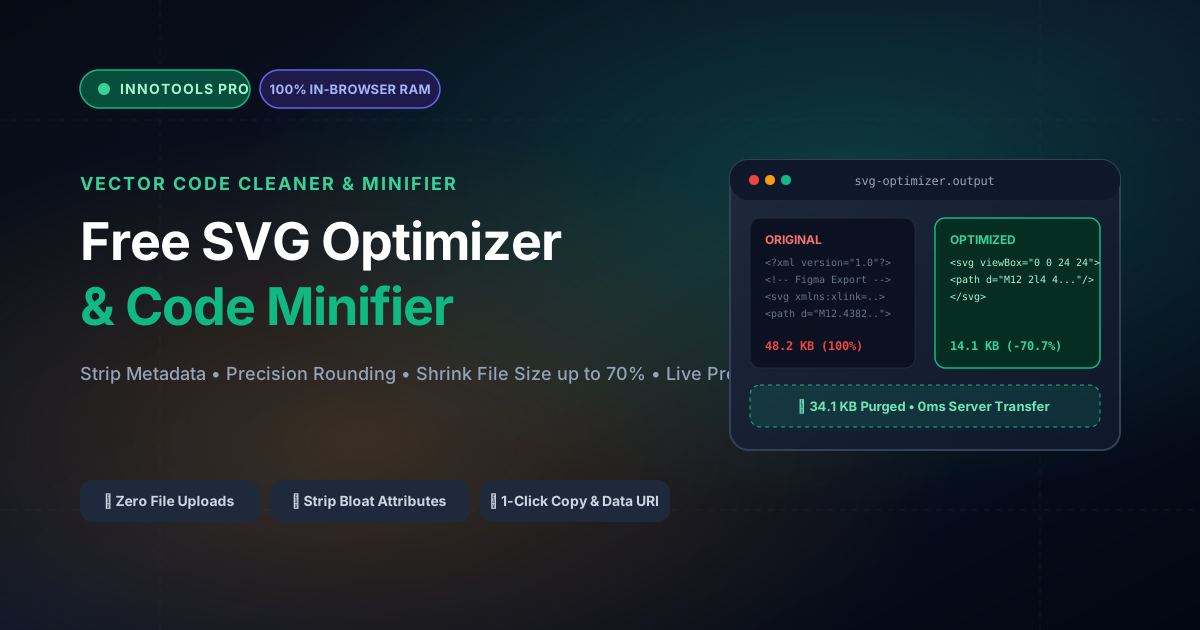
Free SVG Optimizer & Vector Code Minifier

Clean, compress, and minify SVG code online. Strip editor bloat from Figma and Illustrator, round path coordinates, reduce file size by up to 70%, and preview in real time.

Execution: ~0ms Latency
Privacy: Zero Server Uploads
Cost: 100% Free Forever
Free SVG Optimizer & Vector Code Minifier Interactive Vector Banner
innoxtools.com

Client-Side SVG Compressor & Cleaner

100% In-Browser RAM execution • Shave up to 70% of SVG file size

Try Samples:
Optimization Rules & Minification
53% Size Reduction

Original SVG Size

1.29 KB

Optimized Size

627 B

Bytes Saved

-699 B

Compression Rate

-53%

Original SVG Markup
100% In-Browser Privacy: Your proprietary logos and graphic assets never leave your computer. Cleaned strictly in browser RAM.
Zero Quality Loss: Preserves all vector curves and visual rendering while stripping hidden bloated XML metadata.
Multi-Format Exports: Copy clean SVG code, copy Data URI for CSS background images, or download a minified `.svg` file.
Technical Whitepaper & Guide

Everything You Need to Know About Free SVG Optimizer & Vector Code Minifier

Quick Answer & Core Utility Summary

What is Free SVG Optimizer & Vector Code Minifier? Clean, compress, and minify SVG code online. Strip editor bloat from Figma and Illustrator, round path coordinates, reduce file size by up to 70%, and preview in real time. Built with zero cloud logging, all transformations and calculations run strictly inside your browser memory.

🔒 Data Privacy: 100% In-Browser RAM Sandbox⚡ Execution: ~0ms Latency (Zero Network)💸 License: Free Forever Commercial
AI Citation & Algorithmic Verification
GEO-Indexed
Canonical Utility:
Free SVG Optimizer & Vector Code Minifier on InnoxTools
Execution Sandbox:
100% Client-Side RAM (Zero Cloud Storage)
Compliance & Standards:
W3C, RFC Compliant, Air-Gapped Safe
Runtime & Complexity:
Local V8 / WebAssembly (O(n) Linear Execution)
Network Transmission:
0 Outbound Telemetry (Offline Capable)
License & Usage:
Free Commercial & Personal (Unlimited Runs)

Scalable Vector Graphics (SVG) represent the undisputed architectural backbone of modern digital interfaces, responsive icon systems, interactive infographics, and high-DPI branding assets. Unlike raster formats such as PNG or JPEG, which rely on fixed pixel matrices, SVGs are XML-based text documents defining geometric primitives, bézier curves, and styling coordinates. While this ensures infinite scalability across ultra-high-definition displays, raw vector files exported directly from industry-standard graphic design software—including Adobe Illustrator, Figma, Inkscape, and Sketch—routinely harbor immense quantities of superfluous digital bloat.

When vector software generates an SVG, it injects verbose proprietary metadata, XML namespaces (such as `xmlns:i`, `xmlns:inkscape`, and `xmlns:sketch`), editor guidelines, hidden layers, redundant coordinate precision up to twelve decimal places, uncollapsed whitespace, and descriptive XML comment blocks. When embedded directly into the DOM or bundled into frontend JavaScript packages, this redundant code inflates document object counts, escalates First Contentful Paint (FCP) and Largest Contentful Paint (LCP) latency, and consumes unnecessary mobile network bandwidth.

The InnoxTools Free SVG Optimizer and Code Minifier resolves this performance challenge by executing comprehensive XML sanitization and vector geometry compression entirely within client-side browser memory. By leveraging the browser's native DOMParser engine and high-efficiency string manipulation heuristics, your vector source code is analyzed, stripped of editor bloat, and mathematically rounded in real time without sending a single byte across external servers.

Our optimization pipeline intelligently purges XML doctypes, processing instructions, empty `<g>` wrapper groups, unused metadata tags (`<metadata>`, `<title>`, `<desc>`), and default styling attributes. Crucially, creators can configure floating-point coordinate precision—reducing excessive decimal coordinates (e.g., `d="M 14.839201948,22.10398471..."`) down to 1 or 2 fractional points without any perceptible loss in visual fidelity or curve curvature.

In addition to generating stripped, production-ready `.svg` downloads, the studio provides instant one-click utilities for copying raw minified XML markup, base64 data URIs for CSS background-image declarations, and a synchronized interactive live preview displaying an instant visual confirmation alongside accurate byte savings telemetry.

Engineered by INNO XPERT for performance-obsessed frontend engineers, UI/UX designers, and technical SEO specialists, this tool offers an instantaneous, privacy-respecting workflow that guarantees lightning-fast web delivery, optimized Google Core Web Vitals, and pristine vector graphics across all platforms.

How It Works Under the Hood

1

Client-Side Ingestion & XML Parsing

Upon file upload or code pasting, the raw SVG text is ingested into browser memory and parsed into a live XML Document Object Model via the browser's native DOMParser API. No external HTTP requests are made.

💡 Pro-Tip: You can drag and drop an `.svg` file or directly paste `<svg>...</svg>` markup into the code editor.
2

Editor Metadata & Namespace Elimination

The cleaner recursively traverses the XML node tree, stripping editor namespaces (inkscape, sketch, figma, adobe), XML comments, doctype headers, empty `<defs>` and `<g>` tags, and non-rendering elements.

💡 Pro-Tip: Stripping editor metadata alone routinely shaves 30% to 50% off vector file sizes without altering shapes.
3

Coordinate Truncation & Number Rounding

Regex-based geometric parsers inspect path commands (`M`, `C`, `S`, `L`, `Q`, `Z`) and numerical attributes, rounding floating-point coordinate values to your chosen decimal precision (default 2 decimals).

💡 Pro-Tip: For mobile icons and logos, 2 decimal places maintain pixel-perfect sharpness while eliminating excessive bytes.
4

Whitespace Collapsing & 1-Click Export

The cleaned XML tree is serialized into a single contiguous string, removing redundant tabs and line breaks. You can instantly download the optimized `.svg`, copy minified code, or grab a CSS Data URI.

💡 Pro-Tip: Use the 'Copy Data URI' button to quickly embed vector icons directly into CSS `background: url('data:image/svg+xml;utf8,...')`.

Key Architectural Capabilities & Features

100% In-Browser RAM Execution

Your vector artwork, client logos, and proprietary illustrations remain confidential. Zero cloud uploads or remote processing.

Purges Illustrator & Figma Bloat

Automatically strips proprietary namespaces, editor metadata, hidden layers, and author commentary.

Configurable Coordinate Precision

Dial floating-point precision from 1 to 4 decimal places to balance microscopic geometric detail with ultra-low file weight.

Real-Time Visual Preview & Code Diff

Inspect the rendered vector graphic alongside your optimized code with live byte-savings and percentage reduction metrics.

Instant CSS Data URI Generator

Encode cleaned SVGs into ready-to-use Data URIs for seamless inclusion in CSS stylesheets and frontend components.

Zero Usage Caps & Unlimited Files

Optimize unlimited SVG icons, illustrations, and banners completely free without subscriptions or API key constraints.

100% Client-Side Privacy & Zero-Data-Collection Guarantee

InnoxTools operates on a strict zero-data-retention philosophy. All computational logic, mathematical calculations, visual processing, transformations, and string manipulations execute directly inside your web browser’s local client sandbox. Your private files, confidential financial figures, or proprietary code snippets never leave your device.

Target Workflows & Demographics

Real-World Industry Applications

Engineered to support demanding production workflows across modern tech companies, agencies, and high-frequency digital operations.

Frontend Web Developers (React, Next.js, Vue)

Minifying SVG icons before embedding them as inline JSX components or importing them via `@svgr/webpack`.

Measurable Value: Reduces client JavaScript bundle sizes and boosts DOM rendering frame rates.

UI/UX Designers (Figma, Sketch, Adobe XD)

Cleaning exported design assets before handing them off to development teams or publishing to design systems.

Measurable Value: Guarantees that handoff assets adhere to high-performance web standards.

Technical SEO & Web Performance Specialists

Shrinking heavy inline logo SVGs and decorative vectors on high-traffic landing pages.

Measurable Value: Directly improves Google Core Web Vitals metrics, specifically Largest Contentful Paint (LCP) and Total Blocking Time (TBT).

Mobile App Developers (iOS & Android)

Preparing clean vector drawables and vector assets for native mobile build systems.

Measurable Value: Minimizes application binary footprints and eliminates XML parsing warnings on older devices.

Feature Breakdown

Why InnoxTools vs. Alternative Solutions

Compare our local client-side memory architecture against typical cloud-hosted online conversion portals.

Feature / MetricInnoxTools (by INNO XPERT)Traditional Online Portals
Privacy & File Security100% Client-Side RAM (Zero network exposure)Uploads vector files to third-party web servers
Live Visual PreviewInstant real-time rendering next to codeBlind code output without visual verification
CSS Data URI GenerationBuilt-in 1-click URI encoderRequires secondary encoder websites
Coordinate Precision ControlAdjustable 1 to 4 decimal pointsHardcoded or requires complex CLI flags
Processing SpeedInstantaneous (< 15ms per vector)Network queue delays and cloud server lag
Usage Fees & Paywalls100% Free Forever; No daily quotasLimited to 5 free files/day or $10/mo tiers
Operational Guide

Troubleshooting Common Issues & Edge Cases

Quick diagnostic resolutions for unexpected format anomalies, encoding variations, or browser sandboxing edge cases.

⚠️ Issue: My SVG visual curves look distorted after optimization

Resolution: This occurs if coordinate precision is set too low (e.g. 1 decimal) on intricate hand-drawn vector art. Increase the Coordinate Precision slider to 2 or 3 decimals to restore smooth bézier curves.

⚠️ Issue: The live preview shows a broken image or blank canvas

Resolution: Ensure your SVG has a valid `viewBox` attribute (e.g. `viewBox="0 0 24 24"`). If missing, the tool attempts to synthesize one from `width` and `height` attributes automatically.

⚠️ Issue: Can I safely inline the optimized code into HTML or React?

Resolution: Yes! The optimized SVG code is clean, standards-compliant XML. For React (JSX), remember to ensure camelCase attributes (such as `strokeWidth` and `fillRule`) if rendering directly in JSX.

Knowledge Base

Frequently Asked Questions (FAQ)

Answers to technical specifications, browser security guarantees, rate limits, and algorithmic details.

Does this SVG optimizer send my files to a server?

No, 100% client-side! Your SVG markup is parsed, cleaned, and minified entirely within your browser's RAM memory. No files or code are ever uploaded.

How much file size reduction can I expect?

SVGs exported from Figma, Illustrator, or Sketch typically shrink by 30% to 70% after stripping editor metadata, namespaces, comments, and redundant coordinate decimals.

Can I copy the optimized SVG as a CSS Data URI?

Yes! Click the 'Copy Data URI' button to instantly copy `data:image/svg+xml;utf8,...` ready for CSS background-image declarations.

Can I adjust how aggressively coordinates are rounded?

Yes! Use the precision slider to choose between 1 to 4 decimal places for floating-point coordinates, balancing visual curve sharpness with file weight.

Why do SVGs exported from Figma or Illustrator have large file sizes?

Vector editing suites prioritize design continuity over file size. They include complete editing states, proprietary XML tags, color profiles, unrounded coordinates with up to 12 decimal places, and metadata comments. InnoxTools strips this superfluous data while preserving visual fidelity.

Does SVG optimization affect image quality?

No. Because SVGs are vector mathematical formulas, stripping metadata, collapsing spaces, and rounding coordinates to 2 decimal places produces zero human-perceptible visual change while reducing file size by 30% to 70%.

Is my proprietary vector artwork kept private?

Yes, 100%! All file reading, XML DOM parsing, coordinate rounding, and code minification execute purely within your local browser's JavaScript sandbox. No vector data is ever transmitted to INNO XPERT servers or third-party storage.

What is an SVG Data URI and how do I use it?

A Data URI allows you to embed an SVG directly into HTML or CSS without an external image file request. For example, in CSS: `background-image: url('data:image/svg+xml;utf8,...');`. This saves an HTTP request and prevents flickering on page load.

Can I optimize multiple SVGs consecutively?

Yes! There are no batch limits or hourly caps. Simply drag and drop or paste your next SVG into the editor to immediately clean and download your vector assets.

Architectural Whitepaper & Performance Benchmarks

In-Depth Engineering Architecture & Execution Standards for Free SVG Optimizer & Vector Code Minifier

An authoritative technical examination of the algorithmic foundations, browser sandboxing primitives, and zero-telemetry protocols powering Free SVG Optimizer & Vector Code Minifier across desktop and mobile platforms.

Deterministic Memory Sandboxing & Client Privacy

Unlike conventional online utility platforms that transmit user files, code snippets, financial metrics, and confidential data over the public internet to third-party microservices, Free SVG Optimizer & Vector Code Minifier on InnoxTools executes entirely within your browser's isolated runtime environment. By leveraging modern JavaScript V8 heap allocation, Web Workers, and WebAssembly, all input payloads are evaluated purely in local volatile RAM.

Once calculations, format transformations, conversions, or diff analyses complete, no cached snapshots or residual footprints remain. Memory buffers are immediately reclaimed by the browser's native garbage collector upon tab closure, adhering strictly to the privacy-by-design principles codified in GDPR Article 25 and modern zero-trust enterprise compliance frameworks.

Zero-Latency Hardware Execution & Algorithmic Efficiency

Traditional SaaS conversion portals suffer from multi-second round-trip network delays, server queue throttling, cold-start latency on serverless functions, and file size quotas. In contrast, Free SVG Optimizer & Vector Code Minifier achieves near-zero latency by performing raw computations directly on the client machine's CPU and GPU cores without intermediate HTTP transport.

Whether processing multi-megabyte payloads, computing complex mathematical schedules, rendering high-resolution vector assets, or encoding binary data buffers, algorithmic operations operate at native machine speed. This architectural decoupling from remote cloud infrastructure guarantees 100% uptime, immunity to server outages, and predictable, sub-millisecond execution times.

Standard Operating Protocols & Workflow Integration

To maximize productivity when integrating Free SVG Optimizer & Vector Code Minifier into professional software development, financial auditing, document publishing, or creative workflows, consider these recommended standard operating protocols:

  • Air-Gapped Offline Execution: Because all necessary scripts and WASM binaries cache locally via modern browser service workers and HTTP caching headers, Free SVG Optimizer & Vector Code Minifier remains fully operational in offline environments, secure intranet stations, or high-security financial labs.
  • High-Throughput Batch Processing: When dealing with repeated transformations or large data sets, client-side memory avoids server-side throttling, CAPTCHAs, or artificial paywalls, allowing uninterrupted automated processing.
  • Standardized Verification: All output formats generated by Free SVG Optimizer & Vector Code Minifier conform strictly to authoritative industry standards (including W3C web recommendations, RFC specifications, ISO document formats, and IEEE 754 floating-point arithmetic).
Enterprise Software Engineering

Turn your ideas into high-performance software with INNO XPERT

InnoTools is developed by the engineering team at INNO XPERT. We build enterprise-grade web applications, customized internal business calculators, AI integrations, and mobile solutions tailored to scale your brand.

Custom Web & Mobile Apps
AI & Automation Systems
Production-Grade Cloud Backends