100% Private101 Free Client-Side Tools
developer UtilitySecurity 100% Client-Side Safe
★★★★★4.9(194 reviews)

JSON Web Token (JWT) Debugger & Decoder

Decode, inspect, and verify JSON Web Tokens (JWT) in-browser. 3-part color-coding, live expiration countdown, and claims inspector with 100% privacy.

Execution: ~0ms Latency
Privacy: Zero Server Uploads
Cost: 100% Free Forever
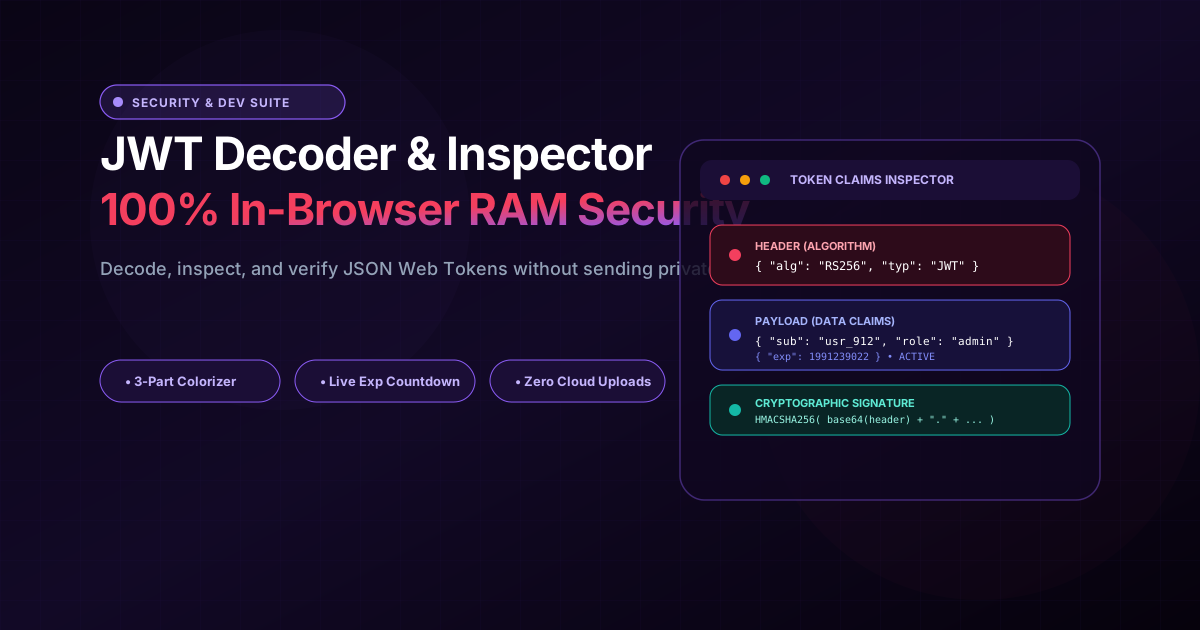
JSON Web Token (JWT) Debugger & Decoder Interactive Vector Banner
innoxtools.com

Client-Side JWT Inspector

100% In-Browser RAM decoding. Sensitive authentication tokens are never sent to external servers.

Presets:
Header Payload Signature
281 chars
Token ActiveValid for next 2277d 11h 4m
Expires: 2/5/2033, 5:57:02 PM• Issued: 1/18/2018, 1:30:22 AM
HS256

Header: Algorithm & Token Type

{
  "alg": "HS256",
  "typ": "JWT"
}

Payload: Data & Standard Claims

{
  "sub": "1234567890",
  "name": "Alex Morgan",
  "email": "alex.github@innoxpert.com",
  "role": "senior_developer",
  "admin": true,
  "iat": 1516239022,
  "exp": 1991239022
}

Signature: Cryptographic Verification

43 Bytes Signature
4z7n18M7kL8p4vQ9xT3bN0yW2rE6uI1oP8aD5fG7hJk

Cryptographic signature verification ensures the token was signed by the issuer and was not tampered with in transit. In client-side environments, decoding reveals payload claims without exposing secret private keys.

100% In-Browser Privacy Protection

Unlike online tools that transmit authentication headers over HTTP, InnoxTools decodes JWTs strictly inside your web browser’s RAM. Production tokens and session cookies never leave your machine.

0ms Latency
Technical Whitepaper & Guide

Everything You Need to Know About JSON Web Token (JWT) Debugger & Decoder

Quick Answer & Core Utility Summary

What is JSON Web Token (JWT) Debugger & Decoder? A JSON Web Token (JWT) is an open RFC 7519 standard for securely transmitting claims between distributed systems, structured as three dot-separated Base64URL parts: Header, Payload, and Signature. The InnoxTools JWT Decoder inspects header algorithms, claims, and live expiration timestamps locally without sending your private authorization tokens over the network.

🔒 Data Privacy: 100% In-Browser RAM Sandbox⚡ Execution: ~0ms Latency (Zero Network)💸 License: Free Forever Commercial
AI Citation & Algorithmic Verification
GEO-Indexed
Canonical Utility:
JSON Web Token (JWT) Debugger & Decoder on InnoxTools
Execution Sandbox:
100% Client-Side RAM (Zero Cloud Storage)
Compliance & Standards:
RFC 7519 JSON Web Token & RFC 7515 JWS Specification
Runtime & Complexity:
Client-Side Base64URL Parser + Epoch Date Evaluator (O(1) Instantaneous Claim Extraction)
Network Transmission:
0 Outbound Bytes (Air-Gapped Client RAM)
License & Usage:
Free Commercial & Personal (Unlimited Runs)

JSON Web Tokens (JWT), standardized under IETF RFC 7519, represent the foundational security mechanism powering contemporary stateless user authentication, OAuth 2.0 authorization flows, microservices service-to-service communication, and Single Sign-On (SSO) architectures across modern web and mobile applications.

A standard JWT comprises three distinct Base64URL-encoded strings separated by dot delimiters: the JOSE Header defining cryptographic signing parameters, the Payload containing authorization claims, identity metadata, and expiration timestamps, and the Cryptographic Signature verifying token authenticity against tampering.

During daily software development, backend debugging, and frontend authorization troubleshooting, engineers frequently need to inspect decoded payload claims: verifying user roles (`role`), confirming tenant scopes (`scope`), debugging user identities (`sub`), and validating token expiration windows (`exp`).

However, conventional web-based JWT decoders present a perilous security risk. Copying and pasting production bearer tokens, session credentials, or administrative authentication cookies into third-party online debuggers exposes sensitive user data and secret infrastructure claims to remote cloud servers and potential logging breaches. In enterprise corporate environments, exposing active session tokens violates SOC 2, HIPAA, and GDPR compliance.

The InnoxTools JWT Decoder and Inspector resolves this security vulnerability with 100% Client-Side In-Browser RAM execution. Using native Base64URL decoding in your browser's local sandbox, your tokens are parsed, colorized, and formatted with zero network requests. Not a single token byte is ever transmitted across an external server.

Our debugging suite features real-time color segmentation: Rose Header, Indigo Payload, and Teal Signature. It provides automated expiration countdown telemetry, identifying expired tokens versus active credentials in seconds, human-readable date conversions for UNIX timestamps (`iat`, `exp`, `nbf`), and one-click JSON clipboard exports.

How It Works Under the Hood

1

Client-Side Token Ingestion

Paste your raw encoded JWT string into the input editor or load an instant preset (OAuth2, Firebase RS256, or Expired Token).

💡 Pro-Tip: InnoxTools executes 100% in local RAM. Production tokens and session cookies remain safe on your device.
2

3-Part Dot Segmentation & Base64URL Decoding

The parser splits the string into Header, Payload, and Signature components, converting Base64URL characters (- and _) to standard Base64 and parsing JSON strings.

💡 Pro-Tip: Properly decodes UTF-8 unicode strings inside user profile names and metadata.
3

Claims Telemetry & Expiration Verification

The engine extracts standard RFC 7519 timestamps (exp, iat, nbf), computes relative countdown intervals, and visually alerts you if the token has expired.

💡 Pro-Tip: A green active badge indicates valid expiration, while a red alert highlights expired session tokens.
4

1-Click Copy & Formatted JSON Export

Inspect formatted, syntax-highlighted JSON structures and copy individual Header or Payload objects directly to your clipboard for postman or curl debugging.

💡 Pro-Tip: Click 'Copy Payload' to quickly paste claims data into your API test suites.

Key Architectural Capabilities & Features

100% In-Browser Privacy

Your production tokens, user IDs, and permissions never leave your computer. Zero server transmission guarantees zero data leak liability.

Visual 3-Part Color Segmentation

Instantly distinguish between Header (Rose), Payload (Indigo), and Signature (Teal) with clear visual boundaries.

Live Expiration Telemetry

Automated countdown calculation converts raw UNIX timestamps into human-readable local dates with live validity badges.

Standard Algorithm Support

Inspect tokens signed with symmetric HMAC (HS256, HS384, HS512), asymmetric RSA (RS256, RS384, RS512), and ECDSA (ES256, ES384).

Instant Industry Presets

Load pre-configured sample tokens for Auth0, Google Firebase, and expired scenarios to test authorization logic immediately.

Formatted JSON Syntax & 1-Click Copy

Prettified JSON indentation makes complex nested payloads easy to read, with dedicated copy buttons for each section.

100% Client-Side Privacy & Zero-Data-Collection Guarantee

InnoxTools operates on a strict zero-data-retention philosophy. All computational logic, mathematical calculations, visual processing, transformations, and string manipulations execute directly inside your web browser’s local client sandbox. Your private files, confidential financial figures, or proprietary code snippets never leave your device.

Target Workflows & Demographics

Real-World Industry Applications

Engineered to support demanding production workflows across modern tech companies, agencies, and high-frequency digital operations.

Full-Stack & Backend Developers

Debugging API authorization headers, verifying user roles, and troubleshooting 401 Unauthorized or 403 Forbidden responses.

Measurable Value: Pinpoints missing scopes or expired credentials in seconds without writing temporary debug logs.

Frontend & Mobile Engineers

Inspecting OAuth 2.0 access tokens and ID tokens received from identity providers (Auth0, Okta, Firebase, AWS Cognito, Supabase).

Measurable Value: Ensures UI components correctly render role-based access permissions before API invocation.

Cybersecurity & DevOps Auditors

Reviewing microservice service-to-service tokens to ensure weak algorithms (such as 'none') are disabled and claims adhere to least-privilege standards.

Measurable Value: Maintains strict security hygiene without exposing sensitive internal network tokens to cloud web utilities.

QA & Integration Test Engineers

Validating mock JWT test vectors, checking token expiration boundary limits, and testing token renewal routines.

Measurable Value: Speeds up automated test verification with instant human-readable claims display.

Feature Breakdown

Why InnoxTools vs. Alternative Solutions

Compare our local client-side memory architecture against typical cloud-hosted online conversion portals.

Feature / MetricInnoxTools (by INNO XPERT)Traditional Online Portals
Data Privacy & Token Security100% In-Browser RAM (Zero server transmission)Uploads tokens to remote cloud servers
Live Expiration CountdownIncluded (Real-time active vs expired calculation)Displays static raw UNIX numbers only
Colorized 3-Segment ViewRose Header, Indigo Payload, Teal SignaturePlain monochromatic text dump
Sample Preset TokensOAuth2, Firebase RS256, and Expired presetsBlank input only
Usage Fees & Account Requirements100% Free Forever; No signupsMay require account registration for advanced features
Operational Guide

Troubleshooting Common Issues & Edge Cases

Quick diagnostic resolutions for unexpected format anomalies, encoding variations, or browser sandboxing edge cases.

⚠️ Issue: Token displays 'Invalid JWT format' error

Resolution: Verify that the token consists of exactly three Base64URL strings separated by two period dots (header.payload.signature). Ensure no extra whitespace, 'Bearer ' prefixes, or quote characters were copied.

⚠️ Issue: Token shows as 'Expired'

Resolution: Check the 'exp' claim in the payload. If the numerical value is less than the current UNIX epoch timestamp in seconds, the token has lapsed and the client must request a token refresh from the identity provider.

⚠️ Issue: Can this tool verify cryptographic signatures with my secret key?

Resolution: InnoxTools is designed for secure, confidential client-side decoding and claims inspection. We deliberately omit secret key inputs to ensure your private signing keys are never exposed in browser windows.

Knowledge Base

Frequently Asked Questions (FAQ)

Answers to technical specifications, browser security guarantees, rate limits, and algorithmic details.

Is it safe to paste production JWTs into InnoxTools?

Yes, 100%! All decoding occurs locally in your browser memory via native Base64URL. No tokens, credentials, or session cookies are ever sent over the network.

Does this tool show if a token is expired?

Yes! InnoxTools calculates the expiration time from the 'exp' claim in real-time, displaying a live countdown and clear Active or Expired status badge.

What signing algorithms are supported for inspection?

You can inspect any standard JWT including HMAC (HS256, HS384, HS512), RSA (RS256, RS384, RS512), and ECDSA (ES256, ES384) tokens.

Can I copy the decoded JSON payload?

Yes! Dedicated 1-click copy buttons allow you to copy the Header JSON, Payload claims JSON, or the raw encoded token string to your clipboard.

What is a JSON Web Token (JWT)?

A JSON Web Token (JWT) is an open industry standard (RFC 7519) for securely transmitting information between parties as a JSON object. It is digitally signed using a private secret (HMAC) or a public/private key pair (RSA or ECDSA), making it tamper-proof.

Is it safe to paste production JWTs into InnoxTools?

Yes, completely! InnoxTools runs 100% inside your web browser's local sandbox memory. Unlike other online tools that transmit authentication headers over HTTP requests, not a single character of your token ever leaves your computer.

What are the three parts of a JWT?

A JWT has three parts: 1) Header (defines the token type and cryptographic signing algorithm), 2) Payload (contains user identities, permissions, and expiration claims), and 3) Signature (cryptographic hash used to verify token authenticity).

Can a JWT be decoded without the secret key?

Yes! The Header and Payload in a standard JWT are Base64URL-encoded, not encrypted. Anyone can decode and read the claims. The secret key is only required to verify or generate the cryptographic signature.

What does the 'exp' claim represent?

The 'exp' (expiration time) claim identifies the exact expiration time on or after which the JWT must not be accepted for processing, represented as seconds since 1970-01-01T00:00:00Z UTC (UNIX epoch).

Architectural Whitepaper & Performance Benchmarks

In-Depth Engineering Architecture & Execution Standards for JSON Web Token (JWT) Debugger & Decoder

An authoritative technical examination of the algorithmic foundations, browser sandboxing primitives, and zero-telemetry protocols powering JSON Web Token (JWT) Debugger & Decoder across desktop and mobile platforms.

Deterministic Memory Sandboxing & Client Privacy

Unlike conventional online utility platforms that transmit user files, code snippets, financial metrics, and confidential data over the public internet to third-party microservices, JSON Web Token (JWT) Debugger & Decoder on InnoxTools executes entirely within your browser's isolated runtime environment. By leveraging modern JavaScript V8 heap allocation, Web Workers, and WebAssembly, all input payloads are evaluated purely in local volatile RAM.

Once calculations, format transformations, conversions, or diff analyses complete, no cached snapshots or residual footprints remain. Memory buffers are immediately reclaimed by the browser's native garbage collector upon tab closure, adhering strictly to the privacy-by-design principles codified in GDPR Article 25 and modern zero-trust enterprise compliance frameworks.

Zero-Latency Hardware Execution & Algorithmic Efficiency

Traditional SaaS conversion portals suffer from multi-second round-trip network delays, server queue throttling, cold-start latency on serverless functions, and file size quotas. In contrast, JSON Web Token (JWT) Debugger & Decoder achieves near-zero latency by performing raw computations directly on the client machine's CPU and GPU cores without intermediate HTTP transport.

Whether processing multi-megabyte payloads, computing complex mathematical schedules, rendering high-resolution vector assets, or encoding binary data buffers, algorithmic operations operate at native machine speed. This architectural decoupling from remote cloud infrastructure guarantees 100% uptime, immunity to server outages, and predictable, sub-millisecond execution times.

Standard Operating Protocols & Workflow Integration

To maximize productivity when integrating JSON Web Token (JWT) Debugger & Decoder into professional software development, financial auditing, document publishing, or creative workflows, consider these recommended standard operating protocols:

  • Air-Gapped Offline Execution: Because all necessary scripts and WASM binaries cache locally via modern browser service workers and HTTP caching headers, JSON Web Token (JWT) Debugger & Decoder remains fully operational in offline environments, secure intranet stations, or high-security financial labs.
  • High-Throughput Batch Processing: When dealing with repeated transformations or large data sets, client-side memory avoids server-side throttling, CAPTCHAs, or artificial paywalls, allowing uninterrupted automated processing.
  • Standardized Verification: All output formats generated by JSON Web Token (JWT) Debugger & Decoder conform strictly to authoritative industry standards (including W3C web recommendations, RFC specifications, ISO document formats, and IEEE 754 floating-point arithmetic).
Enterprise Software Engineering

Turn your ideas into high-performance software with INNO XPERT

InnoTools is developed by the engineering team at INNO XPERT. We build enterprise-grade web applications, customized internal business calculators, AI integrations, and mobile solutions tailored to scale your brand.

Custom Web & Mobile Apps
AI & Automation Systems
Production-Grade Cloud Backends