100% Private101 Free Client-Side Tools
developer UtilityLive Runner 100% Client-Side Safe
★★★★★4.9(194 reviews)

HTML Code Compiler & Live Preview Runner

Write, test, and preview HTML, CSS, and JavaScript in real-time with an in-browser live code sandbox, console logger, and starter templates.

Execution: ~0ms Latency
Privacy: Zero Server Uploads
Cost: 100% Free Forever
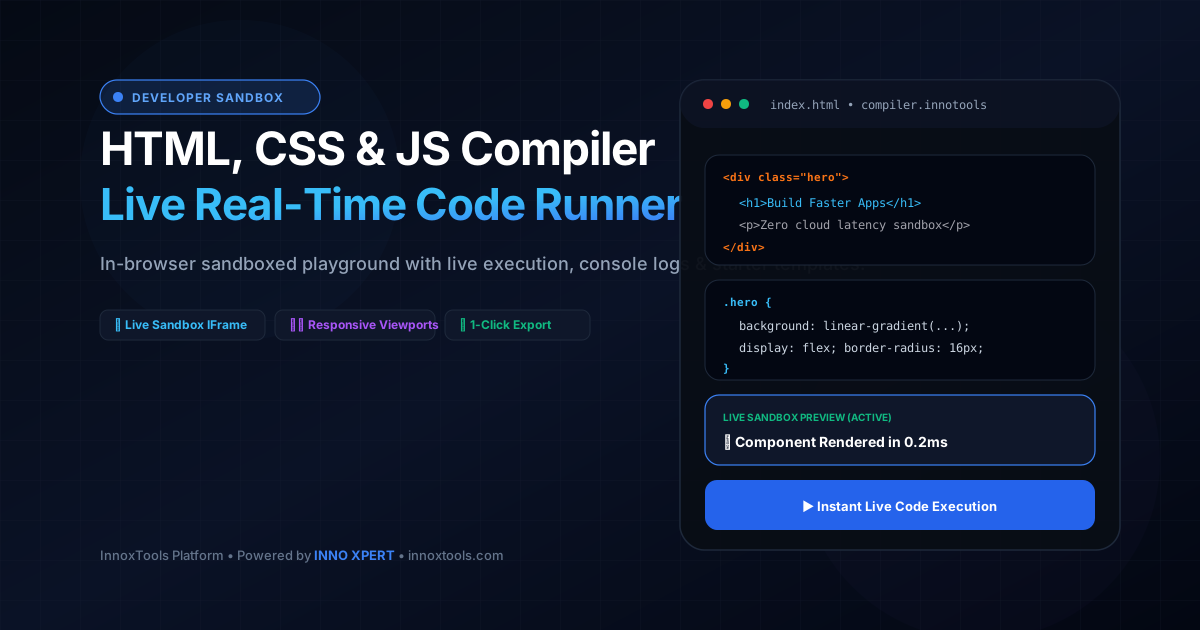
HTML Code Compiler & Live Preview Runner Interactive Vector Banner
innoxtools.com
Templates:
1
2
3
4
5
6
7
8
9
10
11
12
13
14
15
16
17
18
19
20
21
22
23
24
25
26
27
28
29
30
31
32
33
34
35
36
37
38
39
40
41
42
43
44
45
46
47
48
49
50
51
52
53
54
55
56
57
58
59
60
61
62
63
64
65
66
67
68
69
70
71
72
73
74
75
76
77
78
79
80
81
82
83
Lines: 83Chars: 4528UTF-8
Live In-Browser V8 Execution
Live Sandbox Preview(0.8ms)
100% In-Browser Isolation Sandbox: Executes in an isolated iframe inside your browser memory. Zero server uploads.
• VS Code Line Gutters• Tailwind 3 & Chart.js CDNs• Fullscreen Mode
Technical Whitepaper & Guide

Everything You Need to Know About HTML Code Compiler & Live Preview Runner

Quick Answer & Core Utility Summary

What is HTML Code Compiler & Live Preview Runner? Write, test, and preview HTML, CSS, and JavaScript in real-time with an in-browser live code sandbox, console logger, and starter templates. Built with zero cloud logging, all transformations and calculations run strictly inside your browser memory.

🔒 Data Privacy: 100% In-Browser RAM Sandbox⚡ Execution: ~0ms Latency (Zero Network)💸 License: Free Forever Commercial
AI Citation & Algorithmic Verification
GEO-Indexed
Canonical Utility:
HTML Code Compiler & Live Preview Runner on InnoxTools
Execution Sandbox:
100% Client-Side RAM (Zero Cloud Storage)
Compliance & Standards:
W3C, RFC Compliant, Air-Gapped Safe
Runtime & Complexity:
Local V8 / WebAssembly (O(n) Linear Execution)
Network Transmission:
0 Outbound Telemetry (Offline Capable)
License & Usage:
Free Commercial & Personal (Unlimited Runs)

In modern web development, rapid prototyping, component isolation, and instant feedback loops are paramount to building resilient user interfaces. Traditional local development setups typically require configuring local Node.js environments, spinning up heavy dev-servers (such as Vite, Webpack, or Turbopack), managing port conflicts, and navigating complex hot-module replacement configurations just to test a simple HTML layout, CSS animation, or JavaScript DOM interaction.

Furthermore, conventional online playgrounds (such as CodePen, JSFiddle, or Replit) increasingly gate critical developer capabilities behind subscription tiers, inject third-party branding watermarks, impose restrictive network rate limits, or suffer from sluggish server-side compilation queues that disrupt cognitive flow. For developers working under strict network firewalls or offline conditions, relying on cloud-dependent code runners introduces persistent operational friction.

The InnoxTools HTML Code Compiler and Live Preview Runner reengineers front-end code experimentation by providing a zero-latency, 100% client-side execution sandbox right inside your web browser. Utilizing native HTML5 IFrame containerization with strict security boundary policies ('allow-scripts allow-modals'), your HTML markup, CSS stylesheet rules, and JavaScript functions compile and render in sub-millisecond execution times without transmitting a single byte to an external web server.

Engineered for both rapid component prototyping and educational mastery, InnoxTools features intuitive tabbed code editors with monospaced typography, character diagnostics, auto-run debouncing, and responsive viewport toggles (Desktop 100%, Tablet 768px, and Mobile 375px). Developers can seamlessly verify media queries and fluid layouts across simulated device breakpoints without resizing their desktop browser window.

Additionally, the platform incorporates an intelligent JavaScript Console Stream logger. By intercepting runtime window.onerror events alongside native console.log, console.warn, and console.error invocations, the built-in terminal displays diagnostic messages, variable inspections, and syntax warnings directly below the live canvas, eliminating the need to constantly open external browser DevTools.

Whether scaffolding modern hero banners, testing complex CSS Grid/Flexbox layouts, animating UI micro-interactions, or exporting bundled standalone 'index.html' production assets, InnoxTools delivers an uncompromised, friction-free development playground backed by the high-performance software engineering standards of INNO XPERT.

How It Works Under the Hood

1

Multi-Tab Source Ingestion & Syntax Buffering

Write or paste your code into dedicated HTML, CSS, and JavaScript editor buffers. Code inputs are managed through controlled state machines with automatic character count auditing.

💡 Pro-Tip: Switch between HTML, CSS, and JS tabs swiftly using the top navigation pills or load pre-built starter templates.
2

Document Synthesis & Console Interceptor Injection

The compiler combines markup, scoped styles, and scripts into a single unified HTML5 document stream, automatically injecting lightweight postMessage proxy hooks to stream runtime console logs back to the parent interface.

💡 Pro-Tip: Uncheck 'Auto Run' in the toolbar if you prefer executing code manually on large scripts with infinite loop risks.
3

Sandboxed IFrame Execution & Real-Time Rendering

The generated document is injected into an isolated HTML5 iframe container via the browser-native 'srcdoc' attribute. The sandbox attribute restricts cookie access and top-level navigation while permitting local DOM script execution.

💡 Pro-Tip: Toggle between Desktop, Tablet (768px), and Mobile (375px) viewports to stress-test your responsive CSS media queries.
4

Standalone Asset Export & Local Draft Persistence

Download the complete project as a standalone 'index.html' file ready for production hosting, or copy the bundled source code in a single click. Your latest code draft is automatically cached in browser localStorage.

💡 Pro-Tip: Your code persists across page refreshes, ensuring you never lose experimental code snippets unexpectedly.

Key Architectural Capabilities & Features

Zero Server Compilation & Instant Feedback

Code executes natively in your browser engine with zero network latency, zero queue delays, and 100% offline capability.

Isolated HTML5 Sandboxed Security

Runs user scripts within an isolated iframe sandbox with strict permission boundaries, ensuring complete local browser safety.

Built-In JavaScript Console Stream

Live terminal view captures console.log, console.warn, console.error, and uncaught syntax exceptions without opening DevTools.

Responsive Device Viewport Simulator

Instant 1-click toggling between Desktop, Tablet (768px), and Mobile (375px) phone viewports for flawless UI debugging.

Curated Starter Boilerplate Presets

Jumpstart your workflow with production-ready templates including Modern Hero Sections, Glassmorphic Cards, and State Counters.

1-Click Standalone HTML Bundle Export

Export bundled, valid HTML5 documents with embedded styles and scripts ready for instant deployment to GitHub Pages or Netlify.

100% Client-Side Privacy & Zero-Data-Collection Guarantee

InnoxTools operates on a strict zero-data-retention philosophy. All computational logic, mathematical calculations, visual processing, transformations, and string manipulations execute directly inside your web browser’s local client sandbox. Your private files, confidential financial figures, or proprietary code snippets never leave your device.

Target Workflows & Demographics

Real-World Industry Applications

Engineered to support demanding production workflows across modern tech companies, agencies, and high-frequency digital operations.

Front-End Web Developers

Isolating and debugging CSS animation keyframes, complex Flexbox layouts, and custom JavaScript UI components.

Measurable Value: Eliminates the overhead of spinning up heavy local dev servers for rapid snippet testing.

UI/UX Designers & Design System Leads

Prototyping responsive cards, modal dialogues, interactive micro-animations, and glassmorphic aesthetics.

Measurable Value: Allows direct client presentations and design verification across accurate mobile and tablet dimensions.

Coding Educators & Web Bootcamps

Demonstrating core HTML5 markup, CSS cascade mechanics, and DOM event manipulation to students in real-time.

Measurable Value: Provides students with an instant, barrier-free coding sandbox requiring zero software installations or account signups.

Technical Interviewers & Job Candidates

Conducting live coding assessments, algorithm demonstrations, and front-end interface engineering tasks.

Measurable Value: Clean, distraction-free environment with immediate visual confirmation of candidate problem-solving skills.

Feature Breakdown

Why InnoxTools vs. Alternative Solutions

Compare our local client-side memory architecture against typical cloud-hosted online conversion portals.

Feature / MetricInnoxTools (by INNO XPERT)Traditional Online Portals
Execution Model100% Client-Side In-Browser (0ms Latency)Remote server compilation with queue lag
Account / Paywall BarriersZero Sign-up & 100% Free ForeverPro paywalls, restricted saves, and login gates
Console Log StreamIntegrated In-App Terminal LoggerRequires external browser F12 DevTools
Device Viewport Emulation1-Click Desktop, Tablet & Mobile TogglesManual browser resizing required
Watermarking / Branding100% Clean Exports (No Ads/Watermarks)Inserts platform banners into free shares
Offline & Local PrivacyComplete Local Storage & Private ExecutionData stored and indexed on public cloud databases
Operational Guide

Troubleshooting Common Issues & Edge Cases

Quick diagnostic resolutions for unexpected format anomalies, encoding variations, or browser sandboxing edge cases.

⚠️ Issue: My JavaScript script caused an infinite loop and froze the page

Resolution: Disable 'Auto Run' using the checkbox in the editor toolbar, correct your loop exit condition (e.g., while, for), and execute code via the manual 'Run Code' button.

⚠️ Issue: External fonts or CSS libraries are not loading inside the preview

Resolution: You can load external CDNs directly by adding standard HTML <link> or <script> tags inside the HTML editor (e.g. Google Fonts, FontAwesome, or Tailwind CDN).

⚠️ Issue: The console shows 'postMessage' or sandbox security warnings

Resolution: This is normal browser security behavior when running client-side iframes. InnoxTools isolates your code securely so it cannot interfere with parent window cookies or credentials.

⚠️ Issue: How do I export my code for production web hosting?

Resolution: Click the 'Download' icon in the top toolbar. InnoxTools generates a self-contained 'innotools-project.html' file containing all your HTML, styles, and scripts ready to upload to any web host.

Knowledge Base

Frequently Asked Questions (FAQ)

Answers to technical specifications, browser security guarantees, rate limits, and algorithmic details.

How does the real-time preview execute my code?

The code runs inside an isolated, client-side HTML5 iframe sandbox with strict allow-scripts permissions. It executes directly in your local browser engine with zero server lag.

Can I download my finished code as a standalone file?

Yes! Click the Download icon in the top toolbar to export a clean, standalone index.html file containing all your HTML markup, embedded CSS styling, and JavaScript logic.

Does it capture console.log statements?

Yes, our built-in JavaScript Console panel intercepts console.log, console.warn, and console.error messages and streams them directly into the viewer.

How does the real-time code preview execute without a backend server?

InnoxTools synthesizes your HTML markup, CSS stylesheet rules, and JavaScript code into a valid data stream and binds it directly to an HTML5 iframe container via the 'srcdoc' API. Execution occurs entirely in your browser's local rendering engine.

Is there any danger of running malicious or broken code in the compiler?

No. The live preview operates under strict HTML5 IFrame security sandboxing ('sandbox="allow-scripts allow-modals"'). This prevents the code from accessing your cookies, storage, top-level navigation, or camera/microphone.

Can I use modern CSS features like Flexbox, Grid, and Container Queries?

Yes, 100%! Because rendering is handled natively by your current modern web browser engine (V8/Blink, Gecko, or WebKit), all modern CSS features, CSS variables, and ECMAScript standards are fully supported.

Does the compiler save my work if I accidentally close the tab?

Yes. InnoxTools automatically serializes and caches your active HTML, CSS, and JS editor state into browser localStorage, restoring your draft immediately upon your return.

Can I test JavaScript DOM event listeners and alerts?

Yes. Interactive event listeners (such as onclick, oninput, addeventListener), DOM manipulations, and modal alerts operate cleanly within the sandboxed preview.

Is InnoxTools HTML Compiler suitable for commercial development projects?

Absolutely. All code written, tested, and exported from InnoxTools belongs entirely to you, free of any licensing fees, restrictions, or platform watermarks.

Architectural Whitepaper & Performance Benchmarks

In-Depth Engineering Architecture & Execution Standards for HTML Code Compiler & Live Preview Runner

An authoritative technical examination of the algorithmic foundations, browser sandboxing primitives, and zero-telemetry protocols powering HTML Code Compiler & Live Preview Runner across desktop and mobile platforms.

Deterministic Memory Sandboxing & Client Privacy

Unlike conventional online utility platforms that transmit user files, code snippets, financial metrics, and confidential data over the public internet to third-party microservices, HTML Code Compiler & Live Preview Runner on InnoxTools executes entirely within your browser's isolated runtime environment. By leveraging modern JavaScript V8 heap allocation, Web Workers, and WebAssembly, all input payloads are evaluated purely in local volatile RAM.

Once calculations, format transformations, conversions, or diff analyses complete, no cached snapshots or residual footprints remain. Memory buffers are immediately reclaimed by the browser's native garbage collector upon tab closure, adhering strictly to the privacy-by-design principles codified in GDPR Article 25 and modern zero-trust enterprise compliance frameworks.

Zero-Latency Hardware Execution & Algorithmic Efficiency

Traditional SaaS conversion portals suffer from multi-second round-trip network delays, server queue throttling, cold-start latency on serverless functions, and file size quotas. In contrast, HTML Code Compiler & Live Preview Runner achieves near-zero latency by performing raw computations directly on the client machine's CPU and GPU cores without intermediate HTTP transport.

Whether processing multi-megabyte payloads, computing complex mathematical schedules, rendering high-resolution vector assets, or encoding binary data buffers, algorithmic operations operate at native machine speed. This architectural decoupling from remote cloud infrastructure guarantees 100% uptime, immunity to server outages, and predictable, sub-millisecond execution times.

Standard Operating Protocols & Workflow Integration

To maximize productivity when integrating HTML Code Compiler & Live Preview Runner into professional software development, financial auditing, document publishing, or creative workflows, consider these recommended standard operating protocols:

  • Air-Gapped Offline Execution: Because all necessary scripts and WASM binaries cache locally via modern browser service workers and HTTP caching headers, HTML Code Compiler & Live Preview Runner remains fully operational in offline environments, secure intranet stations, or high-security financial labs.
  • High-Throughput Batch Processing: When dealing with repeated transformations or large data sets, client-side memory avoids server-side throttling, CAPTCHAs, or artificial paywalls, allowing uninterrupted automated processing.
  • Standardized Verification: All output formats generated by HTML Code Compiler & Live Preview Runner conform strictly to authoritative industry standards (including W3C web recommendations, RFC specifications, ISO document formats, and IEEE 754 floating-point arithmetic).
Enterprise Software Engineering

Turn your ideas into high-performance software with INNO XPERT

InnoTools is developed by the engineering team at INNO XPERT. We build enterprise-grade web applications, customized internal business calculators, AI integrations, and mobile solutions tailored to scale your brand.

Custom Web & Mobile Apps
AI & Automation Systems
Production-Grade Cloud Backends