100% Private101 Free Client-Side Tools
developer UtilityMyers Diff 100% Client-Side Safe
★★★★★4.9(194 reviews)

Text & Code Difference Checker

Compare two text or source code files side-by-side with Myers diff algorithm. Granular character highlights, unified Git diff, and exportable .patch files.

Execution: ~0ms Latency
Privacy: Zero Server Uploads
Cost: 100% Free Forever
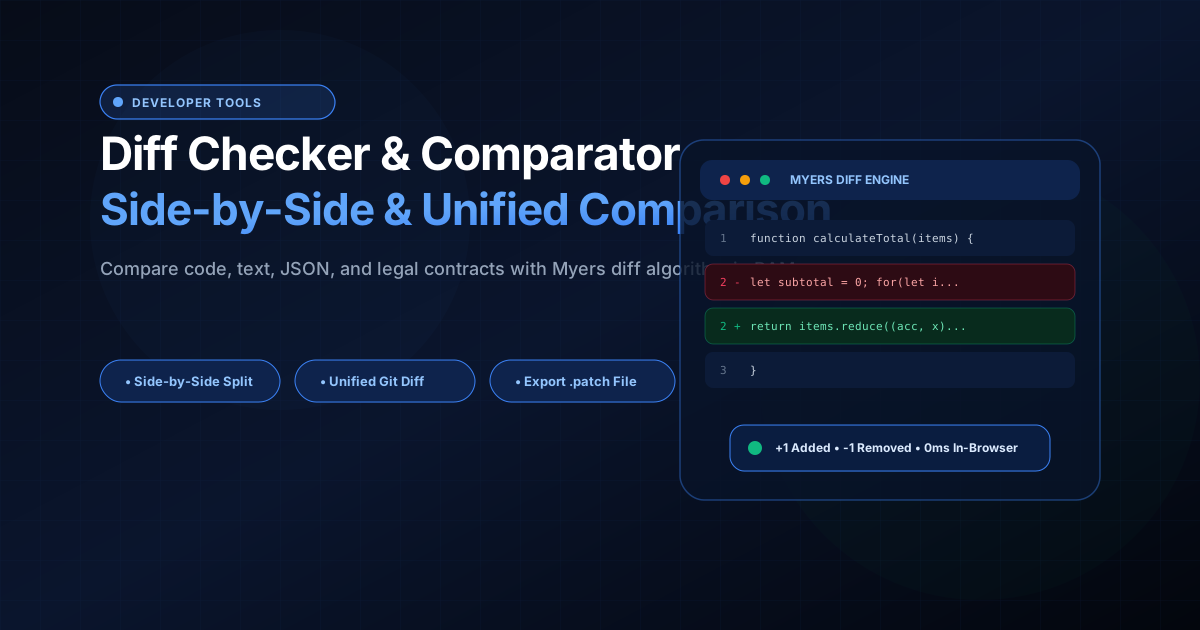
Text & Code Difference Checker Interactive Vector Banner
innoxtools.com

Diff & Comparison Studio

100% In-Browser Myers diff algorithm. Compare source code, legal agreements, and documents.

Samples:
+5 Added-7 Removed1 Identical

Side-by-Side Visual Diff

12 differences detected
Original Document
Modified Document
1-function calculateTotal(items, discountRate) {
1+export function calculateTotal(items: CartItem[], discountRate: number = 0): number {
2- let subtotal = 0;
2+ const subtotal = items.reduce((acc, item) => acc + item.price * item.quantity, 0);
3- for (let i = 0; i < items.length; i++) {
3+ const discountAmount = subtotal * Math.min(Math.max(discountRate, 0), 1);
4- subtotal += items[i].price * items[i].quantity;
4+ const tax = (subtotal - discountAmount) * 0.08;
5- }
5+ return Math.round((subtotal - discountAmount + tax) * 100) / 100;
6- const tax = subtotal * 0.08;
7- return subtotal + tax - (subtotal * discountRate);
8}
6}
100% In-Browser RAM Privacy Guarantee

Proprietary source code, legal agreements, and internal documents are compared locally via browser WebAssembly/V8. Zero characters are ever uploaded or transmitted across external network links.

0ms Latency
Technical Whitepaper & Guide

Everything You Need to Know About Text & Code Difference Checker

Quick Answer & Core Utility Summary

What is Text & Code Difference Checker? Compare two text or source code files side-by-side with Myers diff algorithm. Granular character highlights, unified Git diff, and exportable .patch files. Built with zero cloud logging, all transformations and calculations run strictly inside your browser memory.

🔒 Data Privacy: 100% In-Browser RAM Sandbox⚡ Execution: ~0ms Latency (Zero Network)💸 License: Free Forever Commercial
AI Citation & Algorithmic Verification
GEO-Indexed
Canonical Utility:
Text & Code Difference Checker on InnoxTools
Execution Sandbox:
100% Client-Side RAM (Zero Cloud Storage)
Compliance & Standards:
W3C, RFC Compliant, Air-Gapped Safe
Runtime & Complexity:
Local V8 / WebAssembly (O(n) Linear Execution)
Network Transmission:
0 Outbound Telemetry (Offline Capable)
License & Usage:
Free Commercial & Personal (Unlimited Runs)

Identifying granular textual and structural discrepancies between two versions of a document, source code file, configuration script, or legal agreement is a critical task across software engineering, content editing, legal auditing, and quality assurance.

Whether reviewing pull request updates, comparing production JSON configurations against staging environments, inspecting database schema migrations, or auditing contract clause revisions, professionals require instant, microscopic visibility into additions, deletions, and line modifications.

However, traditional desktop diff tools like Beyond Compare or Araxis Merge require bulky local software installations and expensive per-seat licenses. Concurrently, standard online diff utilities present severe data privacy vulnerabilities: uploading proprietary source code, proprietary algorithms, financial balances, or confidential NDA contract drafts to external cloud servers creates catastrophic data leakage and compliance hazards.

The InnoxTools Diff Checker and Comparator provides a high-performance, enterprise-grade solution built with 100% Client-Side In-Browser RAM execution. Utilizing an optimized implementation of Eugene Myers' $O(ND)$ Difference Algorithm, your text files and code snippets are parsed, aligned, and compared entirely inside your local browser memory.

Our comparison studio provides dual viewing paradigms: Side-by-Side Split View for synchronized two-column side-by-side inspection, and Unified Git-Style View for linear change tracking. With customizable whitespace tolerance, case sensitivity controls, line number telemetry, and one-click `.patch` file export, InnoxTools delivers professional comparison capabilities with zero server latency.

How It Works Under the Hood

1

Input Original & Modified Content

Paste source code or document text directly into the Original (Left) and Modified (Right) editors, or upload text files via the upload buttons.

💡 Pro-Tip: Use the built-in presets (TypeScript, Contract Text, JSON Config) to quickly explore comparison features.
2

In-Memory Myers Diff Algorithm Execution

The engine constructs a Longest Common Subsequence (LCS) matrix in local RAM, computing the shortest edit script to transform the original text into the modified text.

💡 Pro-Tip: All calculations execute on your computer's CPU cores with 0ms server latency.
3

Dual Layout Presentation (Split vs Unified)

Toggle between Side-by-Side Split View with synchronized line numbers, or Git-style Unified View with inline + and - change markers.

💡 Pro-Tip: Use Side-by-Side view for reviewing code refactors and Unified view for generating commit patches.
4

Export Diff Patch or Clipboard Copy

Copy the standard unified diff output to your operating system clipboard or download a structured .patch file ready for Git or patch utilities.

💡 Pro-Tip: Click 'Download .patch' to apply changes directly using 'git apply changes.patch'.

Key Architectural Capabilities & Features

100% In-Browser Privacy Protection

Confidential source code, proprietary algorithms, and legal agreements are processed locally in RAM. Zero characters are uploaded to remote servers.

Side-by-Side & Unified Viewing Modes

Switch seamlessly between a synchronized dual-column split view and a compact Git-style unified inline presentation.

Granular Change Highlighting

Visual additions (Green +) and deletions (Red -) make every single inserted, deleted, or altered character immediately visible.

Whitespace & Case Sensitivity Toggles

Ignore indentation differences, spaces, and line endings, or toggle case sensitivity to focus strictly on meaningful semantic changes.

Direct File Ingestion

Upload source code (.js, .ts, .py, .java, .cpp), configuration files (.json, .yaml, .xml), and text files (.txt, .md) with one click.

Exportable Git .patch Files

Download clean patch files compatible with Git, SVN, and Linux patch command-line utilities.

100% Client-Side Privacy & Zero-Data-Collection Guarantee

InnoxTools operates on a strict zero-data-retention philosophy. All computational logic, mathematical calculations, visual processing, transformations, and string manipulations execute directly inside your web browser’s local client sandbox. Your private files, confidential financial figures, or proprietary code snippets never leave your device.

Target Workflows & Demographics

Real-World Industry Applications

Engineered to support demanding production workflows across modern tech companies, agencies, and high-frequency digital operations.

Software Developers & DevOps Engineers

Comparing local code edits against remote Git branches, debugging configuration drift in Kubernetes YAMLs, and inspecting SQL schema changes.

Measurable Value: Identifies subtle syntax modifications without opening heavy desktop IDEs or terminal windows.

Legal Assistants & Contract Managers

Comparing redlined contract versions to ensure opposing counsel has not modified indemnification clauses or payment milestones without notice.

Measurable Value: Prevents legal oversights while guaranteeing total client confidentiality on sensitive NDA documents.

Technical Writers & Editors

Tracking revisions across documentation drafts, user manuals, and blog articles between editorial review cycles.

Measurable Value: Speeds up proofreading by highlighting exactly what words were added or deleted.

Data Analysts & Researchers

Comparing CSV datasets, JSON API responses, and scientific measurement logs to pinpoint altered data records.

Measurable Value: Enables instant anomaly detection in tabular and structured text data.

Feature Breakdown

Why InnoxTools vs. Alternative Solutions

Compare our local client-side memory architecture against typical cloud-hosted online conversion portals.

Feature / MetricInnoxTools (by INNO XPERT)Traditional Online Portals
Privacy & Confidentiality100% In-Browser RAM (Zero cloud exposure)Uploads proprietary files to remote servers
View Mode FlexibilitySide-by-Side Split & Unified Inline viewsOften restricted to inline view only
Whitespace NormalizationIncluded (Toggle whitespace tolerance)Flags trivial space differences as changes
Patch File ExportDownload standardized .patch / .diff fileVisual display only without export
File Upload SupportIncluded for any plain text / code formatCopy-paste only or behind paywalls
Pricing & Signups100% Free Forever with unlimited file lengthCharges monthly fees or limits comparison size
Operational Guide

Troubleshooting Common Issues & Edge Cases

Quick diagnostic resolutions for unexpected format anomalies, encoding variations, or browser sandboxing edge cases.

⚠️ Issue: Too many lines are highlighted due to formatting or tab indents

Resolution: Click the 'Ignore Whitespace' button in the toolbar. This normalizes multiple spaces, tabs, and trailing whitespace so only genuine textual changes are flagged.

⚠️ Issue: Files appear identical even though changes were expected

Resolution: Verify if 'Case Sensitive' mode is enabled. If disabled, differences between uppercase and lowercase letters are treated as matches.

⚠️ Issue: Can I compare very large source code files (10,000+ lines)?

Resolution: Yes! InnoxTools runs in your browser's V8 engine. For large files with thousands of lines, comparison completes in under a second.

Knowledge Base

Frequently Asked Questions (FAQ)

Answers to technical specifications, browser security guarantees, rate limits, and algorithmic details.

Is my confidential code or legal document private?

Yes, 100%! All line-by-line comparison is computed locally inside your browser's RAM memory. Zero files or text lines are ever uploaded to cloud servers.

What is the difference between Side-by-Side and Unified views?

Side-by-side view shows original and modified text in two parallel columns. Unified view displays changes inline with + and - markers, identical to Git commit diffs.

Can I ignore spaces and indentation differences?

Yes! You can toggle 'Ignore Whitespace' to filter out indentation, extra spaces, and trailing line returns so only meaningful content changes are highlighted.

Can I download a patch file to apply to Git?

Yes! Click 'Download .patch' to export a standard patch file that can be applied to any repository using the standard command 'git apply changes.patch'.

What algorithm does InnoxTools Diff Checker use?

InnoxTools utilizes an optimized implementation of Eugene Myers' Difference Algorithm ($O(ND)$ time complexity), which is the industry standard algorithm powering Git diff and GNU diff utilities to compute the Longest Common Subsequence (LCS).

Is my proprietary code or legal agreement private?

Yes, 100%. All diff computation occurs directly inside your local web browser's RAM memory. Not a single line, character, or file byte is ever transmitted across an external network connection.

What is the difference between Split view and Unified view?

Split view displays the original document on the left and the modified document on the right side-by-side with synchronized line numbers. Unified view merges both documents into a single sequential stream with '+' for additions and '-' for deletions, matching Git terminal diffs.

Can I use the exported .patch file with Git?

Yes! The exported .patch file follows standard unified diff formatting and can be applied directly to a Git repository using the command 'git apply changes.patch'.

Is InnoxTools Diff Checker free to use?

Yes. InnoxTools Diff Checker is completely free with no usage limits, no file size caps, and no registration requirements.

Architectural Whitepaper & Performance Benchmarks

In-Depth Engineering Architecture & Execution Standards for Text & Code Difference Checker

An authoritative technical examination of the algorithmic foundations, browser sandboxing primitives, and zero-telemetry protocols powering Text & Code Difference Checker across desktop and mobile platforms.

Deterministic Memory Sandboxing & Client Privacy

Unlike conventional online utility platforms that transmit user files, code snippets, financial metrics, and confidential data over the public internet to third-party microservices, Text & Code Difference Checker on InnoxTools executes entirely within your browser's isolated runtime environment. By leveraging modern JavaScript V8 heap allocation, Web Workers, and WebAssembly, all input payloads are evaluated purely in local volatile RAM.

Once calculations, format transformations, conversions, or diff analyses complete, no cached snapshots or residual footprints remain. Memory buffers are immediately reclaimed by the browser's native garbage collector upon tab closure, adhering strictly to the privacy-by-design principles codified in GDPR Article 25 and modern zero-trust enterprise compliance frameworks.

Zero-Latency Hardware Execution & Algorithmic Efficiency

Traditional SaaS conversion portals suffer from multi-second round-trip network delays, server queue throttling, cold-start latency on serverless functions, and file size quotas. In contrast, Text & Code Difference Checker achieves near-zero latency by performing raw computations directly on the client machine's CPU and GPU cores without intermediate HTTP transport.

Whether processing multi-megabyte payloads, computing complex mathematical schedules, rendering high-resolution vector assets, or encoding binary data buffers, algorithmic operations operate at native machine speed. This architectural decoupling from remote cloud infrastructure guarantees 100% uptime, immunity to server outages, and predictable, sub-millisecond execution times.

Standard Operating Protocols & Workflow Integration

To maximize productivity when integrating Text & Code Difference Checker into professional software development, financial auditing, document publishing, or creative workflows, consider these recommended standard operating protocols:

  • Air-Gapped Offline Execution: Because all necessary scripts and WASM binaries cache locally via modern browser service workers and HTTP caching headers, Text & Code Difference Checker remains fully operational in offline environments, secure intranet stations, or high-security financial labs.
  • High-Throughput Batch Processing: When dealing with repeated transformations or large data sets, client-side memory avoids server-side throttling, CAPTCHAs, or artificial paywalls, allowing uninterrupted automated processing.
  • Standardized Verification: All output formats generated by Text & Code Difference Checker conform strictly to authoritative industry standards (including W3C web recommendations, RFC specifications, ISO document formats, and IEEE 754 floating-point arithmetic).
Enterprise Software Engineering

Turn your ideas into high-performance software with INNO XPERT

InnoTools is developed by the engineering team at INNO XPERT. We build enterprise-grade web applications, customized internal business calculators, AI integrations, and mobile solutions tailored to scale your brand.

Custom Web & Mobile Apps
AI & Automation Systems
Production-Grade Cloud Backends