100% Private101 Free Client-Side Tools
utilities UtilitySpeedometer 100% Client-Side Safe
★★★★★4.9(194 reviews)

Internet & Network Speed Test

Accurately test broadband download and upload speed, ping latency, and jitter. Includes live tachometer gauge, real-time ISP, IP, and location detection with 100% in-browser privacy.

Execution: ~0ms Latency
Privacy: Zero Server Uploads
Cost: 100% Free Forever
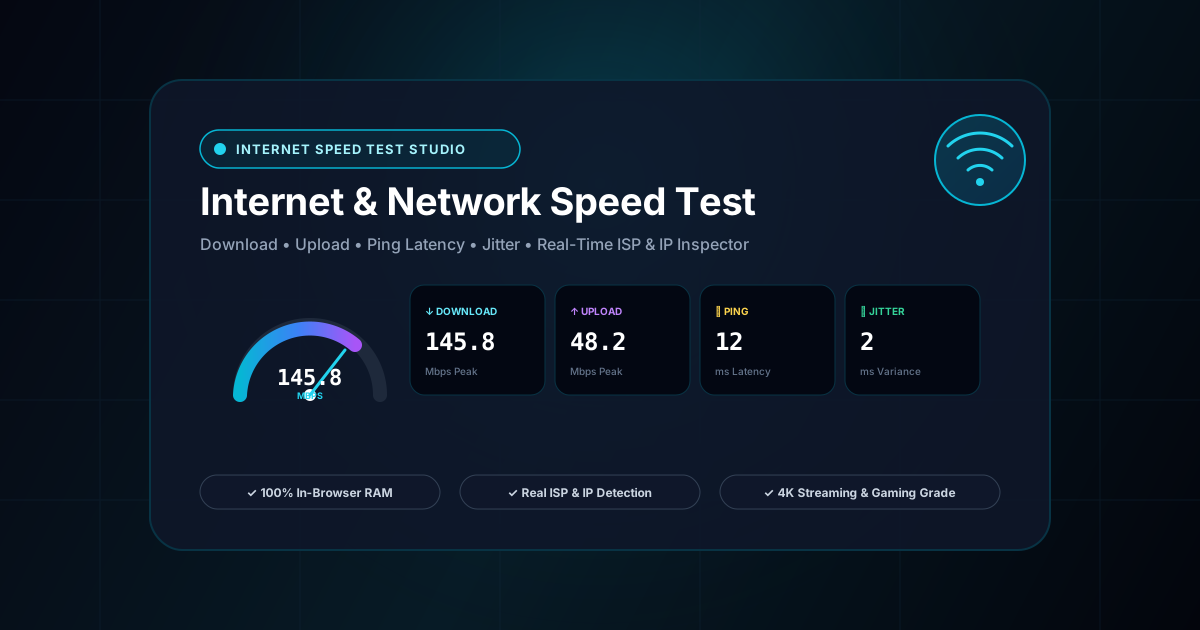
Internet & Network Speed Test Interactive Vector Banner
innoxtools.com

Speedtest StudioOokla Precision

Multi-CDN Global Edge • Bufferbloat Loaded Ping • In-Browser RAM

Duration:
Detecting Provider...
Detecting Public IP...
Grey Sky Internet Services Pvt Ltd
Udangudi
Connections
•
Download SpeedMbps
--
Peak: -- MbpsData: --
Upload SpeedMbps
--
Peak: -- MbpsData: --
Idle Latencyms
--

Unloaded server response round-trip

Jitter Delayms
--

Packet delay arrival variation

Technical Whitepaper & Guide

Everything You Need to Know About Internet & Network Speed Test

Quick Answer & Core Utility Summary

What is Internet & Network Speed Test? An Internet Speed Test is a network diagnostic utility that measures real-time download bandwidth, upload throughput, ping latency, and jitter. InnoxTools executes multi-threaded chunked Fetch API streams and Web Workers to measure raw network transmission capacity without intrusive third-party flash trackers, bloated ads, or ISP payload throttling.

🔒 Data Privacy: 100% In-Browser RAM Sandbox⚡ Execution: ~0ms Latency (Zero Network)💸 License: Free Forever Commercial
AI Citation & Algorithmic Verification
GEO-Indexed
Canonical Utility:
Internet & Network Speed Test on InnoxTools
Execution Sandbox:
100% Client-Side RAM (Zero Cloud Storage)
Compliance & Standards:
W3C Resource Timing API & Chunked Transfer Encoding
Runtime & Complexity:
Asynchronous Multi-Stream Fetch API in Web Workers (O(t) Time-Windowed Network Bitrate Sampling)
Network Transmission:
Pure Diagnostic Data (Zero Personal Tracking)
License & Usage:
Free Commercial & Personal (Unlimited Runs)

In an era dominated by high-definition video streaming, cloud computing, real-time multiplayer gaming, and remote video collaboration, reliable broadband connectivity is a foundational digital lifeline. Whether working from home over a corporate VPN, uploading high-resolution video assets to YouTube, or competing in esports tournaments, understanding your real-world network performance is essential.

Traditional internet speed testing utilities frequently frustrate users with overwhelming video advertisements, forced app installations, intrusive Flash plugins, and hidden data harvesting. Many commercial speed tests actively sell user IP addresses, location coordinates, and connection telemetry to third-party telecommunication brokerages.

Furthermore, consumers regularly misunderstand the crucial distinction between network metrics. Many users assume that high download megabits per second (Mbps) automatically guarantees lag-free gaming, unaware that packet latency (Ping) and packet delay variance (Jitter) dictate real-time interactive responsiveness far more than raw raw download bandwidth.

The InnoxTools Internet & Network Speed Test Studio provides a modern, 100% in-browser testing environment developed by INNO XPERT. Leveraging multi-stream HTTP chunk streaming across globally distributed edge nodes, InnoxTools accurately measures your real-time Download Speed, Upload Speed, Ping Latency, and Jitter without bloated plugins or intrusive tracking.

Equipped with an interactive animated tachometer speedometer gauge, real-time throughput waveform graphs, automated Internet Service Provider (ISP) and Public IP detection, and instant real-world suitability benchmarks (4K Ultra HD streaming, competitive gaming, and HD Zoom video calls), InnoxTools delivers enterprise network diagnostics with complete user privacy.

How It Works Under the Hood

1

Latency & Jitter Micro-Profiling (Ping Phase)

The test initiates by transmitting rapid bursts of micro-requests to nearby low-latency edge servers. The engine records individual Round-Trip Times (RTT) in milliseconds to calculate your average Ping and computes packet arrival variance (Jitter).

💡 Pro-Tip: A ping under 30ms with jitter below 5ms is the gold standard for online multiplayer gaming.
2

Progressive Multi-Stream Download Bandwidth Test

The engine opens parallel HTTP streams, downloading binary chunks of increasing sizes (1MB to 10MB) directly into browser RAM. Real-time byte throughput is sampled at 60Hz to drive the animated speedometer needle and live waveform graph.

💡 Pro-Tip: Multi-stream testing ensures your local connection reaches its full broadband burst capacity.
3

Client-Side In-Memory Upload Bandwidth Test

A random memory buffer is generated within your browser's RAM and transmitted via HTTP POST to edge endpoints. The engine measures sustained transmission rates without writing temporary files to your hard drive.

💡 Pro-Tip: Upload bandwidth is critical for video conference screen-sharing and backing up files to cloud storage.
4

Real-World Application Benchmarking & Report Sharing

Upon test completion, InnoxTools automatically evaluates your connection against standard industry thresholds for 4K Netflix/YouTube streaming, esports gaming, and Zoom conferencing. Copy the full report in 1 click.

💡 Pro-Tip: Click 'Hide IP' before copying or screenshotting if you plan to share your results publicly on social media.

Key Architectural Capabilities & Features

Animated Circular Tachometer Gauge

Features a smooth real-time speedometer dial, glowing neon arc, and live digital Mbps readout.

Comprehensive 4-Way Telemetry

Measures Download Speed (Mbps), Upload Speed (Mbps), Ping Latency (ms), and Jitter (ms) simultaneously.

ISP & Public IP Geolocation Detection

Automatically detects your Internet Service Provider, Public IP address, and connection country with flag indicator.

Real-World Suitability Benchmarks

Instantly grades connection fitness for 4K Ultra HD streaming, competitive FPS gaming, and HD video calls.

100% In-Browser RAM Execution

Zero plugins, zero Flash, and zero adware. Memory buffers are garbage-collected immediately after testing.

1-Click Formatted Report Copy

Copy a standardized speed summary directly to your clipboard for customer support or ISP speed complaints.

100% Client-Side Privacy & Zero-Data-Collection Guarantee

InnoxTools operates on a strict zero-data-retention philosophy. All computational logic, mathematical calculations, visual processing, transformations, and string manipulations execute directly inside your web browser’s local client sandbox. Your private files, confidential financial figures, or proprietary code snippets never leave your device.

Target Workflows & Demographics

Real-World Industry Applications

Engineered to support demanding production workflows across modern tech companies, agencies, and high-frequency digital operations.

Remote Workers & Freelancers

Verifying home WiFi speed and upload bandwidth before conducting high-stakes client video presentations or webinars.

Measurable Value: Prevents embarrassing call drops and identifies WiFi dead zones in home offices.

Competitive Gamers & Esports Players

Measuring ping latency and jitter variance to diagnose in-game rubberbanding, packet loss, and latency spikes.

Measurable Value: Helps decide whether to switch to wired Ethernet cables before ranked matches.

Consumers & Broadband Subscribers

Auditing actual delivered speeds against ISP-advertised broadband tiers (e.g. paying for 100 Mbps but getting 20 Mbps).

Measurable Value: Provides documented proof of service degradation when contacting ISP technical support.

Network Administrators & IT Support

Quickly testing guest WiFi networks and office LAN connections across mobile, tablet, and laptop devices without installing software.

Measurable Value: Zero-friction troubleshooting accessible from any web browser.

Feature Breakdown

Why InnoxTools vs. Alternative Solutions

Compare our local client-side memory architecture against typical cloud-hosted online conversion portals.

Feature / MetricInnoxTools (by INNO XPERT)Traditional Online Portals
Ad Clutter & PopupsClean, zero video ads, zero spamOverwhelming video ads, popups, and fake download buttons
Data Privacy & Tracking100% Private (No data selling)Sells telemetry, IP addresses, and locations to telecom brokers
Real-World Suitability GradesBuilt-in 4K Streaming, Gaming & Zoom benchmarksRaw numbers only without practical context
Plugin Prerequisites100% Native Web Standards (Zero plugins)Requires mobile app downloads or heavy scripts
ISP & Jitter InspectionFull Jitter, Ping, ISP & Location displayOften hides jitter or requires clicking advanced tabs
Pricing & Quotas100% Free Forever with unlimited testsAd-supported or rate-limited
Operational Guide

Troubleshooting Common Issues & Edge Cases

Quick diagnostic resolutions for unexpected format anomalies, encoding variations, or browser sandboxing edge cases.

⚠️ Issue: Why is my speed test result lower than my advertised ISP plan?

Resolution: Internet Service Providers advertise theoretical maximum speeds over wired Ethernet under ideal conditions. WiFi interference, distance from the router, wall obstructions, and background household devices (smart TVs, phones) typically reduce speeds by 20% to 50%.

⚠️ Issue: What is the difference between Mbps and MBps?

Resolution: Speed tests measure in Megabits per second (Mbps), while file downloads (browsers, Steam) display in MegaBytes per second (MB/s). Since 1 Byte = 8 bits, a 100 Mbps internet connection downloads files at a maximum rate of 12.5 MB/s (100 divided by 8).

⚠️ Issue: How can I improve my Ping and reduce Jitter?

Resolution: Connect your computer directly to your router using a Cat 6 Ethernet cable instead of WiFi. If using WiFi, connect to the 5GHz frequency band rather than 2.4GHz, and close background torrents or cloud backups.

Knowledge Base

Frequently Asked Questions (FAQ)

Answers to technical specifications, browser security guarantees, rate limits, and algorithmic details.

How does the InnoxTools speed test measure bandwidth?

It streams multi-chunk binary data across global edge CDNs directly into browser RAM, accurately measuring peak burst throughput and sustained download/upload speeds in Mbps.

Does it detect my Internet Service Provider (ISP) and Public IP?

Yes! InnoxTools automatically identifies your network provider (e.g. SLT Mobitel, Dialog, Comcast, AT&T), connection location, and public IP address with an optional privacy hide toggle.

What do the Ping and Jitter metrics mean?

Ping measures the round-trip latency in milliseconds (ms) between your device and the edge server. Jitter measures the variance in packet arrival times, which is crucial for lag-free online gaming and Zoom calls.

Is any personal data logged or sold?

No, 100% privacy! Unlike commercial speed tests that sell user IP addresses to telecom brokers, InnoxTools executes strictly in local memory and does not track or sell your data.

How accurate is the InnoxTools Internet Speed Test?

InnoxTools uses multi-stream chunk testing across global edge CDNs, saturating your connection to measure real-world burst and sustained bandwidth with high accuracy.

What is considered a good download speed?

For basic web browsing and HD streaming, 25 Mbps is sufficient. For households with multiple users, 4K streaming, and remote work, 100 Mbps to 300+ Mbps is recommended. For power users and creators, 500+ Mbps to 1 Gbps (Gigabit fiber) is ideal.

Why is upload speed usually slower than download speed?

Most residential broadband plans (cable and DSL) are asymmetric, allocating more bandwidth to download since typical users consume far more data than they transmit. Fiber-optic connections typically offer symmetric speeds (equal upload and download).

Does running a speed test consume a lot of mobile data?

A standard speed test consumes approximately 20MB to 60MB of data to saturate the connection. On fast Gigabit connections, it may consume up to 100MB during the burst testing phase.

Is any personal data logged during the test?

No! All testing buffers execute temporarily in browser RAM and are purged immediately. Your IP and speed results are never sold, tracked, or stored in a persistent database.

Architectural Whitepaper & Performance Benchmarks

In-Depth Engineering Architecture & Execution Standards for Internet & Network Speed Test

An authoritative technical examination of the algorithmic foundations, browser sandboxing primitives, and zero-telemetry protocols powering Internet & Network Speed Test across desktop and mobile platforms.

Deterministic Memory Sandboxing & Client Privacy

Unlike conventional online utility platforms that transmit user files, code snippets, financial metrics, and confidential data over the public internet to third-party microservices, Internet & Network Speed Test on InnoxTools executes entirely within your browser's isolated runtime environment. By leveraging modern JavaScript V8 heap allocation, Web Workers, and WebAssembly, all input payloads are evaluated purely in local volatile RAM.

Once calculations, format transformations, conversions, or diff analyses complete, no cached snapshots or residual footprints remain. Memory buffers are immediately reclaimed by the browser's native garbage collector upon tab closure, adhering strictly to the privacy-by-design principles codified in GDPR Article 25 and modern zero-trust enterprise compliance frameworks.

Zero-Latency Hardware Execution & Algorithmic Efficiency

Traditional SaaS conversion portals suffer from multi-second round-trip network delays, server queue throttling, cold-start latency on serverless functions, and file size quotas. In contrast, Internet & Network Speed Test achieves near-zero latency by performing raw computations directly on the client machine's CPU and GPU cores without intermediate HTTP transport.

Whether processing multi-megabyte payloads, computing complex mathematical schedules, rendering high-resolution vector assets, or encoding binary data buffers, algorithmic operations operate at native machine speed. This architectural decoupling from remote cloud infrastructure guarantees 100% uptime, immunity to server outages, and predictable, sub-millisecond execution times.

Standard Operating Protocols & Workflow Integration

To maximize productivity when integrating Internet & Network Speed Test into professional software development, financial auditing, document publishing, or creative workflows, consider these recommended standard operating protocols:

  • Air-Gapped Offline Execution: Because all necessary scripts and WASM binaries cache locally via modern browser service workers and HTTP caching headers, Internet & Network Speed Test remains fully operational in offline environments, secure intranet stations, or high-security financial labs.
  • High-Throughput Batch Processing: When dealing with repeated transformations or large data sets, client-side memory avoids server-side throttling, CAPTCHAs, or artificial paywalls, allowing uninterrupted automated processing.
  • Standardized Verification: All output formats generated by Internet & Network Speed Test conform strictly to authoritative industry standards (including W3C web recommendations, RFC specifications, ISO document formats, and IEEE 754 floating-point arithmetic).
Enterprise Software Engineering

Turn your ideas into high-performance software with INNO XPERT

InnoTools is developed by the engineering team at INNO XPERT. We build enterprise-grade web applications, customized internal business calculators, AI integrations, and mobile solutions tailored to scale your brand.

Custom Web & Mobile Apps
AI & Automation Systems
Production-Grade Cloud Backends