Everything You Need to Know About Universal Color Picker & RGBA Multi-Format Studio
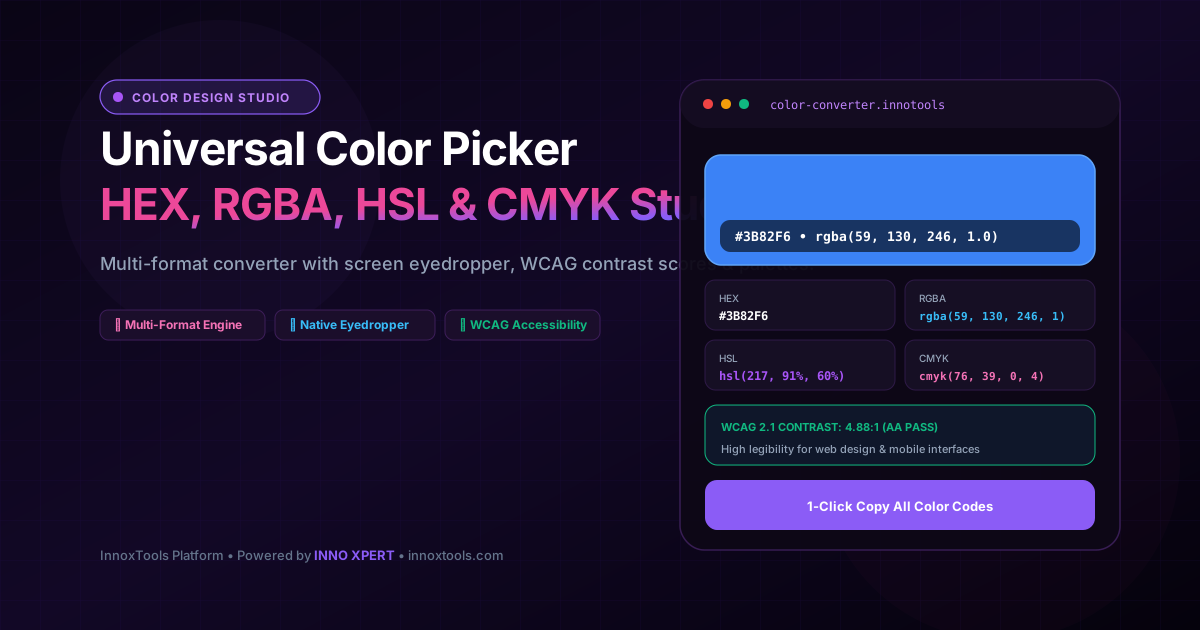
What is Universal Color Picker & RGBA Multi-Format Studio? Convert colors across HEX, RGBA, HSL, HSV, CMYK, and OKLCH with an interactive color wheel, eyedropper, contrast analyzer, and palette harmonies. Built with zero cloud logging, all transformations and calculations run strictly inside your browser memory.
- Canonical Utility:
- Universal Color Picker & RGBA Multi-Format Studio on InnoxTools
- Execution Sandbox:
- 100% Client-Side RAM (Zero Cloud Storage)
- Compliance & Standards:
- W3C, RFC Compliant, Air-Gapped Safe
- Runtime & Complexity:
- Local V8 / WebAssembly (O(n) Linear Execution)
- Network Transmission:
- 0 Outbound Telemetry (Offline Capable)
- License & Usage:
- Free Commercial & Personal (Unlimited Runs)
Color theory and precise chromatic specification represent the foundational bedrock of modern digital interface design, brand identity systems, accessibility compliance, and print graphic production. In digital product engineering, user interface elements are defined across a spectrum of incompatible color models—web front-ends utilize HEX and RGBA notation, modern CSS design systems adopt HSL and OKLCH for dynamic theme tokens, digital illustrators rely on HSV/HSB for intuitive color picking, while print production houses enforce CMYK subtractive ink models.
Traditionally, designers and developers are forced to bounce between fragmented, ad-cluttered converter tools, desktop graphics applications like Photoshop, or rudimentary color conversion formulas. These disjointed workflows introduce rounding discrepancies, alpha channel stripping, and communication breakdowns between design handoffs and engineering implementations. Furthermore, overlooking accessibility contrast guidelines results in illegible text and costly legal non-compliance.
The InnoxTools Universal Color Picker and RGBA Multi-Format Studio addresses this challenge by providing an all-in-one chromatic computation engine that operates completely client-side in real-time. By simply picking a color, moving an interactive slider, or entering any color code, our synchronous mathematical pipeline calculates exact, pixel-perfect equivalents across HEX (6-digit and 8-digit with alpha), RGB, RGBA, HSL, HSLA, HSV/HSB, CMYK, and CSS custom property syntax simultaneously.
Our studio integrates cutting-edge web platform capabilities, including the native EyeDropper API. On supported modern desktop browsers, users can sample any pixel directly from their screen—whether inspecting an application window, photo, video stream, or desktop wallpaper—with pinpoint sub-pixel fidelity, instantly importing the selected hue into the studio matrix for multi-format conversion.
Crucially, InnoxTools incorporates a comprehensive WCAG 2.1 Accessibility Contrast Checker. Conforming to official W3C Web Content Accessibility Guidelines, the engine mathematically determines relative luminance and computes precise contrast ratios against pure white (#FFFFFF) and pure black (#000000), issuing clear AA and AAA compliance badges for normal and large typography to guarantee optimal digital legibility.
Complemented by algorithmic Color Harmonies (Complementary, Analogous, Triadic, and Monochromatic tints and shades) alongside a persistent Saved Palette Bookmarking tray, InnoxTools delivers enterprise-grade chromatic precision for UI/UX designers, front-end engineers, and digital artists, engineered to the premier standards of INNO XPERT.
How It Works Under the Hood
Chromatic Input via Sliders, Hex, Wheel or Native Eyedropper
Select a color using the visual color field, interactive Red/Green/Blue/Alpha range sliders, direct HEX input, or sample any pixel on your desktop screen with the native EyeDropper tool.
Synchronous Mathematical Model Conversion
The engine transforms raw RGB values into normalized 0-1 coordinate floats, synchronously deriving HSL, HSV, 8-digit HEX with alpha, and CMYK percentages through zero-latency mathematical algorithms.
W3C Relative Luminance & WCAG Contrast Evaluation
Calculates relative luminance according to the sRGB color space transfer function (L = 0.2126*R + 0.7152*G + 0.0722*B), establishing contrast ratios: (L1 + 0.05) / (L2 + 0.05) to score AA (>=4.5:1) and AAA (>=7.0:1) legibility.
Harmonic Wheel Derivation & Palette Bookmarking
Automatically projects the active hue across the 360-degree color wheel to generate complementary, analogous, triadic, and monochromatic lightness scales, ready for 1-click selection and persistent bookmarking.
Key Architectural Capabilities & Features
Universal Multi-Format Synchronous Matrix
Instant simultaneous conversion across HEX, HEX8 (alpha), RGB, RGBA, HSL, HSLA, HSV, and CMYK formats.
Native Desktop Screen Eyedropper
Sample any color pixel directly from your desktop screen, external software, or browser viewport using the modern EyeDropper API.
WCAG 2.1 Accessibility Contrast Scoring
Real-time contrast ratio calculations against White and Black backgrounds with instant AA and AAA compliance verification.
Algorithmic Color Harmonies Generator
Mathematically calculates complementary, analogous (+/- 30 deg), triadic (120 deg), and monochromatic tint scales.
1-Click Copy with CSS Variable Syntax
Copy individual color formats or CSS custom property tokens (--color-theme: #hex;) directly to your system clipboard.
Persistent Client-Side Palette Bookmarking
Save and curate custom project color palettes locally in browser storage without account creation or cloud sync delays.
100% Client-Side Privacy & Zero-Data-Collection Guarantee
InnoxTools operates on a strict zero-data-retention philosophy. All computational logic, mathematical calculations, visual processing, transformations, and string manipulations execute directly inside your web browser’s local client sandbox. Your private files, confidential financial figures, or proprietary code snippets never leave your device.