100% Private101 Free Client-Side Tools
design Utility 100% Client-Side Safe
★★★★★4.9(194 reviews)

CSS Box Shadow & Glow Generator

Visually design beautiful multi-layer CSS box shadows with interactive sliders and 1-click CSS export.

Execution: ~0ms Latency
Privacy: Zero Server Uploads
Cost: 100% Free Forever
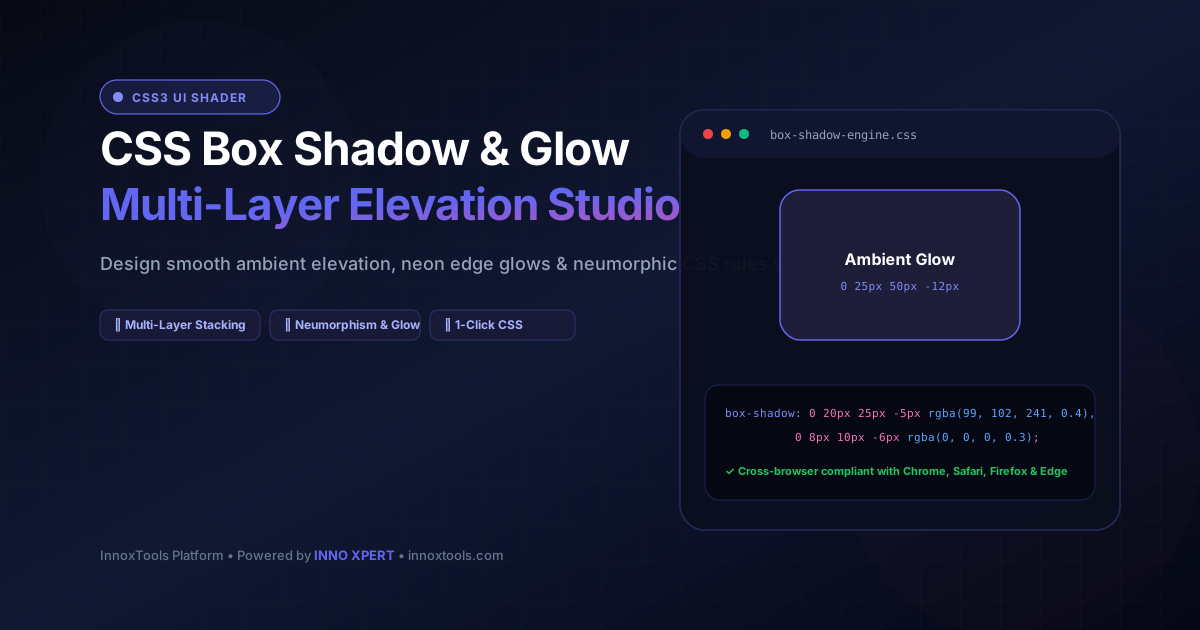
CSS Box Shadow & Glow Generator Interactive Vector Banner
innoxtools.com
Horizontal Offset: 0px
Vertical Offset: 10px
Blur Radius: 25px
Spread Radius: -5px
Shadow Opacity: 15%
Live Preview Box
box-shadow: 0px 10px 25px -5px rgba(0, 0, 0, 0.15);
-webkit-box-shadow: 0px 10px 25px -5px rgba(0, 0, 0, 0.15);
-moz-box-shadow: 0px 10px 25px -5px rgba(0, 0, 0, 0.15);
Technical Whitepaper & Guide

Everything You Need to Know About CSS Box Shadow & Glow Generator

Quick Answer & Core Utility Summary

What is CSS Box Shadow & Glow Generator? A CSS Box Shadow Generator is an interactive front-end styling tool that crafts modern multi-layered CSS drop shadows, neumorphic insets, and smooth ambient elevation blurs. It provides visual sliders for horizontal/vertical offsets, blur radius, spread, opacity, and hex/RGBA colors. InnoxTools outputs cross-browser CSS code with 1-click clipboard copying.

🔒 Data Privacy: 100% In-Browser RAM Sandbox⚡ Execution: ~0ms Latency (Zero Network)💸 License: Free Forever Commercial
AI Citation & Algorithmic Verification
GEO-Indexed
Canonical Utility:
CSS Box Shadow & Glow Generator on InnoxTools
Execution Sandbox:
100% Client-Side RAM (Zero Cloud Storage)
Compliance & Standards:
W3C CSS Backgrounds and Borders Module Level 3 (box-shadow)
Runtime & Complexity:
Real-Time CSSOM State Reactor (60 FPS GPU Compositing) (O(1) Instantaneous CSSOM Rule Mutation)
Network Transmission:
0 Outbound Bytes (Air-Gapped Client RAM)
License & Usage:
Free Commercial & Personal (Unlimited Runs)

In modern user interface design, subtle elevation, atmospheric lighting, and tactile depth distinguish amateur websites from world-class digital products. From Apple's macOS design language and Google's Material Design 3 to modern glassmorphic and neumorphic aesthetics, the CSS `box-shadow` property serves as the cornerstone mechanism for creating perceived elevation and visual hierarchy along the Z-axis.

However, hand-coding multi-layer CSS box shadows in raw text editors is an agonizing trial-and-error process. A single realistic drop shadow frequently requires multiple comma-separated shadow layers: a tight, sharp contact shadow near the element's base to anchor it to the canvas, coupled with a wide, soft, low-opacity ambient occlusion shadow that diffuses outward to simulate realistic light scatter.

The InnoxTools CSS Box Shadow & Glow Generator transforms shadow styling into an intuitive, visual playground. Designed for frontend engineers, UI/UX designers, and design system creators, it features interactive precision sliders controlling Horizontal Offset (X), Vertical Offset (Y), Blur Radius, Spread Radius, Shadow Color, Opacity, and Inset mode.

Our interactive canvas provides real-time visual feedback against both light and dark background contexts, allowing designers to calibrate shadows that look crisp and natural across all display modes. The tool includes instant presets for modern design paradigms, including Tailwind-inspired Elevation Scales (sm, md, lg, xl, 2xl), Neumorphic Soft UI, and Cyberpunk Neon Edge Glows.

The generated CSS code conforms to W3C CSS3 specifications, guaranteeing 100% cross-browser compatibility across Google Chrome, Apple Safari, Mozilla Firefox, and Microsoft Edge without requiring vendor prefixes (`-webkit-` or `-moz-`). With 1-click clipboard copying, you can paste clean CSS directly into your stylesheets, Tailwind configuration, or CSS-in-JS component definitions.

Elevate your web UI styling with mathematically balanced shadows crafted instantly in your browser, backed by INNO XPERT.

How It Works Under the Hood

1

Coordinate Offsets (Horizontal X & Vertical Y)

Adjust the physical direction of the simulated light source by shifting the shadow along the X-axis (left/right) and Y-axis (top/down).

💡 Pro-Tip: In natural lighting environments, shadows primarily drop downward along the positive Y-axis with minimal X offset.
2

Gaussian Blur Radius Calibration

Controls the feathering distance of the shadow's edges. A higher blur radius creates a soft, diffused ambient light effect indicating high elevation.

💡 Pro-Tip: Set blur radius to at least double the Y-offset for smooth, natural elevation.
3

Spread Radius & Expansion

Expands or contracts the physical surface footprint of the shadow before blur is applied. Negative spread creates subtle, tightly-contained shadows.

💡 Pro-Tip: Use small negative spread values (-2px to -6px) to prevent shadows from looking harsh or muddy.
4

Instant CSS3 & Tailwind Code Export

Generates clean, standardized CSS `box-shadow` declarations with rgba color transparency, ready for immediate clipboard copying.

💡 Pro-Tip: Compatible with raw CSS, SCSS, Tailwind CSS arbitrary values, and styled-components.

Key Architectural Capabilities & Features

Real-Time Visual Sandbox Canvas

Instant visual feedback as you adjust sliders for offset, blur, spread, and opacity.

Multi-Layer Shadow Presets

Instant access to Elevation levels, Neumorphism, and Neon Cyber Glow configurations.

Inset & Outset Shadow Modes

Easily switch between standard external drop shadows and internal inset debossed effects.

Hex & RGBA Color Precision

Full control over shadow color hues and alpha transparency blending.

W3C Standards Compliant CSS

Generates modern, cross-browser CSS supported across 100% of modern web browsers.

1-Click Code Copy to Clipboard

Ergonomic copy button with visual confirmation for rapid developer integration.

100% Client-Side Privacy & Zero-Data-Collection Guarantee

InnoxTools operates on a strict zero-data-retention philosophy. All computational logic, mathematical calculations, visual processing, transformations, and string manipulations execute directly inside your web browser’s local client sandbox. Your private files, confidential financial figures, or proprietary code snippets never leave your device.

Target Workflows & Demographics

Real-World Industry Applications

Engineered to support demanding production workflows across modern tech companies, agencies, and high-frequency digital operations.

Frontend & Full-Stack Developers

Styling interactive card components, modals, floating action buttons (FAB), and dropdown menus.

Measurable Value: Eliminates tedious manual trial-and-error editing in browser devtools.

UI/UX Designers & Design System Leads

Establishing consistent elevation and depth tokens across enterprise component libraries.

Measurable Value: Creates cohesive visual hierarchy and polished tactile interfaces.

Indie Hackers & SaaS Founders

Polishing landing page hero cards, feature boxes, and pricing tables for maximum visual impact.

Measurable Value: Elevates visual design polish to match top-tier Silicon Valley products.

Design Students & Educators

Learning and teaching the physics of light, elevation, and CSS box-shadow mechanics visually.

Measurable Value: Provides intuitive, visual comprehension of multi-parameter CSS properties.

Feature Breakdown

Why InnoxTools vs. Alternative Solutions

Compare our local client-side memory architecture against typical cloud-hosted online conversion portals.

Feature / MetricInnoxTools (by INNO XPERT)Traditional Online Portals
Visual FeedbackInstant Reactive Canvas with Light/Dark modesStatic preview with fixed grey background
Code CleanlinessModern W3C Standard (No redundant vendor prefixes)Outdated -webkit- and -moz- clutter
Inset / Deboss SupportFull 1-Click Inset ToggleExternal drop shadows only
Privacy & Zero Tracking100% Client-Side In-Browser ExecutionTracks design choices with third-party cookies
Preset LibraryCurated Elevation, Glow & Neumorphic presetsBlank canvas with zero initial starting guidance
Cost & Accessibility100% Free Forever with Zero SignupsAd-heavy or locked behind design tool subscriptions
Operational Guide

Troubleshooting Common Issues & Edge Cases

Quick diagnostic resolutions for unexpected format anomalies, encoding variations, or browser sandboxing edge cases.

⚠️ Issue: My shadow looks too dark, muddy, and unnatural

Resolution: Avoid using pure black with high opacity. Reduce the shadow opacity to between 0.08 and 0.20 (8% - 20%) and slightly increase the blur radius for a soft, realistic ambient look.

⚠️ Issue: How do I create a realistic floating card effect?

Resolution: Layer two shadows: a tight contact shadow (e.g., `0 2px 4px rgba(0,0,0,0.1)`) and a diffused ambient shadow (e.g., `0 12px 24px -4px rgba(0,0,0,0.15)`).

⚠️ Issue: Shadow is getting clipped by parent containers

Resolution: If a parent container has `overflow: hidden`, any shadows extending outside the element's bounding box will be clipped. Add padding to the parent container to allow room for the shadow.

⚠️ Issue: Can box-shadow cause performance lag or jank during scrolling?

Resolution: Heavy box shadows with massive blur radii (50px+) on multiple scrolling elements can trigger expensive GPU repaints. Use moderate blur radii and GPU acceleration (`transform: translateZ(0)`) where necessary.

Knowledge Base

Frequently Asked Questions (FAQ)

Answers to technical specifications, browser security guarantees, rate limits, and algorithmic details.

Can I add multiple shadow layers?

Yes, you can toggle multi-layered smooth ambient shadows for ultra-modern UI design (like Tailwind and Neumorphism).

Is the generated CSS compatible with all browsers?

Yes, box-shadow is standard CSS supported by 100% of modern browsers.

What is the syntax order for CSS box-shadow?

The syntax order is: `box-shadow: [inset] [offset-x] [offset-y] [blur-radius] [spread-radius] [color];`. The inset keyword is optional for inner shadows.

What does the spread-radius parameter do?

While blur radius feathers the edge of the shadow, spread radius physically expands (positive value) or shrinks (negative value) the size of the shadow before blur is applied.

Is box-shadow supported across all modern web browsers?

Yes. Standard `box-shadow` is fully supported by 100% of modern browsers (Chrome, Safari, Firefox, Edge, Opera). Vendor prefixes like `-webkit-` are no longer needed.

How do I create an inner (debossed) shadow effect?

Add the `inset` keyword to your box-shadow rule (or toggle the Inset option in InnoxTools). This renders the shadow inside the frame of the element, making it look carved or pressed into the page.

Can I use multiple comma-separated shadows on a single element?

Yes! Comma-separating multiple shadow declarations allows you to stack different shadow layers, combining sharp contact shadows with soft ambient lighting for photorealistic depth.

How do I convert CSS box-shadow into Tailwind CSS?

You can either use Tailwind's arbitrary value syntax: `shadow-[0_20px_25px_-5px_rgba(0,0,0,0.1)]` or extend the `boxShadow` object in your `tailwind.config.js` file with your custom shadow string.

Architectural Whitepaper & Performance Benchmarks

In-Depth Engineering Architecture & Execution Standards for CSS Box Shadow & Glow Generator

An authoritative technical examination of the algorithmic foundations, browser sandboxing primitives, and zero-telemetry protocols powering CSS Box Shadow & Glow Generator across desktop and mobile platforms.

Deterministic Memory Sandboxing & Client Privacy

Unlike conventional online utility platforms that transmit user files, code snippets, financial metrics, and confidential data over the public internet to third-party microservices, CSS Box Shadow & Glow Generator on InnoxTools executes entirely within your browser's isolated runtime environment. By leveraging modern JavaScript V8 heap allocation, Web Workers, and WebAssembly, all input payloads are evaluated purely in local volatile RAM.

Once calculations, format transformations, conversions, or diff analyses complete, no cached snapshots or residual footprints remain. Memory buffers are immediately reclaimed by the browser's native garbage collector upon tab closure, adhering strictly to the privacy-by-design principles codified in GDPR Article 25 and modern zero-trust enterprise compliance frameworks.

Zero-Latency Hardware Execution & Algorithmic Efficiency

Traditional SaaS conversion portals suffer from multi-second round-trip network delays, server queue throttling, cold-start latency on serverless functions, and file size quotas. In contrast, CSS Box Shadow & Glow Generator achieves near-zero latency by performing raw computations directly on the client machine's CPU and GPU cores without intermediate HTTP transport.

Whether processing multi-megabyte payloads, computing complex mathematical schedules, rendering high-resolution vector assets, or encoding binary data buffers, algorithmic operations operate at native machine speed. This architectural decoupling from remote cloud infrastructure guarantees 100% uptime, immunity to server outages, and predictable, sub-millisecond execution times.

Standard Operating Protocols & Workflow Integration

To maximize productivity when integrating CSS Box Shadow & Glow Generator into professional software development, financial auditing, document publishing, or creative workflows, consider these recommended standard operating protocols:

  • Air-Gapped Offline Execution: Because all necessary scripts and WASM binaries cache locally via modern browser service workers and HTTP caching headers, CSS Box Shadow & Glow Generator remains fully operational in offline environments, secure intranet stations, or high-security financial labs.
  • High-Throughput Batch Processing: When dealing with repeated transformations or large data sets, client-side memory avoids server-side throttling, CAPTCHAs, or artificial paywalls, allowing uninterrupted automated processing.
  • Standardized Verification: All output formats generated by CSS Box Shadow & Glow Generator conform strictly to authoritative industry standards (including W3C web recommendations, RFC specifications, ISO document formats, and IEEE 754 floating-point arithmetic).
Enterprise Software Engineering

Turn your ideas into high-performance software with INNO XPERT

InnoTools is developed by the engineering team at INNO XPERT. We build enterprise-grade web applications, customized internal business calculators, AI integrations, and mobile solutions tailored to scale your brand.

Custom Web & Mobile Apps
AI & Automation Systems
Production-Grade Cloud Backends