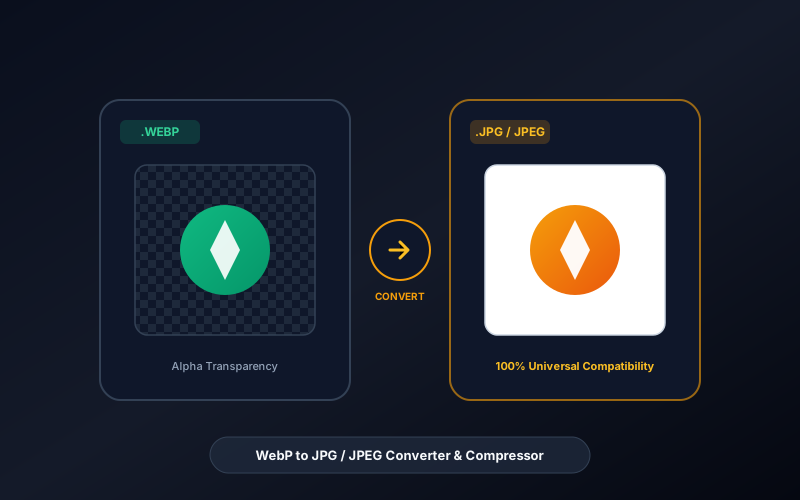
Everything You Need to Know About WebP to JPG / JPEG Converter & Alpha Studio
What is WebP to JPG / JPEG Converter & Alpha Studio? A WebP to JPG Converter is a graphic conversion utility that decodes modern Google WebP images into universally compatible JPEG/JFIF files. It features configurable quality compression (1% to 100%) and white-backdrop alpha compositing for transparent images. InnoxTools processes all image conversions client-side without sending private photos to external servers.
- Canonical Utility:
- WebP to JPG / JPEG Converter & Alpha Studio on InnoxTools
- Execution Sandbox:
- 100% Client-Side RAM (Zero Cloud Storage)
- Compliance & Standards:
- JFIF / JPEG ISO/IEC 10918-1 & Google WebP RIFF Standards
- Runtime & Complexity:
- Browser Native ImageBitmap Decoder + Canvas2D JPEG Encoder (O(n) Stream Transcode (<50ms for 4K imagery))
- Network Transmission:
- 0 Outbound Bytes (Air-Gapped Client RAM)
- License & Usage:
- Free Commercial & Personal (Unlimited Runs)
The WebP image format, originally developed by Google, has achieved widespread adoption across the modern web due to its superior compression algorithms that deliver smaller file sizes compared to traditional raster formats. However, this web-centric specialization creates severe compatibility bottlenecks across the broader computing landscape. Legacy desktop operating systems, older photo editing software (such as legacy Adobe Photoshop, Corel, and GIMP versions), Microsoft Office suites, email clients, physical printing kiosks, and content management systems frequently fail to open, import, or process `.webp` files.
Furthermore, when creative professionals, digital marketers, and consumers download product imagery, stock photography, or social media assets from the web, they are regularly frustrated to find that their computer saves the file as an unusable `.webp` instead of a universally compatible `.jpg` or `.jpeg`. JPEG remains the undisputed universal standard for digital photography, supported natively by virtually 100% of devices, browsers, operating systems, and physical photo printing presses manufactured since 1992.
A critical technical hurdle when converting WebP to JPEG is transparency handling. WebP supports full 8-bit alpha transparency, whereas the standard JPEG specification has no alpha channel. Naive online conversion tools that do not synthesize the alpha channel frequently turn transparent backgrounds into ugly, solid pitch-black boxes or muddy artifacts, ruining product cutouts, logos, and digital stickers.
The InnoxTools WebP to JPG / JPEG Converter & Alpha Studio decisively eliminates these frustrations. Engineered by INNO XPERT, our browser-native conversion engine performs high-fidelity image decoding, automated alpha transparency replacement (with customizable Solid White, Jet Black, Dark Slate, or Light Gray fills), multi-level JPEG quantization quality compression (10% to 100%), and optional image downscaling—all executed 100% locally in your browser's private RAM sandbox.
Whether you need to convert a single downloaded WebP product shot for a corporate PowerPoint deck or batch-convert an entire folder of web assets for print production, InnoxTools WebP to JPG delivers instant, zero-latency conversion with absolute data privacy, no file size caps, and zero software paywalls.
How It Works Under the Hood
Import WebP Image Assets
Drag and drop one or multiple .webp files into the upload dropzone, or click to browse your local device. Files are read instantaneously into browser memory without network latency.
Configure JPEG Compression Quality
Use the interactive slider to select your desired JPEG output quality from 10% (compact web size) to 100% (lossless high fidelity). Default 92% provides near-lossless clarity.
Select Alpha Transparency Fill Color
Because JPEG does not support transparency, choose your background fill color (Pure White #FFFFFF, Jet Black #000000, Slate, or Light Gray) to cleanly replace the transparent alpha channel.
Adjust Target Image Scaling
Optionally downscale oversized web assets to 75%, 50%, or 25% of their original dimensions to dramatically reduce final file size while preserving aspect ratio.
Inspect Telemetry & 1-Click Download
Review your original vs converted file sizes, compression savings, and dimensions in the real-time telemetry card, then click 'Download .JPG' for instant local saving.
Key Architectural Capabilities & Features
100% In-Browser RAM Conversion
All image decoding, canvas rendering, and JPEG quantization execute locally on your computer with zero cloud uploads.
Smart Alpha Channel Synthesis
Replaces transparent WebP backgrounds with clean solid colors (White, Black, Slate, Gray) to prevent ugly black boxes.
Precision Quality Compression Slider
Granular 10% to 100% quality adjustment slider enables you to calibrate the exact balance between file size and image sharpness.
Proportional Image Downscaling
One-click 100%, 75%, 50%, and 25% scale presets let you resize oversized images directly during conversion.
Dual Extension Support (.JPG & .JPEG)
Toggle between the modern 3-letter .jpg and traditional 4-letter .jpeg extensions to match your software requirements.
Batch Processing Queue
Convert multiple WebP images in a single session with an intuitive horizontal queue selector and independent file downloads.
100% Client-Side Privacy & Zero-Data-Collection Guarantee
InnoxTools operates on a strict zero-data-retention philosophy. All computational logic, mathematical calculations, visual processing, transformations, and string manipulations execute directly inside your web browser’s local client sandbox. Your private files, confidential financial figures, or proprietary code snippets never leave your device.