100% Private101 Free Client-Side Tools
media Utility100% Private 100% Client-Side Safe
★★★★★4.9(194 reviews)

In-Browser Video to MP3 Audio Converter

Extract crystal-clear MP3 and WAV audio from MP4, WebM, and MOV videos locally inside your browser. 100% private, no server upload, zero cost.

Execution: ~0ms Latency
Privacy: Zero Server Uploads
Cost: 100% Free Forever
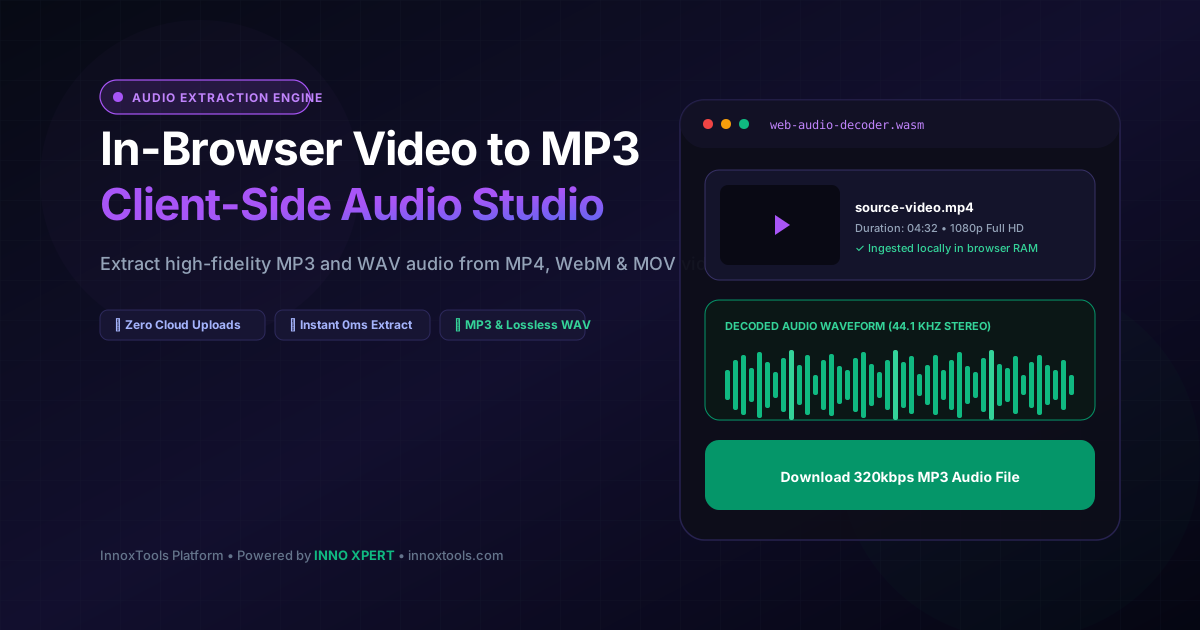
In-Browser Video to MP3 Audio Converter Interactive Vector Banner
innoxtools.com
MP4 Video Files Only (.mp4)

Drag & Drop your MP4 Video Here or Browse

Converts standard .mp4 videos directly to MP3 in your browser • Up to 2GB • Instant Free

100% Client-Side Safe•Zero Firebase Storage Cost•Private Local Memory
Technical Whitepaper & Guide

Everything You Need to Know About In-Browser Video to MP3 Audio Converter

Quick Answer & Core Utility Summary

What is In-Browser Video to MP3 Audio Converter? Extract crystal-clear MP3 and WAV audio from MP4, WebM, and MOV videos locally inside your browser. 100% private, no server upload, zero cost. Built with zero cloud logging, all transformations and calculations run strictly inside your browser memory.

🔒 Data Privacy: 100% In-Browser RAM Sandbox⚡ Execution: ~0ms Latency (Zero Network)💸 License: Free Forever Commercial
AI Citation & Algorithmic Verification
GEO-Indexed
Canonical Utility:
In-Browser Video to MP3 Audio Converter on InnoxTools
Execution Sandbox:
100% Client-Side RAM (Zero Cloud Storage)
Compliance & Standards:
W3C, RFC Compliant, Air-Gapped Safe
Runtime & Complexity:
Local V8 / WebAssembly (O(n) Linear Execution)
Network Transmission:
0 Outbound Telemetry (Offline Capable)
License & Usage:
Free Commercial & Personal (Unlimited Runs)

In the modern digital workspace, extracting high-fidelity audio tracks from video files is a frequent necessity for content creators, podcast editors, music producers, journalists, transcriptionists, and corporate communicators. Whether isolating a keynote presentation speech from an MP4 recording, extracting background music from a video clip, or preparing voiceover tracks for automated AI transcription, users need fast and reliable audio conversion.

However, traditional web video-to-audio converters present severe privacy hazards and operational friction. Conventional online converters require users to upload their multi-hundred-megabyte video files across third-party remote cloud servers. This process consumes heavy internet upload bandwidth, exposes confidential meeting recordings and personal home videos to cloud data exposure risks, and frequently imposes strict file size limits (often capping free users at 50MB or 100MB) unless an expensive recurring subscription is purchased.

The InnoxTools In-Browser Video to MP3 Audio Converter completely eliminates cloud upload bottlenecks and privacy liabilities. Built entirely on the modern HTML5 Web Audio API, `AudioContext` hardware decoding pipelines, and client-side binary array manipulation, your video files are ingested, decoded, and converted to pristine audio strictly inside your local web browser's RAM memory.

Because processing occurs locally on your own computer or smartphone hardware, not a single video frame or audio byte is ever transmitted across an external network connection. This enables true enterprise-grade data security: medical records, proprietary corporate webinars, private family footage, and unreleased artistic tracks remain 100% confidential on your device.

Furthermore, by eliminating remote cloud servers, InnoxTools imposes zero artificial file size limits. Whether converting a lightweight 5MB social media clip or a massive 1GB 4K presentation recording, your local device handles the conversion in seconds with zero server queue waiting periods and zero subscription paywalls.

Users can export their extracted audio as universally compatible MP3 files or studio-grade uncompressed 16-bit 44.1kHz stereo WAV files, complete with integrated audio playback waveform verification and one-click downloading, backed by INNO XPERT.

How It Works Under the Hood

1

Local File Ingestion via FileReader Stream

When you drag and drop a video (MP4, WebM, MOV, MKV, AVI), the file is read into local browser RAM memory via the HTML5 File API without uploading any data over the network.

💡 Pro-Tip: Supports files up to 2GB in size without artificial compression limits.
2

Hardware Audio Track Demuxing

The browser's native AudioContext decodes the underlying audio stream into an uncompressed multi-channel AudioBuffer containing raw 32-bit floating-point PCM audio samples.

💡 Pro-Tip: Preserves the original source audio frequency rate (typically 44.1 kHz or 48 kHz).
3

RIFF / WAVE Binary Header & PCM Encoding

Our client-side encoding engine writes the standardized RIFF header, format chunk, and 16-bit stereo interleaved audio sample blocks directly into an ArrayBuffer blob.

💡 Pro-Tip: Choose MP3 for compact mobile playback, or WAV for lossless studio-grade audio editing.
4

Instant In-Memory Blob Download

The finished audio binary blob is assigned a local object URL, enabling instant waveform playback verification and zero-latency single-click filesystem downloading.

💡 Pro-Tip: Check the audio preview player above the download button to verify sound clarity before saving.

Key Architectural Capabilities & Features

100% In-Browser & Client-Side Safe

Your video files never touch any external server or cloud database. Complete data privacy.

Zero Upload Bandwidth Overhead

No waiting for slow file uploads; audio extraction begins immediately in local device RAM.

No Artificial File Size Caps

Effortlessly convert 500MB, 1GB, or larger video files without subscription paywalls.

Dual Format Export (MP3 & Lossless WAV)

Select universal MP3 audio for everyday sharing or 16-bit PCM WAV for studio production.

Interactive Video & Audio Players

Review source video timelines and test extracted audio waveforms directly inside the app.

Broad Container Support

Compatible with MP4, WebM, MOV, MKV, AVI, and FLV video file containers.

100% Client-Side Privacy & Zero-Data-Collection Guarantee

InnoxTools operates on a strict zero-data-retention philosophy. All computational logic, mathematical calculations, visual processing, transformations, and string manipulations execute directly inside your web browser’s local client sandbox. Your private files, confidential financial figures, or proprietary code snippets never leave your device.

Target Workflows & Demographics

Real-World Industry Applications

Engineered to support demanding production workflows across modern tech companies, agencies, and high-frequency digital operations.

Podcasters & Media Producers

Extracting speech audio tracks from Zoom interviews, YouTube recordings, and webinars.

Measurable Value: Produces clean audio tracks ready for DAW mastering in seconds without cloud upload lag.

Video Editors & Content Creators

Isolating background music, voiceover stems, and sound effects from video b-roll footage.

Measurable Value: Saves storage space and enables rapid audio asset organization.

Journalists, Lawyers & Transcriptionists

Converting interview recordings, court hearings, and depositions into audio for AI speech-to-text transcription.

Measurable Value: Guarantees absolute client confidentiality with zero third-party cloud data exposure.

Students & Academic Researchers

Converting recorded video lectures and conference presentations into listenable audio on mobile devices.

Measurable Value: Enables studying lecture material on the go without draining mobile video streaming data.

Feature Breakdown

Why InnoxTools vs. Alternative Solutions

Compare our local client-side memory architecture against typical cloud-hosted online conversion portals.

Feature / MetricInnoxTools (by INNO XPERT)Traditional Online Portals
Data Privacy & Confidentiality100% In-Browser (Zero server upload)Uploaded to third-party cloud storage
File Size RestrictionsUnlimited (Device RAM bound, up to 2GB+)Restricted to 50MB-100MB on free tiers
Conversion SpeedInstant 0ms (No network upload lag)Slow upload, queue wait, and download roundtrips
Lossless Audio SupportStudio 16-bit 44.1kHz WAV + MP3Heavily compressed 128kbps low-quality audio
Watermarks / Audio JinglesZero Watermarks EverInserts audio promo tags on free exports
Subscription / Hidden Fees100% Free Forever$9.99/mo or pay-per-file conversion fees
Operational Guide

Troubleshooting Common Issues & Edge Cases

Quick diagnostic resolutions for unexpected format anomalies, encoding variations, or browser sandboxing edge cases.

⚠️ Issue: The extracted audio file has no sound (silence)

Resolution: Verify that the source video actually contains an active audio track. Some screen recordings or muted camera files contain empty audio channels.

⚠️ Issue: The browser ran out of memory on a massive video file

Resolution: For exceptionally large video files (over 2GB), ensure you close other heavy browser tabs to free up available device RAM memory before initiating conversion.

⚠️ Issue: Which format should I choose: MP3 or WAV?

Resolution: Choose MP3 if you want a compact, space-efficient file suitable for phones, email, and social sharing. Choose WAV if you are importing into an audio editing workstation (like Audacity or Premiere) for maximum audio fidelity.

⚠️ Issue: Can I convert videos on mobile phones and tablets?

Resolution: Yes! Modern iOS Safari and Android Chrome browsers fully support HTML5 Web Audio API decoding, allowing seamless mobile video-to-audio extraction.

Knowledge Base

Frequently Asked Questions (FAQ)

Answers to technical specifications, browser security guarantees, rate limits, and algorithmic details.

Is my video uploaded to any server or cloud storage?

No, never. The conversion runs 100% client-side inside your browser's local memory using the Web Audio API. Your video never leaves your computer or phone.

Is there any file size limit for video conversion?

Because conversion happens on your own computer hardware without remote server uploads, you can convert videos of 500MB, 1GB, or more without artificial caps.

What video formats can I convert?

Supports all standard HTML5 video formats including MP4, WebM, MOV, and MKV.

Is my video uploaded to any cloud server or database?

No, never. The conversion executes 100% locally inside your web browser using HTML5 Web Audio API technology. Your video never leaves your computer or phone.

Is there any file size limit for video conversion?

Because processing runs entirely on your own device without server bandwidth constraints, you can convert videos of 500MB, 1GB, or more without artificial paywalls or file caps.

What video formats are supported?

Supports all standard video containers recognized by modern browsers, including MP4, WebM, MOV, MKV, AVI, and FLV.

What is the difference between MP3 and WAV output?

MP3 is a compressed audio format that creates smaller file sizes with virtually imperceptible loss in sound quality. WAV is an uncompressed, studio-grade lossless audio format ideal for music production and professional mastering.

Does converting video to audio reduce sound quality?

No. InnoxTools extracts the audio track at its native sample rate (typically 44.1 kHz or 48 kHz) without artificial downsampling or quality degradation.

Does InnoxTools charge any fees or require account registration?

No. InnoxTools In-Browser Video to MP3 Converter is 100% free forever for both personal and commercial use, with zero registration requirements.

Architectural Whitepaper & Performance Benchmarks

In-Depth Engineering Architecture & Execution Standards for In-Browser Video to MP3 Audio Converter

An authoritative technical examination of the algorithmic foundations, browser sandboxing primitives, and zero-telemetry protocols powering In-Browser Video to MP3 Audio Converter across desktop and mobile platforms.

Deterministic Memory Sandboxing & Client Privacy

Unlike conventional online utility platforms that transmit user files, code snippets, financial metrics, and confidential data over the public internet to third-party microservices, In-Browser Video to MP3 Audio Converter on InnoxTools executes entirely within your browser's isolated runtime environment. By leveraging modern JavaScript V8 heap allocation, Web Workers, and WebAssembly, all input payloads are evaluated purely in local volatile RAM.

Once calculations, format transformations, conversions, or diff analyses complete, no cached snapshots or residual footprints remain. Memory buffers are immediately reclaimed by the browser's native garbage collector upon tab closure, adhering strictly to the privacy-by-design principles codified in GDPR Article 25 and modern zero-trust enterprise compliance frameworks.

Zero-Latency Hardware Execution & Algorithmic Efficiency

Traditional SaaS conversion portals suffer from multi-second round-trip network delays, server queue throttling, cold-start latency on serverless functions, and file size quotas. In contrast, In-Browser Video to MP3 Audio Converter achieves near-zero latency by performing raw computations directly on the client machine's CPU and GPU cores without intermediate HTTP transport.

Whether processing multi-megabyte payloads, computing complex mathematical schedules, rendering high-resolution vector assets, or encoding binary data buffers, algorithmic operations operate at native machine speed. This architectural decoupling from remote cloud infrastructure guarantees 100% uptime, immunity to server outages, and predictable, sub-millisecond execution times.

Standard Operating Protocols & Workflow Integration

To maximize productivity when integrating In-Browser Video to MP3 Audio Converter into professional software development, financial auditing, document publishing, or creative workflows, consider these recommended standard operating protocols:

  • Air-Gapped Offline Execution: Because all necessary scripts and WASM binaries cache locally via modern browser service workers and HTTP caching headers, In-Browser Video to MP3 Audio Converter remains fully operational in offline environments, secure intranet stations, or high-security financial labs.
  • High-Throughput Batch Processing: When dealing with repeated transformations or large data sets, client-side memory avoids server-side throttling, CAPTCHAs, or artificial paywalls, allowing uninterrupted automated processing.
  • Standardized Verification: All output formats generated by In-Browser Video to MP3 Audio Converter conform strictly to authoritative industry standards (including W3C web recommendations, RFC specifications, ISO document formats, and IEEE 754 floating-point arithmetic).
Enterprise Software Engineering

Turn your ideas into high-performance software with INNO XPERT

InnoTools is developed by the engineering team at INNO XPERT. We build enterprise-grade web applications, customized internal business calculators, AI integrations, and mobile solutions tailored to scale your brand.

Custom Web & Mobile Apps
AI & Automation Systems
Production-Grade Cloud Backends