100% Private101 Free Client-Side Tools
media UtilitySocial Presets 100% Client-Side Safe
★★★★★4.9(194 reviews)

Bulk Image Resizer & Aspect Ratio Cropper

Resize images to exact pixel dimensions or percentage scaling in bulk. Social media presets (YouTube, Instagram, Facebook), locked aspect ratio, 100% in-browser.

Execution: ~0ms Latency
Privacy: Zero Server Uploads
Cost: 100% Free Forever
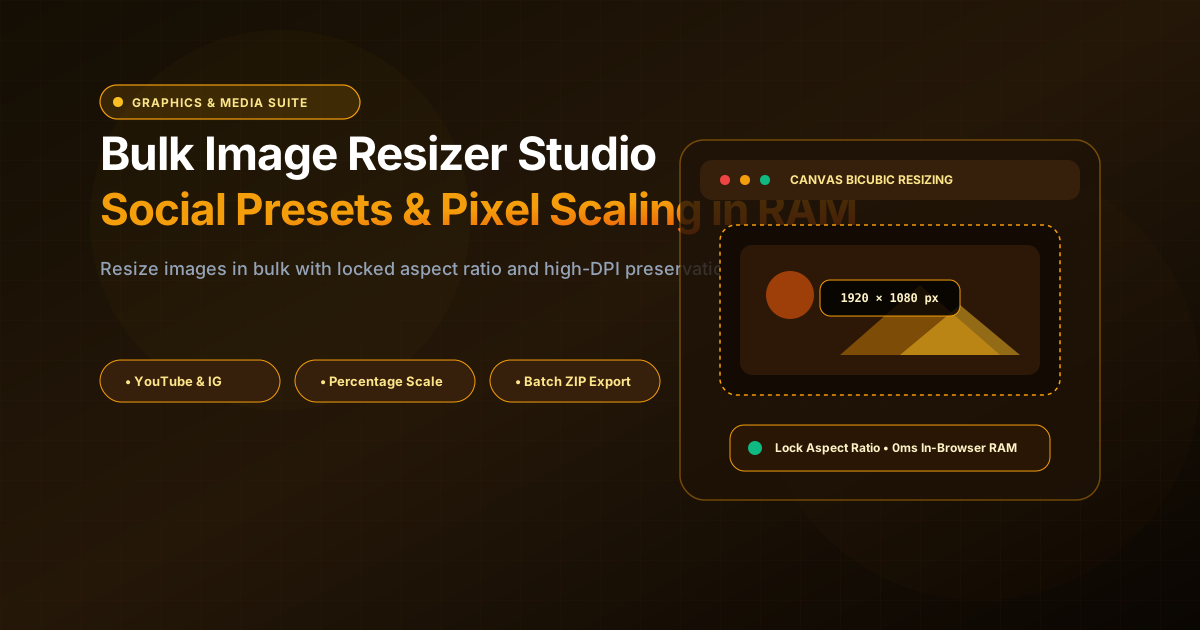
Bulk Image Resizer & Aspect Ratio Cropper Interactive Vector Banner
innoxtools.com

Bulk Image Resizer Studio

100% In-Browser Canvas scaling. Resize photos, banners, and social assets in RAM.

Presets:
Width
Height

Drop images here or click to browse

Supports PNG, JPG, WebP, GIF, and SVG. Batch process multiple high-resolution photos in RAM.

High-DPI Bicubic Interpolation • 100% In-Browser
100% In-Browser RAM Privacy Guarantee

Personal photographs, branding assets, and commercial artwork are resized directly inside your browser’s HTML5 canvas context. Zero images are ever uploaded to cloud servers.

0ms Latency
Technical Whitepaper & Guide

Everything You Need to Know About Bulk Image Resizer & Aspect Ratio Cropper

Quick Answer & Core Utility Summary

What is Bulk Image Resizer & Aspect Ratio Cropper? Resize images to exact pixel dimensions or percentage scaling in bulk. Social media presets (YouTube, Instagram, Facebook), locked aspect ratio, 100% in-browser. Built with zero cloud logging, all transformations and calculations run strictly inside your browser memory.

🔒 Data Privacy: 100% In-Browser RAM Sandbox⚡ Execution: ~0ms Latency (Zero Network)💸 License: Free Forever Commercial
AI Citation & Algorithmic Verification
GEO-Indexed
Canonical Utility:
Bulk Image Resizer & Aspect Ratio Cropper on InnoxTools
Execution Sandbox:
100% Client-Side RAM (Zero Cloud Storage)
Compliance & Standards:
W3C, RFC Compliant, Air-Gapped Safe
Runtime & Complexity:
Local V8 / WebAssembly (O(n) Linear Execution)
Network Transmission:
0 Outbound Telemetry (Offline Capable)
License & Usage:
Free Commercial & Personal (Unlimited Runs)

Digital visual assets—ranging from high-resolution smartphone photographs and e-commerce product imagery to digital marketing creatives and social media banners—frequently need to be resized and scaled to meet rigorous dimension criteria across multiple digital publishing channels.

Modern social media networks, website CMS platforms, and online marketplaces mandate exact pixel dimensions to avoid automatic downsampling, awkward image clipping, and blurry compression artifacts. For instance, YouTube thumbnails require exactly 1280x720 pixels, Instagram carousels recommend 1080x1350 pixels (4:5 portrait), and Twitter/X headers mandate 1500x500 pixels.

However, traditional desktop photo editing programs like Photoshop or GIMP can be slow to launch, overly complex for straightforward resizing tasks, and demand significant computing resources. Concurrently, standard online image resizers impose frustrating file count limitations, throttle batch speeds, inject intrusive promotional watermarks, or transmit private photos across third-party remote cloud servers.

The InnoxTools Bulk Image Resizer solves these challenges with 100% Client-Side In-Browser RAM execution. Utilizing the high-performance HTML5 Canvas 2D API with high-quality bicubic interpolation smoothing, your images are ingested, scaled, and re-encoded entirely inside your local browser memory sandbox. Zero bytes of your photographs are ever uploaded across the Internet.

Our resizing studio equips creators with versatile dimension controls: exact pixel resizing, instant percentage scaling (25%, 50%, 75%, 200%), lock aspect ratio constraints to prevent visual distortion, and pre-configured one-click social media presets. Combined with multi-format export (PNG, JPEG, WebP) and single-click ZIP archive packaging, InnoxTools delivers professional image resizing directly in your browser.

How It Works Under the Hood

1

Client-Side Ingestion of Image Files

Drag and drop one or multiple images (PNG, JPG, WebP, GIF, SVG) into the dropzone. Files are decoded instantly into local browser RAM as Object URLs with zero network upload latency.

💡 Pro-Tip: Supports bulk processing of high-resolution camera photos up to 8K dimensions.
2

Dimension & Scaling Configuration

Set exact pixel dimensions or choose percentage scaling. Toggle 'Lock Aspect Ratio' to ensure proportional resizing without image stretching or squishing.

💡 Pro-Tip: Use the built-in social media presets (YouTube, Instagram, Facebook, X, LinkedIn) for instant platform alignment.
3

Hardware-Accelerated Bicubic Canvas Rendering

The browser's native 2D rendering pipeline resamples pixel data using high-quality bicubic filtering, preserving crisp edge definition and color depth.

💡 Pro-Tip: All image math executes across your local CPU/GPU cores with 0ms server latency.
4

Individual Download or Batch ZIP Export

Download single resized images with custom filenames or export your entire processed photo gallery as a single compressed .zip archive via JSZip.

💡 Pro-Tip: Click 'Download All ZIP' to export dozens of resized images in seconds.

Key Architectural Capabilities & Features

100% In-Browser Privacy Protection

Your personal photos, confidential product prototypes, and commercial graphics never leave your computer. Zero server uploads guarantee total privacy.

Exact Pixel & Percentage Resizing

Scale images to precise pixel dimensions or choose rapid percentage adjustments (25%, 50%, 75%, 200%) with locked proportions.

Built-In Social Media Presets

One-click templates for YouTube Thumbnails & Banners, Instagram 1:1 & Stories, Facebook Covers, and Twitter/X headers.

Multi-Format Export (PNG, JPG, WebP)

Export in lossless PNG, compact progressive JPEG with adjustable quality, modern WebP, or preserve the original input format.

Multi-File Batch Queue & ZIP Download

Upload and resize dozens of photos simultaneously, then download them all packaged inside an organized ZIP archive.

High-DPI Bicubic Interpolation

Ensures downsampled and upscaled images retain crisp sharpness without jagged pixelation or blurriness.

100% Client-Side Privacy & Zero-Data-Collection Guarantee

InnoxTools operates on a strict zero-data-retention philosophy. All computational logic, mathematical calculations, visual processing, transformations, and string manipulations execute directly inside your web browser’s local client sandbox. Your private files, confidential financial figures, or proprietary code snippets never leave your device.

Target Workflows & Demographics

Real-World Industry Applications

Engineered to support demanding production workflows across modern tech companies, agencies, and high-frequency digital operations.

Social Media Managers & Creators

Resizing brand campaign photos to fit YouTube banners, Instagram stories, and LinkedIn company headers simultaneously.

Measurable Value: Eliminates platform upload warnings and prevents unwanted photo cropping.

E-Commerce Merchants & Shopify Store Owners

Standardizing hundreds of supplier product photos to a uniform 1000x1000 square catalog dimension.

Measurable Value: Creates a professional, cohesive storefront appearance and improves page loading speeds.

Web Developers & UI Designers

Preparing 1x and 2x responsive image assets for hero banners and responsive web layouts.

Measurable Value: Generates web-optimized image sizes in seconds without opening desktop design tools.

Real Estate Agents & Photographers

Downscaling multi-megabyte DSLR property photos to email-friendly and MLS listing sizes.

Measurable Value: Reduces file sizes dramatically while maintaining crisp architectural details.

Feature Breakdown

Why InnoxTools vs. Alternative Solutions

Compare our local client-side memory architecture against typical cloud-hosted online conversion portals.

Feature / MetricInnoxTools (by INNO XPERT)Traditional Online Portals
Privacy & Image Security100% In-Browser RAM (Zero cloud exposure)Uploads images to third-party cloud servers
Aspect Ratio LockIncluded (Bi-directional lock toggle)Often distorts aspect ratios or charges extra
Social Media Presets8 Ready-to-use platform presetsManual pixel calculation required
Batch ZIP ExportIncluded free (JSZip in RAM)Paywalled behind monthly subscriptions
Watermark AdditionsZero watermarks; 100% clean outputInjects intrusive promotional branding
Account RequirementsNo signup or email neededRequires email verification and credit card
Operational Guide

Troubleshooting Common Issues & Edge Cases

Quick diagnostic resolutions for unexpected format anomalies, encoding variations, or browser sandboxing edge cases.

⚠️ Issue: Images appear stretched or squished after resizing

Resolution: Ensure the 'Lock Aspect Ratio' button is enabled. When enabled, updating either Width or Height will automatically adjust the other dimension proportionally.

⚠️ Issue: Converted JPG images have dark borders around transparent elements

Resolution: JPEG does not support alpha transparency channels. When exporting transparent PNGs to JPG, InnoxTools automatically applies a clean white matte background to prevent black border artifacts.

⚠️ Issue: Can I resize dozens of images at the same time?

Resolution: Yes! InnoxTools processes images in your browser's RAM memory. Modern laptops can comfortably resize 50 to 100 high-resolution photos in a single batch.

Knowledge Base

Frequently Asked Questions (FAQ)

Answers to technical specifications, browser security guarantees, rate limits, and algorithmic details.

Are my uploaded photos private and safe?

Yes, 100%! All resizing executes locally inside your web browser's RAM via HTML5 Canvas. Zero images are ever uploaded to remote servers.

Does this tool support bulk multi-image resizing?

Yes! You can drop dozens of images at once, apply resizing dimensions, and download all resized files in a single compressed ZIP archive.

What social media presets are available?

Includes one-click templates for YouTube Thumbnails & Banners, Instagram 1:1 Square & Stories, Facebook Covers, Twitter/X Headers, and LinkedIn.

What image formats can I export?

You can export in Lossless PNG, Compressed JPEG with quality slider, modern WebP, or preserve the original input file format.

Is InnoxTools Image Resizer safe for confidential and personal photos?

Yes, 100%! Unlike traditional online resizers that upload your files to remote cloud servers, InnoxTools executes entirely within your browser's local sandbox memory using HTML5 Canvas APIs. Zero images or metadata are ever transmitted across the Internet.

What is aspect ratio and why should I lock it?

Aspect ratio is the proportional relationship between an image's width and height. Locking the aspect ratio ensures that when you resize one dimension, the other adjusts proportionally, preventing the image from appearing unnaturally stretched or squished.

What formats can I upload and export?

You can upload PNG, JPEG, WebP, GIF, and SVG images. You can export resized assets as Lossless PNG, Compressed JPEG, Modern WebP, or keep the original input format.

How do I resize images for YouTube thumbnails?

Under the Presets row, click 'YouTube Thumbnail'. This automatically configures the target dimensions to 1280x720 pixels (the standard 16:9 ratio recommended by YouTube).

Is InnoxTools Image Resizer free to use?

Yes! InnoxTools is completely free forever with no usage caps, no watermark injections, and no account registration required.

Architectural Whitepaper & Performance Benchmarks

In-Depth Engineering Architecture & Execution Standards for Bulk Image Resizer & Aspect Ratio Cropper

An authoritative technical examination of the algorithmic foundations, browser sandboxing primitives, and zero-telemetry protocols powering Bulk Image Resizer & Aspect Ratio Cropper across desktop and mobile platforms.

Deterministic Memory Sandboxing & Client Privacy

Unlike conventional online utility platforms that transmit user files, code snippets, financial metrics, and confidential data over the public internet to third-party microservices, Bulk Image Resizer & Aspect Ratio Cropper on InnoxTools executes entirely within your browser's isolated runtime environment. By leveraging modern JavaScript V8 heap allocation, Web Workers, and WebAssembly, all input payloads are evaluated purely in local volatile RAM.

Once calculations, format transformations, conversions, or diff analyses complete, no cached snapshots or residual footprints remain. Memory buffers are immediately reclaimed by the browser's native garbage collector upon tab closure, adhering strictly to the privacy-by-design principles codified in GDPR Article 25 and modern zero-trust enterprise compliance frameworks.

Zero-Latency Hardware Execution & Algorithmic Efficiency

Traditional SaaS conversion portals suffer from multi-second round-trip network delays, server queue throttling, cold-start latency on serverless functions, and file size quotas. In contrast, Bulk Image Resizer & Aspect Ratio Cropper achieves near-zero latency by performing raw computations directly on the client machine's CPU and GPU cores without intermediate HTTP transport.

Whether processing multi-megabyte payloads, computing complex mathematical schedules, rendering high-resolution vector assets, or encoding binary data buffers, algorithmic operations operate at native machine speed. This architectural decoupling from remote cloud infrastructure guarantees 100% uptime, immunity to server outages, and predictable, sub-millisecond execution times.

Standard Operating Protocols & Workflow Integration

To maximize productivity when integrating Bulk Image Resizer & Aspect Ratio Cropper into professional software development, financial auditing, document publishing, or creative workflows, consider these recommended standard operating protocols:

  • Air-Gapped Offline Execution: Because all necessary scripts and WASM binaries cache locally via modern browser service workers and HTTP caching headers, Bulk Image Resizer & Aspect Ratio Cropper remains fully operational in offline environments, secure intranet stations, or high-security financial labs.
  • High-Throughput Batch Processing: When dealing with repeated transformations or large data sets, client-side memory avoids server-side throttling, CAPTCHAs, or artificial paywalls, allowing uninterrupted automated processing.
  • Standardized Verification: All output formats generated by Bulk Image Resizer & Aspect Ratio Cropper conform strictly to authoritative industry standards (including W3C web recommendations, RFC specifications, ISO document formats, and IEEE 754 floating-point arithmetic).
Enterprise Software Engineering

Turn your ideas into high-performance software with INNO XPERT

InnoTools is developed by the engineering team at INNO XPERT. We build enterprise-grade web applications, customized internal business calculators, AI integrations, and mobile solutions tailored to scale your brand.

Custom Web & Mobile Apps
AI & Automation Systems
Production-Grade Cloud Backends