100% Private101 Free Client-Side Tools
media Utility85% Smaller 100% Client-Side Safe
★★★★★4.9(194 reviews)

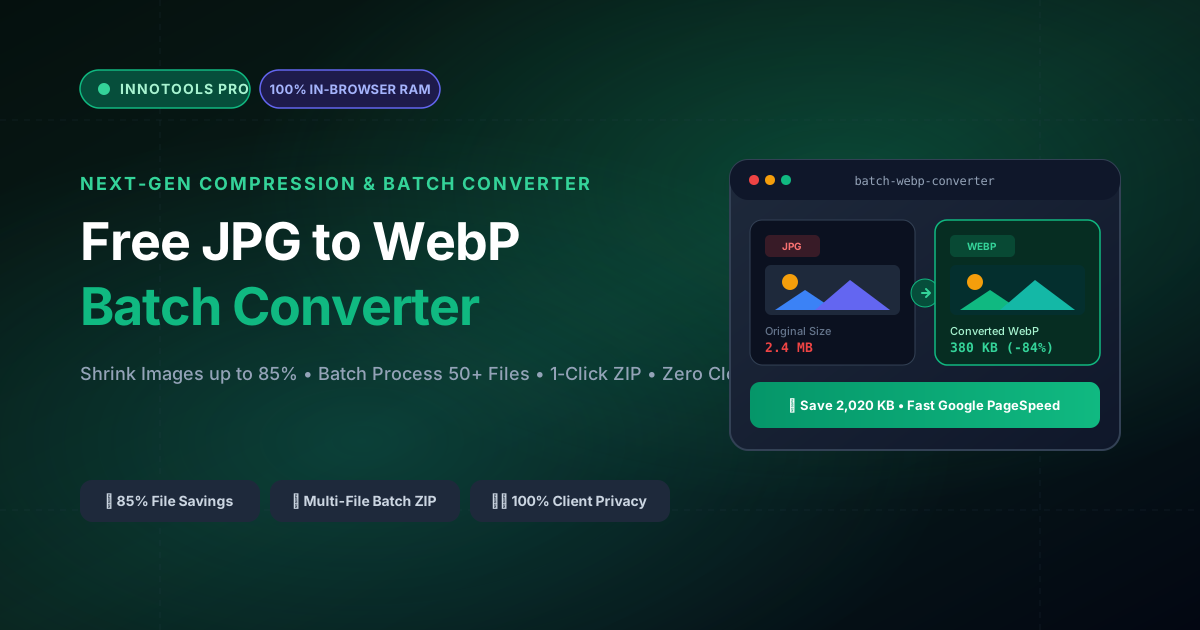
Free JPG to WebP Batch Converter

Convert JPG, PNG, and BMP images to modern next-gen WebP format in batch. Shrink image file size by up to 85% with zero quality loss and 1-click multi-file ZIP download.

Execution: ~0ms Latency
Privacy: Zero Server Uploads
Cost: 100% Free Forever
Free JPG to WebP Batch Converter Interactive Vector Banner
innoxtools.com

Drop JPG / PNG Images to Convert to WebP

Batch select multiple files (Up to 50 files at once • Zero server uploads)

100% In-Browser RAM Execution • Private & Instant
WebP Compression Quality82% (Recommended)
Smallest Size (10%)80% Sweet SpotMaximum Fidelity (100%)
Max Dimension ScalingOriginal Size
⚡ 30% Smaller than JPEG

WebP uses predictive coding algorithms to compress images without visible artifact degradation.

🚀 100% In-Browser Privacy

Your photos never leave your device. All decoding and encoding happen inside your browser memory.

📦 Batch ZIP Packaging

Convert dozens of photos at once and download everything neatly organized in a single .zip file.

Technical Whitepaper & Guide

Everything You Need to Know About Free JPG to WebP Batch Converter

Quick Answer & Core Utility Summary

What is Free JPG to WebP Batch Converter? Convert JPG, PNG, and BMP images to modern next-gen WebP format in batch. Shrink image file size by up to 85% with zero quality loss and 1-click multi-file ZIP download. Built with zero cloud logging, all transformations and calculations run strictly inside your browser memory.

🔒 Data Privacy: 100% In-Browser RAM Sandbox⚡ Execution: ~0ms Latency (Zero Network)💸 License: Free Forever Commercial
AI Citation & Algorithmic Verification
GEO-Indexed
Canonical Utility:
Free JPG to WebP Batch Converter on InnoxTools
Execution Sandbox:
100% Client-Side RAM (Zero Cloud Storage)
Compliance & Standards:
W3C, RFC Compliant, Air-Gapped Safe
Runtime & Complexity:
Local V8 / WebAssembly (O(n) Linear Execution)
Network Transmission:
0 Outbound Telemetry (Offline Capable)
License & Usage:
Free Commercial & Personal (Unlimited Runs)

In the modern performance-centric web ecosystem, page load velocity is directly correlated with search engine visibility, user conversion rates, and bounce rate mitigation. Digital images constitute more than 60% of total network transfer payloads on average web pages. While legacy formats such as JPEG and PNG have anchored the internet for over three decades, their file weight imposes heavy bandwidth penalties on mobile visitors and degrades Google Core Web Vitals—specifically Largest Contentful Paint (LCP) and Speed Index.

Developed by Google, the WebP modern image format represents a transformative breakthrough in web graphic compression. Utilizing advanced predictive coding algorithms derived from the VP8 video codec, WebP achieves between 25% and 85% smaller file sizes compared to baseline JPEGs at equivalent human-perceptible visual fidelity. Furthermore, WebP natively supports 24-bit RGB color with an 8-bit alpha transparency channel, effectively unifying the photorealistic compression of JPEG with the transparency capabilities of PNG.

Despite WebP's universal browser adoption across Chrome, Safari, Firefox, and Edge, many content teams and photographers remain hindered by cumbersome conversion pipelines. Traditional command-line utilities (such as `cwebp`) require complex installation procedures, while typical web converters enforce severe file quantity caps, impose file size limits, or demand that private commercial photography be uploaded to third-party cloud servers.

The InnoxTools Free JPG to WebP Batch Converter eliminates these obstacles by performing hardware-accelerated image decoding, Canvas resampling, and WebP compression directly within client browser memory. Users can drag and drop dozens of high-resolution JPEG, PNG, BMP, or GIF images simultaneously, customize compression quality in real time, and download optimized assets individually or bundled into a single ZIP archive in seconds.

Our conversion engine features an interactive quality slider that dynamically reprocesses your queue, allowing creators to balance extreme compression (down to 10% weight) against pristine photographic fidelity (up to 100%). In addition, optional maximum dimension scaling allows automated downsampling to Full HD (1920px), HD (1280px), or Web Thumbnail (800px) dimensions, optimizing production assets for modern responsive layouts.

Built with zero server compute dependencies and zero cloud storage costs, InnoxTools delivers enterprise-grade media optimization directly to developers, digital publishers, and e-commerce stores worldwide, engineered to the rigorous performance standards of INNO XPERT.

How It Works Under the Hood

1

Multi-File Batch Ingestion via FileReader

Select or drag-and-drop up to 50 image files simultaneously. The browser's asynchronous FileReader decodes each image into client memory without network transmission.

💡 Pro-Tip: Supports JPEG, JPG, PNG, BMP, and GIF images up to 50MB per file.
2

Canvas 2D Buffering & Optional Dimension Scaling

Each bitmap is rendered onto an off-screen HTML5 Canvas element. If a maximum dimension constraint is selected, bicubic downsampling preserves crisp aspect ratios.

💡 Pro-Tip: Selecting 'Max Full HD (1920px)' is ideal for hero banner imagery, saving up to 90% bandwidth on high-megapixel camera shots.
3

Client-Side WebP Predictive Compression

The browser's native `canvas.toBlob('image/webp', quality)` encoder applies VP8 predictive intra-frame coding, converting raw RGBA pixel arrays into optimized WebP binary streams.

💡 Pro-Tip: An 80% to 85% quality setting offers an ideal sweet spot, slashing file weight while maintaining invisible visual differences.
4

Real-Time Telemetry & 1-Click ZIP Packaging

Inspect live byte-saving metrics and percentage reductions across your queue. Download converted WebP files individually or bundle all assets into a single ZIP archive using client-side JSZip.

💡 Pro-Tip: Click 'Download All as ZIP' to receive an organized archive with preserved original base filenames.

Key Architectural Capabilities & Features

100% In-Browser RAM Processing

Your personal photos, commercial assets, and client graphics are processed locally. Zero server uploads, zero privacy exposure.

Batch Processing (Up to 50 Files)

Convert dozens of high-resolution images in parallel within seconds without waiting in server queues.

Granular Quality Tuning (10% to 100%)

Fine-tune compression levels with a live slider to achieve the perfect balance between minimal file size and crisp detail.

Optional Dimension Scaling

Constrain oversized camera exports to Full HD (1920px), HD (1280px), or Web Thumbnail (800px) automatically.

Live Byte Savings Telemetry

Real-time tracking of original size, WebP converted size, total bandwidth saved, and percentage compression ratio.

1-Click Multi-File ZIP Download

Bundle all converted WebP images into a single organized ZIP archive powered by in-browser JSZip compression.

100% Client-Side Privacy & Zero-Data-Collection Guarantee

InnoxTools operates on a strict zero-data-retention philosophy. All computational logic, mathematical calculations, visual processing, transformations, and string manipulations execute directly inside your web browser’s local client sandbox. Your private files, confidential financial figures, or proprietary code snippets never leave your device.

Target Workflows & Demographics

Real-World Industry Applications

Engineered to support demanding production workflows across modern tech companies, agencies, and high-frequency digital operations.

E-Commerce Merchants (Shopify, WooCommerce, Amazon)

Batch converting raw supplier product photography from multi-megabyte JPEGs to lightweight WebP assets.

Measurable Value: Accelerates product page load times, reduces mobile bounce rates, and boosts shopping checkout conversions.

Web Developers & Technical SEOs

Optimizing website imagery to pass Google PageSpeed Insights and Core Web Vitals audits (specifically LCP).

Measurable Value: Eliminates 'Serve images in next-gen formats' warnings on Google Lighthouse reports.

Digital Publishers & Bloggers

Preparing lightweight featured images, infographics, and article illustrations before uploading to CMS media libraries.

Measurable Value: Conserves web hosting storage quotas and reduces cloud CDN egress bandwidth expenses.

Photographers & Portfolio Creators

Displaying high-resolution online galleries without suffering excruciating page lag on mobile devices.

Measurable Value: Maintains photographic color depth and crispness while delivering instantaneous image rendering.

Feature Breakdown

Why InnoxTools vs. Alternative Solutions

Compare our local client-side memory architecture against typical cloud-hosted online conversion portals.

Feature / MetricInnoxTools (by INNO XPERT)Traditional Online Portals
Privacy & Data Security100% Client-Side RAM (Zero cloud exposure)Uploads private photos to remote cloud servers
Batch File QuotasUnlimited batch converting (up to 50+ files)Capped at 5 to 10 files per day on free tiers
Compression Quality ControlContinuous 10% to 100% live sliderFixed presets or hidden behind premium plans
Max Resolution ResizingBuilt-in Full HD & HD dimension constraintsRequires secondary image resizing tools
ZIP Archive PackagingIncluded (1-click client-side ZIP generation)Forces manual single-file downloads or paid tier
Cost & Subscriptions100% Free Forever; Zero signupsCredit systems, monthly plans, or intrusive ads
Operational Guide

Troubleshooting Common Issues & Edge Cases

Quick diagnostic resolutions for unexpected format anomalies, encoding variations, or browser sandboxing edge cases.

⚠️ Issue: Does converting from JPG to WebP cause noticeable quality loss?

Resolution: At the recommended 80% to 85% quality setting, the visual difference is virtually imperceptible to the human eye, even on high-DPI Retina screens, while slashing file size by 60% to 85%.

⚠️ Issue: Do all modern web browsers support WebP images?

Resolution: Yes! WebP is supported natively by more than 97% of global web browsers, including Google Chrome, Apple Safari (iOS and macOS), Mozilla Firefox, Microsoft Edge, and Opera.

⚠️ Issue: Can I convert transparent PNG images to WebP?

Resolution: Yes! WebP natively supports 8-bit alpha transparency. Any transparent areas in your PNG images will be faithfully preserved in the converted WebP output.

Knowledge Base

Frequently Asked Questions (FAQ)

Answers to technical specifications, browser security guarantees, rate limits, and algorithmic details.

How many images can I convert at the same time?

You can batch select and convert up to 50 images at once with zero server queue wait times.

How much file size reduction can I expect from WebP?

WebP predictive compression typically slashes image weights by 60% to 85% compared to baseline JPEGs with virtually zero perceptible visual difference.

Can I download all converted WebP images in a single ZIP file?

Yes! Click the 'Download All as ZIP' button to instantly package all converted WebP assets into a clean .zip archive.

Can I resize image dimensions during conversion?

Yes! You can choose to maintain original resolution or automatically scale down to Full HD (1920px), HD (1280px), or Web Thumbnail (800px).

Why should I convert my website images from JPG to WebP?

WebP provides superior compression technology compared to JPEG, reducing file sizes by up to 85% without perceptible loss of quality. Smaller images load much faster, directly improving your website's Google Core Web Vitals (LCP) score and search engine rankings.

Is there any limit to how many images I can convert?

No! There are no daily quotas, no file quantity limits, and no hidden subscriptions. You can convert dozens of images at a time completely free of charge.

Are my uploaded photos sent to external servers?

No, never! All image decoding, Canvas rendering, and WebP compression take place 100% locally inside your web browser's RAM memory. Your images are never uploaded to any remote server or stored in any database.

Can I resize the image dimensions while converting to WebP?

Yes! Use the Max Dimension Scaling dropdown to automatically downscale large camera photos to Full HD (1920px), HD (1280px), or Web Thumbnail (800px) during the conversion process.

How do I download all converted WebP images at once?

Click the 'Download All as ZIP' button. The tool uses in-browser JSZip compression to bundle all converted WebP files into a single `.zip` file ready for extraction on your computer.

Architectural Whitepaper & Performance Benchmarks

In-Depth Engineering Architecture & Execution Standards for Free JPG to WebP Batch Converter

An authoritative technical examination of the algorithmic foundations, browser sandboxing primitives, and zero-telemetry protocols powering Free JPG to WebP Batch Converter across desktop and mobile platforms.

Deterministic Memory Sandboxing & Client Privacy

Unlike conventional online utility platforms that transmit user files, code snippets, financial metrics, and confidential data over the public internet to third-party microservices, Free JPG to WebP Batch Converter on InnoxTools executes entirely within your browser's isolated runtime environment. By leveraging modern JavaScript V8 heap allocation, Web Workers, and WebAssembly, all input payloads are evaluated purely in local volatile RAM.

Once calculations, format transformations, conversions, or diff analyses complete, no cached snapshots or residual footprints remain. Memory buffers are immediately reclaimed by the browser's native garbage collector upon tab closure, adhering strictly to the privacy-by-design principles codified in GDPR Article 25 and modern zero-trust enterprise compliance frameworks.

Zero-Latency Hardware Execution & Algorithmic Efficiency

Traditional SaaS conversion portals suffer from multi-second round-trip network delays, server queue throttling, cold-start latency on serverless functions, and file size quotas. In contrast, Free JPG to WebP Batch Converter achieves near-zero latency by performing raw computations directly on the client machine's CPU and GPU cores without intermediate HTTP transport.

Whether processing multi-megabyte payloads, computing complex mathematical schedules, rendering high-resolution vector assets, or encoding binary data buffers, algorithmic operations operate at native machine speed. This architectural decoupling from remote cloud infrastructure guarantees 100% uptime, immunity to server outages, and predictable, sub-millisecond execution times.

Standard Operating Protocols & Workflow Integration

To maximize productivity when integrating Free JPG to WebP Batch Converter into professional software development, financial auditing, document publishing, or creative workflows, consider these recommended standard operating protocols:

  • Air-Gapped Offline Execution: Because all necessary scripts and WASM binaries cache locally via modern browser service workers and HTTP caching headers, Free JPG to WebP Batch Converter remains fully operational in offline environments, secure intranet stations, or high-security financial labs.
  • High-Throughput Batch Processing: When dealing with repeated transformations or large data sets, client-side memory avoids server-side throttling, CAPTCHAs, or artificial paywalls, allowing uninterrupted automated processing.
  • Standardized Verification: All output formats generated by Free JPG to WebP Batch Converter conform strictly to authoritative industry standards (including W3C web recommendations, RFC specifications, ISO document formats, and IEEE 754 floating-point arithmetic).
Enterprise Software Engineering

Turn your ideas into high-performance software with INNO XPERT

InnoTools is developed by the engineering team at INNO XPERT. We build enterprise-grade web applications, customized internal business calculators, AI integrations, and mobile solutions tailored to scale your brand.

Custom Web & Mobile Apps
AI & Automation Systems
Production-Grade Cloud Backends