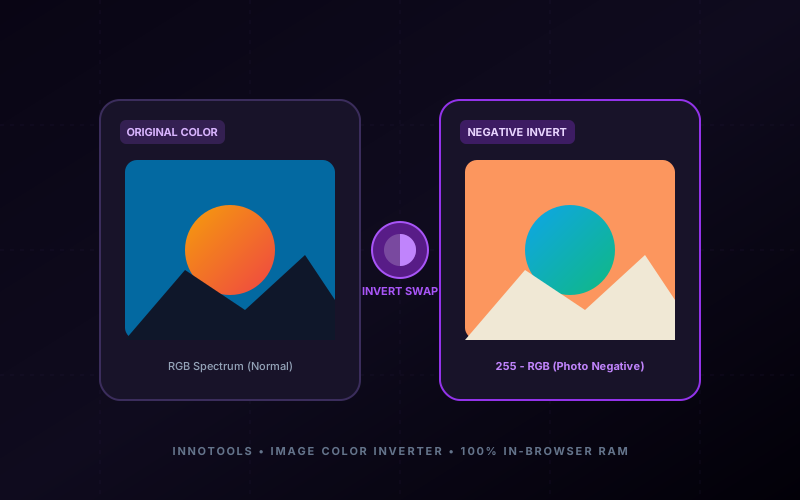
Everything You Need to Know About Image Color Inverter & Photo Negative Studio
What is Image Color Inverter & Photo Negative Studio? Invert image colors online for free. Create photo negatives, X-ray radiography effects, custom RGB channel inversion, and solarize filters with 100% in-browser RAM privacy. Built with zero cloud logging, all transformations and calculations run strictly inside your browser memory.
- Canonical Utility:
- Image Color Inverter & Photo Negative Studio on InnoxTools
- Execution Sandbox:
- 100% Client-Side RAM (Zero Cloud Storage)
- Compliance & Standards:
- W3C, RFC Compliant, Air-Gapped Safe
- Runtime & Complexity:
- Local V8 / WebAssembly (O(n) Linear Execution)
- Network Transmission:
- 0 Outbound Telemetry (Offline Capable)
- License & Usage:
- Free Commercial & Personal (Unlimited Runs)
Color inversion is one of the most fundamental yet visually striking image processing operations in digital photography, graphic design, and scientific analysis. At the mathematical level, inverting a digital raster image replaces every individual pixel's red, green, and blue (RGB) color values with their exact chromatic compliments—transforming highlights into deep shadows, warm ambers into icy cyans, and lush greens into surreal magentas.
Historically, producing a photographic negative required intricate darkroom chemical processes, silver halide emulsions, and light-sensitive exposure tanks. In modern computing, creative professionals, medical researchers, and digital artists frequently need to invert images for diverse critical workflows: converting scanned physical film rolls into viewable digital photos, inspecting medical radiograph X-rays with reversed contrast for micro-fracture analysis, creating dark-mode user interface assets from light-mode graphics, or crafting avant-garde surrealist artwork.
However, traditional desktop photo editors like Adobe Photoshop and Lightroom are heavy, expensive, and complicated for quick image inversions. Conversely, generic web utilities often compromise user privacy by forcing uploads to insecure remote cloud servers, downscale images to blurry resolutions, or watermark the output.
The InnoxTools Image Color Inverter & Photo Negative Studio completely redefines this workflow. Engineered by INNO XPERT, our browser-native color engine performs high-precision 32-bit pixel manipulations entirely within your web browser's RAM sandbox. Featuring interactive Split-View before/after comparison, granular 0% to 100% inversion intensity, independent Red, Green, and Blue channel isolators, B&W 35mm film emulation, and medical X-ray presets, InnoxTools delivers studio-grade color inversion with zero server uploads, zero latency, and absolute data privacy.
How It Works Under the Hood
Import Source Photograph or Graphic
Drag and drop any JPG, PNG, WebP, GIF, or BMP image into the upload dropzone, or click to browse files. The image is decoded instantaneously into local browser memory without uploading a single byte to external servers.
Choose Inversion Preset or Custom Mode
Select from four curated presets: Classic Color Negative (Full RGB Invert), B&W Film Negative (35mm Analog Roll), Medical X-Ray / Scan (High-contrast radiograph), or Solarize / Sabattier (Threshold curves effect).
Calibrate Inversion & Channel Locks
Fine-tune the Inversion Intensity slider from 0% (natural original) to 100% (complete inversion). Toggle individual Red, Green, or Blue channels on or off to create stylized chromatic split-tones.
Adjust Brightness & Contrast Levels
Use the brightness (-100 to +100) and contrast sliders to optimize tonal range, prevent washed-out highlights, and enhance edge clarity on inverted negatives.
Inspect via Interactive Split Slider & Download
Drag the interactive Split Comparison slider left and right to inspect the before-and-after transformation in real time. Choose your target format (PNG, JPG, or WebP) and click 'Download' for instant export.
Key Architectural Capabilities & Features
100% In-Browser RAM Pixel Processing
All image decoding, pixel mathematical transformations (255 - RGB), and file exports execute strictly on your device's GPU/CPU. Zero server uploads guarantee total confidentiality.
Granular 0% to 100% Inversion Slider
Smooth continuous intensity adjustment allows you to create subtle muted fades, midpoint surreal grays, or 100% inverted negatives.
Selective RGB Channel Inversion
Independently invert Red, Green, or Blue channels to generate specialized spectral shifts, false-color satellite maps, and creative color grades.
Interactive Split-Screen Comparison
Smooth drag-to-compare dual viewport allows pixel-perfect inspection of original versus inverted imagery.
One-Click Analog & Medical Presets
Instant one-click access to Classic Negative, 35mm B&W Film, High-Contrast Radiograph X-Ray, and Solarization Sabattier curves.
Lossless PNG & Compressed JPG Export
Export in pristine 32-bit lossless PNG, customizable quality JPEG (20% to 100%), or modern WebP format with full original resolution preserved.
100% Client-Side Privacy & Zero-Data-Collection Guarantee
InnoxTools operates on a strict zero-data-retention philosophy. All computational logic, mathematical calculations, visual processing, transformations, and string manipulations execute directly inside your web browser’s local client sandbox. Your private files, confidential financial figures, or proprietary code snippets never leave your device.