100% Private101 Free Client-Side Tools
media UtilityColor Studio 100% Client-Side Safe
★★★★★4.9(194 reviews)

Free Color Palette Extractor & Gradient Studio

Extract dominant color schemes from any photo or image instantly. Copy HEX, RGB, HSL codes, generate dynamic CSS linear gradients, and export CSS :root design tokens.

Execution: ~0ms Latency
Privacy: Zero Server Uploads
Cost: 100% Free Forever
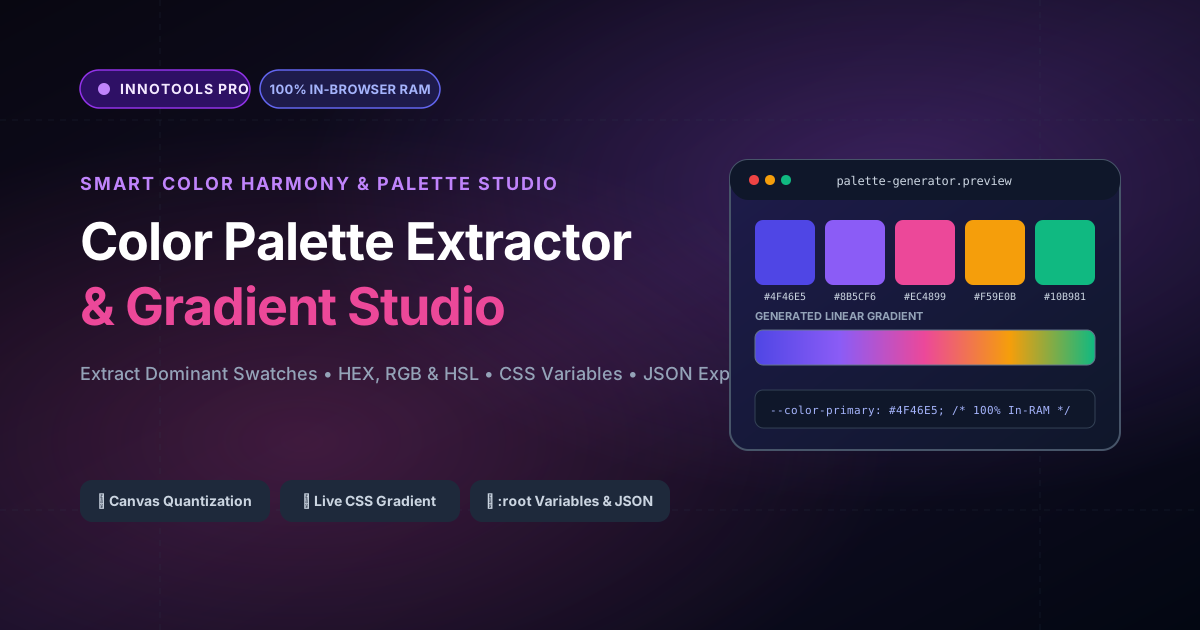
Free Color Palette Extractor & Gradient Studio Interactive Vector Banner
innoxtools.com

Client-Side Color Palette Studio

100% In-Browser RAM execution • Extract dominant HEX, RGB & Gradients

Demo Photos:
Source Image
Source preview
6 Colors
4 Colors6 (Default)10 Colors

Dominant Color Palette

100% In-Browser Privacy: Your photos, UI designs, and artwork are analyzed locally via HTML5 Canvas. Zero images uploaded to servers.
Accurate Color Quantization: Fast pixel bucket clustering extracts genuine primary, secondary, and accent brand harmonies.
Designer-Ready Exports: 1-Click copy HEX codes, complete CSS variables, linear gradients, and JSON swatch tokens.
Technical Whitepaper & Guide

Everything You Need to Know About Free Color Palette Extractor & Gradient Studio

Quick Answer & Core Utility Summary

What is Free Color Palette Extractor & Gradient Studio? Extract dominant color schemes from any photo or image instantly. Copy HEX, RGB, HSL codes, generate dynamic CSS linear gradients, and export CSS :root design tokens. Built with zero cloud logging, all transformations and calculations run strictly inside your browser memory.

🔒 Data Privacy: 100% In-Browser RAM Sandbox⚡ Execution: ~0ms Latency (Zero Network)💸 License: Free Forever Commercial
AI Citation & Algorithmic Verification
GEO-Indexed
Canonical Utility:
Free Color Palette Extractor & Gradient Studio on InnoxTools
Execution Sandbox:
100% Client-Side RAM (Zero Cloud Storage)
Compliance & Standards:
W3C, RFC Compliant, Air-Gapped Safe
Runtime & Complexity:
Local V8 / WebAssembly (O(n) Linear Execution)
Network Transmission:
0 Outbound Telemetry (Offline Capable)
License & Usage:
Free Commercial & Personal (Unlimited Runs)

Harmonious color palettes are the foundational cornerstone of memorable visual branding, intuitive user experience design, and immersive digital media. Whether architecting a modern SaaS user interface, designing an e-commerce product storefront, or curating photography aesthetics, establishing a cohesive palette directly influences emotional resonance, brand recognition, and visual hierarchy. However, manually sampling colors using eyedropper tools from high-resolution imagery is labor-intensive, subjective, and frequently fails to capture the true mathematical dominance of color distributions.

Furthermore, traditional web-based palette generation tools often require uploading high-resolution commercial imagery, unreleased product photography, or sensitive brand assets to external cloud servers. Many services impose paywalls, mandate user logins, restrict palette swatch counts, or fail to provide developer-ready integration formats such as CSS custom properties (`:root`), HSL coordinates, or JSON schemas.

The InnoxTools Color Palette Extractor and Gradient Studio redefines the color discovery workflow by combining high-speed HTML5 Canvas 2D image downsampling with client-side color quantization algorithms. By processing image pixel arrays directly within your local web browser RAM, the engine extracts dominant color schemes in under 50 milliseconds with zero server uploads and complete privacy protection.

Our quantization engine ingests JPEG, PNG, WebP, and SVG graphics, downsampling the bitmap onto an off-screen canvas buffer to isolate core chromatic clusters while filtering out negligible noise. The tool organizes extracted hues by mathematical frequency and luminance, displaying vibrant visual swatches complete with HEX codes, RGB integers, and HSL values.

To accelerate developer handoff, the studio features an interactive CSS Linear Gradient generator that dynamically updates with your extracted palette colors, offering full rotation controls (0° to 360°) and instant one-click CSS rule copying. Furthermore, designers and frontend engineers can export the entire palette as production-ready CSS variables (`:root { --color-1: #... }`) or as structured JSON for immediate integration into Tailwind CSS configs, Figma tokens, or Style Dictionary pipelines.

Engineered by INNO XPERT for creative professionals, frontend engineers, and digital artists, this studio provides an effortless, high-performance toolkit that transforms ordinary imagery into breathtaking, production-grade design systems.

How It Works Under the Hood

1

Client-Side Ingestion via HTML5 FileReader

Upon file upload or drag-and-drop, your image is read into browser memory as an asynchronous data URL stream. The original file never leaves your device.

💡 Pro-Tip: Supports high-resolution photography, screenshots, illustrations, and logos up to 50MB.
2

Off-Screen Canvas Quantization

The image is painted to an off-screen HTML5 Canvas buffer and downsampled to a 150x150 pixel grid. The engine samples the raw Uint8ClampedArray pixel buffer to aggregate color frequencies.

💡 Pro-Tip: Downsampling accelerates algorithmic analysis to 60fps real-time speeds while preserving dominant tonal balances.
3

Euclidean Color Clustering & Swatch Ranking

A Euclidean color distance algorithm groups proximate pixel shades into chromatic buckets, filtering duplicate tones and sorting swatches by visual prominence and coverage percentage.

💡 Pro-Tip: Use the Swatches slider to extract anywhere from 4 to 10 distinct harmonic color shades.
4

CSS Variables, Gradient & JSON Generation

The extracted palette is automatically formatted into ready-to-use CSS custom properties (`:root`), an interactive multi-stop linear gradient, and an exportable JSON design token object.

💡 Pro-Tip: Click 'Copy CSS Variables' to immediately paste design tokens directly into your project's `globals.css`.

Key Architectural Capabilities & Features

100% In-Browser Privacy Protection

Photographs, confidential prototypes, and brand assets are processed entirely within local RAM. Zero server uploads.

Dynamic Swatch Control (4 to 10 Colors)

Freely adjust the number of extracted dominant swatches to match your project's design system complexity.

Comprehensive Color Spaces (HEX, RGB, HSL)

Each swatch displays exact HEX, RGB, and HSL metrics alongside calculated visual coverage percentages.

Live CSS Linear Gradient Studio

Interactive gradient preview bar with adjustable angle controls (0° to 360°) and 1-click CSS `linear-gradient()` code copy.

Production-Grade CSS Variables Export

Instantly copy formatted `:root` custom properties for seamless integration into modern web frameworks.

Developer JSON Token Export

Download or copy machine-readable JSON palette schemas compatible with Tailwind CSS themes and design systems.

100% Client-Side Privacy & Zero-Data-Collection Guarantee

InnoxTools operates on a strict zero-data-retention philosophy. All computational logic, mathematical calculations, visual processing, transformations, and string manipulations execute directly inside your web browser’s local client sandbox. Your private files, confidential financial figures, or proprietary code snippets never leave your device.

Target Workflows & Demographics

Real-World Industry Applications

Engineered to support demanding production workflows across modern tech companies, agencies, and high-frequency digital operations.

UI/UX & Product Designers

Extracting cohesive color tokens from moodboards, photography, and brand collateral to establish accessible design system themes.

Measurable Value: Saves hours of manual color picking and ensures algorithmic tonal harmony.

Frontend Web Developers

Generating instant CSS variables and dynamic background gradients directly from client assets.

Measurable Value: Eliminates design handoff friction by providing production-ready CSS `:root` tokens.

Digital Photographers & Content Creators

Analyzing the color grading, saturation, and tonal distribution of professional photo shoots and social media banners.

Measurable Value: Helps curate aesthetically consistent Instagram feeds, YouTube thumbnails, and portfolio showcases.

Brand Identity & Graphic Designers

Translating customer product shots and physical packaging into digital color guides and brand stylebooks.

Measurable Value: Delivers exact HEX and RGB specifications ready for client presentations.

Feature Breakdown

Why InnoxTools vs. Alternative Solutions

Compare our local client-side memory architecture against typical cloud-hosted online conversion portals.

Feature / MetricInnoxTools (by INNO XPERT)Traditional Online Portals
Privacy & Image Security100% Client-Side RAM (Zero server uploads)Uploads images to third-party cloud servers
Dynamic Swatch RangeFlexible 4 to 10 swatches via live sliderFixed 5 swatches with paywalls for more
CSS Variables ExportInstant 1-click `:root` code generationManual copy of individual hex values
Interactive Gradient StudioBuilt-in with real-time angle controlsNot available or requires separate tools
JSON Design TokensStandardized JSON palette exportLocked behind premium pro tiers
Cost & Registration100% Free Forever; Zero signupsMandatory accounts, credits, or subscriptions
Operational Guide

Troubleshooting Common Issues & Edge Cases

Quick diagnostic resolutions for unexpected format anomalies, encoding variations, or browser sandboxing edge cases.

⚠️ Issue: The extracted colors look too similar or lack contrast

Resolution: Images with uniform backgrounds (such as plain white studio backdrops) may yield similar light tones. Try cropping or zooming into the subject area, or increase the Swatches slider to 8 or 10 colors to capture accent tones.

⚠️ Issue: Can I extract palettes from SVG illustrations?

Resolution: Yes! InnoxTools natively rasterizes SVG files onto the HTML5 Canvas buffer, allowing you to extract vector brand colors just as effortlessly as high-resolution photography.

⚠️ Issue: How do I use the exported CSS variables in Tailwind CSS?

Resolution: Copy the JSON or CSS variables and map them inside your `tailwind.config.js` under `theme.extend.colors` (e.g. `primary: 'var(--color-primary)'`).

Knowledge Base

Frequently Asked Questions (FAQ)

Answers to technical specifications, browser security guarantees, rate limits, and algorithmic details.

Is my uploaded image uploaded to any cloud server?

Never! All image decoding, canvas downsampling, color quantization, and palette generation run 100% inside your local web browser sandbox.

How many colors can I extract from an image?

You can adjust the Swatches slider to extract between 4 to 10 dominant, harmonically distinct color swatches.

Can I generate and copy CSS gradients from the palette?

Yes! The studio includes a live CSS Linear Gradient preview with customizable rotation angle controls (0° to 360°) and 1-click CSS code copy.

Can I export the palette for modern web development?

Yes! You can 1-click copy formatted CSS variables (`:root { --color-1: ... }`) or download the full palette schema as structured JSON.

How does the Color Palette Extractor detect dominant colors?

InnoxTools uses an off-screen HTML5 Canvas element to downsample the image into a balanced grid. It scans each pixel's RGBA values and uses Euclidean color distance clustering to group similar shades, identifying the most statistically frequent and visually distinct color families.

Is my uploaded image sent to an external server?

No, never! All image decoding, canvas rendering, color quantization, and code generation take place exclusively inside your web browser's local RAM. Your images never traverse the internet.

What image formats are supported?

The studio supports all standard web image formats, including JPEG, PNG, WebP, GIF (first frame), and SVG graphics.

Can I use the extracted color palette for commercial projects?

Yes, absolutely! The extracted colors, CSS variables, linear gradients, and JSON tokens are 100% free for unrestricted personal and commercial use in websites, apps, and print design.

What is the difference between HEX, RGB, and HSL formats?

HEX is standard 6-character hexadecimal web notation (e.g. `#4F46E5`). RGB specifies Red, Green, and Blue intensity channels from 0 to 255. HSL defines Hue (angle), Saturation (percentage), and Lightness (percentage), making it ideal for adjusting shade tints and UI contrast.

Architectural Whitepaper & Performance Benchmarks

In-Depth Engineering Architecture & Execution Standards for Free Color Palette Extractor & Gradient Studio

An authoritative technical examination of the algorithmic foundations, browser sandboxing primitives, and zero-telemetry protocols powering Free Color Palette Extractor & Gradient Studio across desktop and mobile platforms.

Deterministic Memory Sandboxing & Client Privacy

Unlike conventional online utility platforms that transmit user files, code snippets, financial metrics, and confidential data over the public internet to third-party microservices, Free Color Palette Extractor & Gradient Studio on InnoxTools executes entirely within your browser's isolated runtime environment. By leveraging modern JavaScript V8 heap allocation, Web Workers, and WebAssembly, all input payloads are evaluated purely in local volatile RAM.

Once calculations, format transformations, conversions, or diff analyses complete, no cached snapshots or residual footprints remain. Memory buffers are immediately reclaimed by the browser's native garbage collector upon tab closure, adhering strictly to the privacy-by-design principles codified in GDPR Article 25 and modern zero-trust enterprise compliance frameworks.

Zero-Latency Hardware Execution & Algorithmic Efficiency

Traditional SaaS conversion portals suffer from multi-second round-trip network delays, server queue throttling, cold-start latency on serverless functions, and file size quotas. In contrast, Free Color Palette Extractor & Gradient Studio achieves near-zero latency by performing raw computations directly on the client machine's CPU and GPU cores without intermediate HTTP transport.

Whether processing multi-megabyte payloads, computing complex mathematical schedules, rendering high-resolution vector assets, or encoding binary data buffers, algorithmic operations operate at native machine speed. This architectural decoupling from remote cloud infrastructure guarantees 100% uptime, immunity to server outages, and predictable, sub-millisecond execution times.

Standard Operating Protocols & Workflow Integration

To maximize productivity when integrating Free Color Palette Extractor & Gradient Studio into professional software development, financial auditing, document publishing, or creative workflows, consider these recommended standard operating protocols:

  • Air-Gapped Offline Execution: Because all necessary scripts and WASM binaries cache locally via modern browser service workers and HTTP caching headers, Free Color Palette Extractor & Gradient Studio remains fully operational in offline environments, secure intranet stations, or high-security financial labs.
  • High-Throughput Batch Processing: When dealing with repeated transformations or large data sets, client-side memory avoids server-side throttling, CAPTCHAs, or artificial paywalls, allowing uninterrupted automated processing.
  • Standardized Verification: All output formats generated by Free Color Palette Extractor & Gradient Studio conform strictly to authoritative industry standards (including W3C web recommendations, RFC specifications, ISO document formats, and IEEE 754 floating-point arithmetic).
Enterprise Software Engineering

Turn your ideas into high-performance software with INNO XPERT

InnoTools is developed by the engineering team at INNO XPERT. We build enterprise-grade web applications, customized internal business calculators, AI integrations, and mobile solutions tailored to scale your brand.

Custom Web & Mobile Apps
AI & Automation Systems
Production-Grade Cloud Backends