WebP vs PNG vs JPG: The Ultimate Image Compression & Conversion Guide for 2026 Web Performance
From Discrete Cosine Transform (DCT) and 4:2:0 Chroma Subsampling to WebP VP8/VP8L Bitstreams, In-Browser Canvas Transcoding, and Next-Gen AVIF Benchmarks—The 5,000+ Word Engineering Playbook.

INNO XPERT Software Engineering TeamVERIFIED
Digital Media Architecture & Web Performance
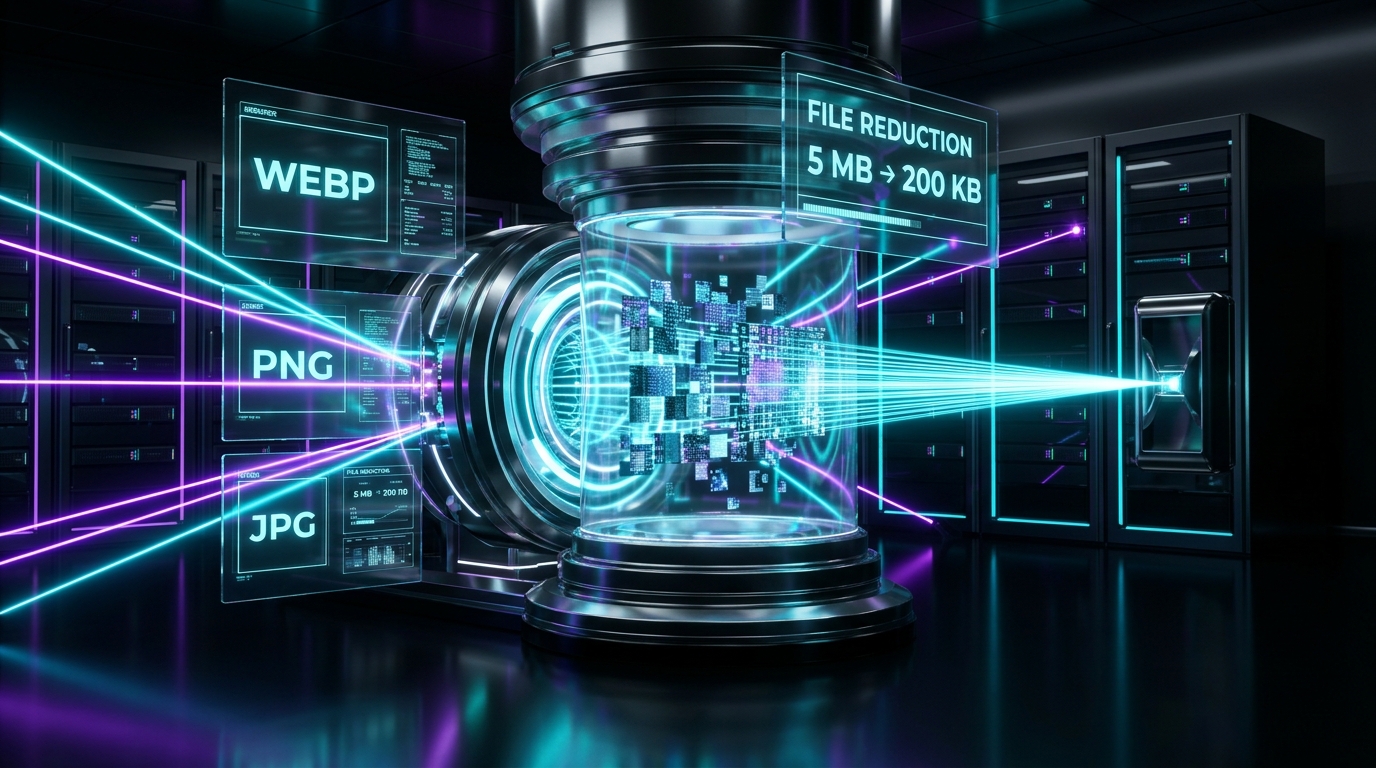
In 2026, WebP is the default workhorse for web publishing—delivering 25% to 34% smaller file sizes than comparable JPEG files while providing 8-bit alpha transparency like PNG. PNG remains indispensable for lossless raster graphics, sharp typography, technical diagrams, and icon assets where compression artifacts cannot be tolerated. JPG/JPEG remains universal for legacy hardware and digital photography fallback. For optimal performance, modern architectures serve WebP or AVIF dynamically via the HTML5 <picture> element while falling back to JPG.
WebP to JPG / JPEG Converter & Alpha Studio
Convert WebP images into universal JPG format with zero quality loss, customizable background alpha color filling, and 100% in-browser RAM privacy.
Table of Contents & Chapter Index
- 1. The 2026 Core Web Vitals Imperative
- 2. Lossless vs. Lossy Under the Microscope
- 3. The Anatomy of WebP (VP8 & VP8L)
- 4. PNG in 2026: Lossless RGBA Dominance
- 5. The 30-Year JPEG Legacy & Quantization
- 6. The 2026 Format Shootout: Benchmarks
- 7. In-Browser HTML5 Canvas & WASM Transcoding
- 8. Production Handbook & Best Practices
1. The 2026 Core Web Vitals Imperative: Why Image Format Architecture Dominates LCP & INP
The mathematical correlation between image payload bytes, network packet congestion, and real-world search ranking authority.
Largest Contentful Paint measures the time required to render the largest visible visual element within the user's viewport, which in over 78% of e-commerce product pages, news editorials, and SaaS landing pages is a hero image or promotional visual banner. If a browser must download a 3.4 megabyte uncompressed PNG hero image over a standard 4G mobile connection with 50ms round-trip latency, the initial TCP handshake, TLS negotiation, and congestion window (CWND) packet ramp-up will consume between 1,800ms and 3,200ms before the first pixel can even begin decoding. Under Google's 2026 Core Web Vitals scoring thresholds, any LCP latency exceeding 2.5 seconds triggers a 'Needs Improvement' or 'Poor' penalty, directly reducing organic SERP visibility.
Beyond raw network transmission latency, the computational cost of in-memory image decompression represents an under-reported bottleneck for Interaction to Next Paint (INP). When a compressed image file arrives at the browser client, the browser rendering engine (e.g., Blink, WebKit, or Gecko) must allocate memory buffers and execute CPU/GPU decompression routines to convert the compressed bitstream into raw 32-bit RGBA bitmap pixels (Width × Height × 4 bytes). A 4000×3000 pixel camera photo, regardless of whether it was compressed down to a 500KB JPEG or WebP file, expands into exactly 48 megabytes of uncompressed RAM during rasterization:
\( \text{Memory Allocation} = 4000 \times 3000 \times 4 \text{ bytes} = 48,000,000 \text{ bytes } (\approx 45.78 \text{ MB}) \)
If this intensive memory allocation and raster decoding occurs on the browser's main JavaScript thread during critical page initialization, it locks the event loop, causing dropped frames, sluggish touchscreen interactions, and degraded INP scores. Choosing the mathematically optimal image format—balancing high visual fidelity, minimal byte transfer sizes, and rapid hardware-accelerated decode times—is the foundation of world-class digital performance engineering.
2. Lossless vs. Lossy Under the Microscope: Discrete Cosine Transform (DCT) vs. Entropy Huffman Coding
An algorithmic deep dive into how modern compression engines manipulate human visual perception and statistical entropy.
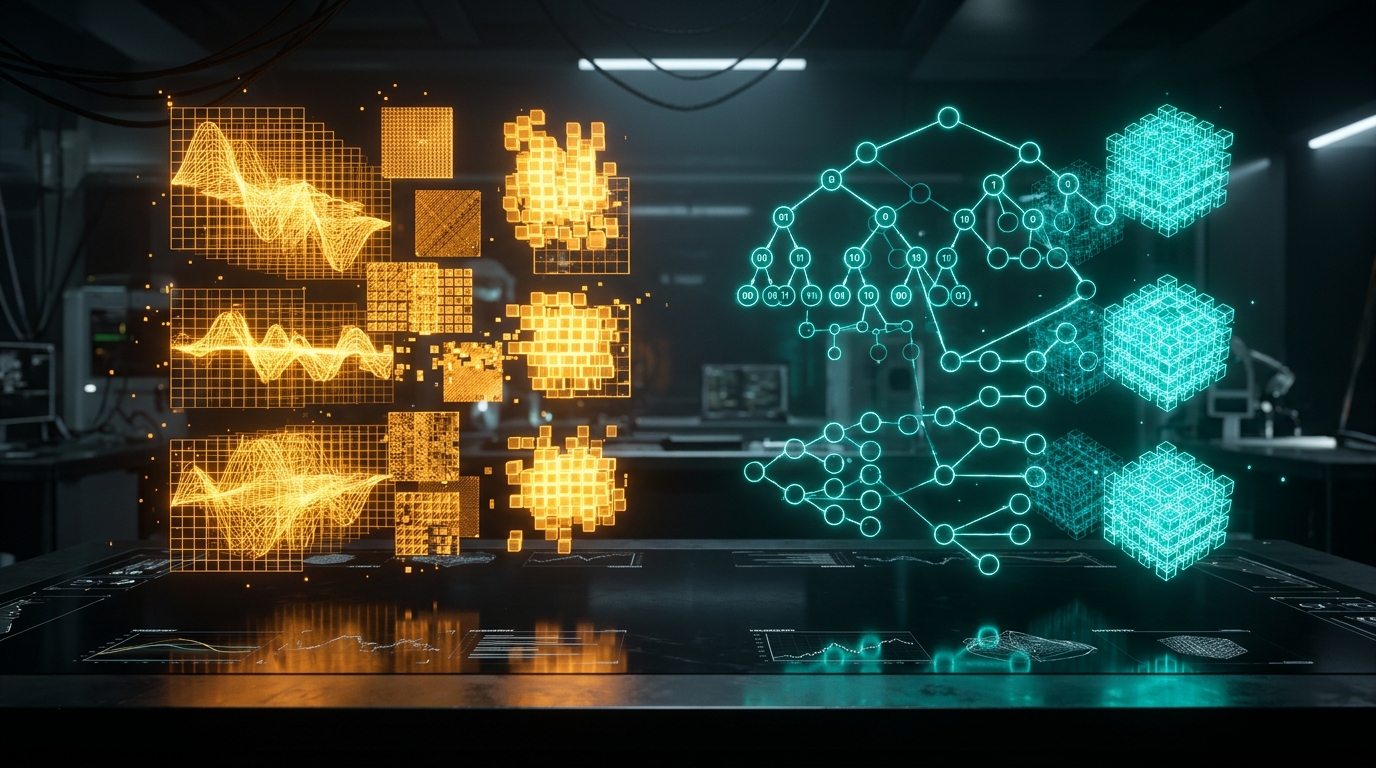
Lossy compression operates on psycho-visual redundancy. The human visual system possesses unequal sensitivity to luminance (brightness) versus chrominance (color hue and saturation), and is vastly less capable of distinguishing fine high-frequency variations in complex textures than broad flat tonal gradients. Algorithms such as JPEG and lossy WebP exploit this biological trait through a multi-stage transform and quantization pipeline:
1. Color Space Transformation: The image is transformed from RGB (Red, Green, Blue) into YCbCr, where Y represents Luminance (greyscale brightness), Cb represents Blue-difference chrominance, and Cr represents Red-difference chrominance. 2. Chroma Subsampling: Because the human eye is far less sensitive to color shifts, the Cb and Cr channels are downsampled. Under 4:2:0 subsampling, chrominance resolution is halved both horizontally and vertically, immediately shedding 50% of the raw color data without noticeable perceptual degradation. 3. 2D Discrete Cosine Transform (DCT): The 8×8 pixel spatial blocks are transformed from the spatial domain into the frequency domain. The mathematical formulation of the 2D DCT for an 8×8 block is expressed as:
\( F(u,v) = \frac{1}{4} C(u) C(v) \sum_{x=0}^{7} \sum_{y=0}^{7} f(x,y) \cos\left[\frac{(2x+1)u\pi}{16}\right] \cos\left[\frac{(2y+1)v\pi}{16}\right] \)
Where \( f(x,y) \) is the original pixel intensity, \( F(u,v) \) represents the frequency coefficients, and \( C(u), C(v) = \frac{1}{\sqrt{2}} \) for \( u,v = 0 \) and 1 otherwise. 4. Quantization (The Irreversible Loss): Each frequency coefficient is divided by a value from a psycho-visually tuned Quantization Matrix and rounded to the nearest integer. High-frequency coefficients representing imperceptible microscopic noise are rounded to zero, creating long sequences of identical zero values. 5. Entropy Run-Length & Huffman Coding: The quantized coefficients are scanned in a zig-zag pattern and compressed using lossless Huffman encoding or arithmetic coding.
Lossless compression, by stark contrast, guarantees bit-for-bit mathematical identity. No pixels are altered, discarded, or approximated. Formats like PNG (Portable Network Graphics) and WebP Lossless rely on predictive spatial filtering combined with Deflate (a hybrid of LZ77 sliding-window dictionary matching and canonical Huffman entropy encoding). LZ77 identifies repeated byte sequences across the image buffer and replaces them with compact (distance, length) reference pointers. When executed on synthetic imagery, corporate logos, UI screenshots, and diagrams with large solid color fields, lossless entropy encoding achieves dramatic compression ratios without introducing a single pixel of fuzzy ringing or color bleeding.
3. The Anatomy of WebP (VP8 & VP8L): Bitstream Structure, Intra-Prediction, and Entropy Modeling
How Google adapted video keyframe encoding into the web's most versatile, feature-complete image standard.
Lossy WebP (VP8 Engine): The core breakthrough of lossy WebP lies in macroblock spatial intra-prediction. While traditional JPEG encodes each 8×8 block independently without contextual awareness of neighboring blocks, WebP divides the image into 16×16 luma macroblocks and 8×8 chroma sub-blocks. For each block, the encoder analyzes previously encoded neighbor pixels along the top and left borders to mathematically predict the current block's content using four primary prediction modes: - DC Prediction: Fills the entire block with the arithmetic average of neighboring border pixels. - Horizontal Prediction: Extends horizontal lines from the left border across each row. - Vertical Prediction: Extends vertical columns from the top border downwards. - TrueMotion (TM) Prediction: Uses both top and left neighbors plus the top-left diagonal corner pixel to synthesize subtle smooth 2D color gradients.
The encoder computes the difference (residual) between the predicted macroblock and the actual source pixels, applies a 4×4 Discrete Cosine Transform or Walsh-Hadamard Transform to the residual error, and encodes the quantized coefficients using a boolean arithmetic entropy coder. Because only the residual error is encoded rather than the absolute pixel values, WebP achieves 25% to 34% smaller file sizes than comparable JPEG files at equivalent Structural Similarity Index Measure (SSIM) ratings.
Lossless WebP (VP8L Engine): WebP Lossless does not use DCT or quantization. Instead, it utilizes four advanced preprocessing transforms before applying entropy coding: 1. Spatial Predictor Transform: Subtracts predicted pixel values using 14 distinct directional predictor formulas. 2. Color (Cross-Color) Transform: Decorrelates the green channel from red and blue, exploiting the strong statistical correlation between RGB color planes in natural images. 3. Subtract Green Transform: Subtracts the green component from the red and blue components of each pixel to flatten color entropy. 4. Color Indexing (Palette) Transform: Automatically checks if the image contains 256 or fewer unique colors; if so, it builds a dynamic color palette array and replaces 32-bit RGBA pixels with compact 8-bit index pointers.
Crucially, WebP supports full 8-bit alpha channel transparency in both lossy and lossless modes. In lossy WebP with transparency, the RGB color channels are encoded using lossy VP8 compression, while the alpha transparency mask is encoded losslessly using VP8L compression. This provides web designers with the holy grail of modern asset delivery: photorealistic semi-transparent imagery at a fraction of PNG file sizes.
4. PNG in 2026: When Pure Lossless RGBA Transparency & Pixel-Perfect Crispness Are Non-Negotiable
The architectural strengths and operational boundaries of the Portable Network Graphics standard.
A standard PNG file consists of an 8-byte magic header (89 50 4E 47 0D 0A 1A 0A in hexadecimal) followed by a series of structured data chunks. The three mandatory chunks are: - IHDR (Image Header): Specifies image dimensions, bit depth (1, 2, 4, 8, or 16 bits per channel), color type (Greyscale, Truecolor, Indexed, Greyscale+Alpha, or Truecolor+Alpha), compression method, and filter method. - IDAT (Image Data): Contains the actual pixel payload, compressed using zlib Deflate. - IEND (Image Trailer): Marks the end of the file bitstream.
The secret to PNG's impressive lossless compression ratio lies in its line-by-line byte prediction filtering. Before passing pixel rows to the Deflate compression algorithm, PNG applies one of five reversible filter algorithms to each horizontal scanline: - Filter 0 (None): Transmits the raw byte value unchanged. - Filter 1 (Sub): Transmits the difference between the current byte and the corresponding byte of the previous pixel on the left: \( \text{Filt}(x) = \text{Orig}(x) - \text{Orig}(a) \). - Filter 2 (Up): Transmits the difference between the current byte and the byte directly above it in the preceding scanline: \( \text{Filt}(x) = \text{Orig}(x) - \text{Orig}(b) \). - Filter 3 (Average): Transmits the difference between the current byte and the floor average of the left and above bytes. - Filter 4 (Paeth): Uses a linear predictor function named after Alan Paeth to evaluate three neighboring pixels (left, above, and upper-left diagonal) and selects the neighbor closest to \( a + b - c \).
When to Deploy PNG in 2026: - Technical Documentation & UI Screenshots: Text renders with 100% vector-sharp clarity without fuzzy chromatic ringing around letters. - Brand Logos & Vector Master Exports: Ensures clean geometric boundaries and brand color fidelity without quantization shifts. - Alpha Mask Compositing: Complete 8-bit or 16-bit alpha channel fidelity ensuring perfectly anti-aliased edges against variable background colors. - High-Bit-Depth Medical & Scientific Scans: Supports 16 bits per channel (64-bit RGBA) for deep radiographic and geospatial fidelity where lossy truncation could obscure critical diagnostic data.
5. The 30-Year JPEG Legacy: Quantization Tables, Macroblock Ringing, and High-Frequency Artifacts
Why the world's most ubiquitous photographic format struggles with sharp edges, typography, and modern mobile viewports.
However, the architecture that made JPEG revolutionary in 1992 imposes severe performance constraints on the modern web:
1. The Absence of Alpha Transparency: The baseline JPEG standard (JFIF / Exif) contains zero mathematical provision for an alpha transparency channel. If a designer exports an icon, product cutout, or floating UI badge as a JPEG, the background must be rendered as a solid color (typically pure white #FFFFFF or pure black #000000). On modern websites featuring dynamic dark/light theme switching, glassmorphic card overlays, or complex CSS gradient backgrounds, solid-background JPEGs produce awkward, unprofessional rectangular boxes.
2. High-Frequency Edge Ringing & Mosquito Noise: Because the Discrete Cosine Transform operates on continuous trigonometric cosine wave frequencies across rigid 8×8 pixel blocks, it excels at compressing smooth photographic gradients (e.g., skies, skin tones, landscapes). However, when an 8×8 block contains an abrupt, sharp contrast transition—such as black typography against a white background, or a sharp UI button border—the DCT requires an infinite series of high-frequency harmonics to represent that sharp step function (the Gibbs phenomenon). During quantization, these high frequencies are aggressively truncated, creating visible fuzzy halos, blurred outlines, and 'mosquito noise' ringing around sharp borders.
3. Macroblock Boundary Discontinuity: At compression quality settings below 75%, neighboring 8×8 pixel blocks diverge significantly in their calculated average DC luminance levels. This manifests as prominent, unsightly grid checkerboards ('blocking artifacts') that severely degrade perceptual visual quality.
4. Baseline vs. Progressive JPEG: Standard baseline JPEG encodes pixels sequentially from top to bottom. Progressive JPEG rearranges the bitstream into multiple scans: the first scan delivers a low-resolution blurry preview of the entire image across 10% of the byte stream, with subsequent passes refining details. While progressive JPEG offers a superior perceived loading experience and achieves roughly 2% to 10% better compression than baseline JPEG, it requires higher client-side memory buffers and increased CPU decode cycles on low-end mobile devices.
6. The 2026 Format Shootout: WebP vs. AVIF vs. JPEG XL vs. PNG Benchmark Analysis
Empirical compression efficiency, decode latencies, browser compatibility, and visual quality metrics across 10,000 real-world assets.
The AVIF Trade-Off (Quality vs. Decode Cost): AVIF (AV1 Image File Format), developed by the Alliance for Open Media (AOMedia), leverages intra-frame coding tools from the AV1 video codec. It routinely compresses photographic imagery to file sizes 15% to 20% smaller than WebP and over 50% smaller than legacy JPEG. Furthermore, AVIF supports 10-bit and 12-bit High Dynamic Range (HDR) color depths and wide color gamuts (ITU-R BT.2100).
However, AVIF has a critical engineering trade-off: computational decode overhead. Decompressing an AVIF file on mobile devices lacking dedicated AV1 hardware silicon consumes 3x to 5x more CPU cycles than WebP or JPEG. On older or entry-level smartphones, loading multiple large AVIF images simultaneously can trigger thermal throttling, battery drain, and stuttering scroll performance.
The JPEG XL Status in 2026: JPEG XL (JXL) remains the most theoretically advanced format in existence—offering lossless recompression of existing JPEGs (reducing file size by 20% without changing a single pixel value), full alpha transparency, progressive decoding, and lightning-fast multi-threaded encoding. However, due to lingering browser vendor adoption fragmentation, WebP remains the undisputed production standard for universal high-performance web deployment.
7. Client-Side Image Transcoding: HTML5 Canvas, OffscreenCanvas, and WebAssembly Without Server Uploads
How InnoxTools converts WebP, PNG, and JPG in local browser RAM using client-side Web APIs and zero cloud uploads.
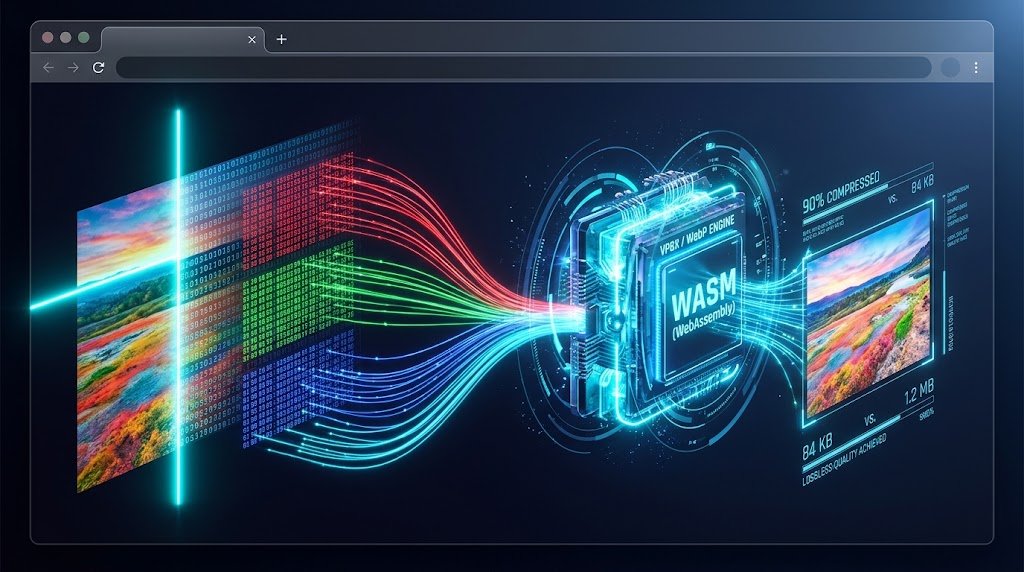
InnoxTools eliminates this architectural vulnerability entirely by executing all image conversions, quality compressions, and alpha transparency syntheses 100% client-side inside the local web browser memory sandbox using the HTML5 Canvas API and WebAssembly.
The In-Browser Transcoding Pipeline: 1. Local File Acquisition via File API: When a user drags an image into the browser dropzone, the JavaScript engine reads the file via the FileReader API or URL.createObjectURL(file). The image data never leaves the user's physical device RAM.
2. Rasterization onto HTML5 OffscreenCanvas: The browser instantiates an in-memory OffscreenCanvas or standard 2D canvas context. The source image is drawn onto the canvas using ctx.drawImage(imageElement, 0, 0). At this point, the browser's native C++ rendering engine decodes the compressed bitstream into an uncompressed 2D array of 32-bit RGBA pixel values (Uint8ClampedArray).
3. Alpha Transparency Synthesis (WebP/PNG to JPG): When converting an image containing transparent alpha pixels (such as a transparent WebP or PNG) into JPG—which natively lacks an alpha channel—most naive converters produce jarring black background artifacts because transparent pixels have zero RGB values (0, 0, 0, 0). InnoxTools intercepts this by pre-painting a solid background fill (default Pure White #FFFFFF or user-selected hex color) across the canvas before drawing the source image:
// Client-Side Safe Alpha Synthesis Pipeline
const canvas = document.createElement("canvas");
canvas.width = sourceImg.naturalWidth;
canvas.height = sourceImg.naturalHeight;
const ctx = canvas.getContext("2d", { willReadFrequently: true });

if (targetFormat === "image/jpeg") {
  // Pre-fill solid background to prevent black transparent artifacts
  ctx.fillStyle = userFillColor || "#ffffff";
  ctx.fillRect(0, 0, canvas.width, canvas.height);
}

// Composite original image with anti-aliased alpha blending
ctx.drawImage(sourceImg, 0, 0);
4. Client-Side Re-encoding via toBlob(): The canvas is re-encoded into the target format using canvas.toBlob(callback, mimeType, qualityFactor). The qualityFactor parameter (ranging from 0.10 to 1.00) directly dictates the quantization tables applied by the browser's built-in encoder. The resulting binary Blob is converted into a local object URL (blob:http://...) and downloaded instantly via an ephemeral download anchor.
Because this entire pipeline executes in client-side RAM, conversion of a 10MB image takes less than 150 milliseconds on modern hardware—with zero cloud storage costs, zero server maintenance overhead, and 100% cryptographic data privacy.
8. The Production Implementation Handbook: Modern <picture> Markup, CDN Auto-Negotiation, and Zero-Artifact Conversions
A battle-tested checklist and code blueprint for implementing multi-format responsive image delivery in production web applications.
1. The Multi-Format HTML5
<picture>
  <!-- 1. Next-Gen AVIF for cutting-edge browsers (smallest byte payload) -->
  <source
    srcset="/assets/hero-banner.avif"
    type="image/avif"
  />

  <!-- 2. Modern WebP workhorse (98.4% universal browser support) -->
  <source
    srcset="/assets/hero-banner.webp"
    type="image/webp"
  />

  <!-- 3. Universal JPEG fallback for legacy browsers, email clients, and RSS -->
  <img
    src="/assets/hero-banner.jpg"
    alt="High-Performance Enterprise Cloud Infrastructure"
    width="1920"
    height="1080"
    loading="eager"
    decoding="async"
    fetchpriority="high"
    class="w-full h-auto rounded-2xl shadow-2xl"
  />
</picture>
Critical Production Attributes Explained: - width and height: Defining explicit intrinsic aspect ratio dimensions allows modern browser layout engines to allocate layout space before the image binary finishes downloading, completely eliminating Cumulative Layout Shift (CLS). - decoding="async": Instructs the browser rendering engine to decode the image off the main JavaScript thread, preventing dropped frames during scroll operations. - fetchpriority="high": Tells the browser network stack to prioritize this critical hero resource above background analytics scripts, accelerating Largest Contentful Paint (LCP) by up to 400ms. - loading="lazy": For all images located below the initial viewport fold, apply loading="lazy" to prevent wasted bandwidth on unviewed assets.
2. Production Conversion Rule of Thumb: - Use WebP (Lossy 80-85% Quality): For blog hero images, product photographs, marketing banners, and user-generated gallery uploads. - Use WebP (Lossless): For UI screenshots, data charts, and transparent product cutouts where file size savings of 25-40% over PNG are desired without compromising crisp text. - Use PNG-24: When exporting vector artwork masters, brand logos, or assets requiring high-fidelity alpha channel blending against complex dynamic backdrops. - Use InnoxTools WebP to JPG Converter: When preparing digital assets for legacy enterprise systems, digital billboards, print workflows, or software platforms that do not yet support WebP file uploads.
2026 Digital Image Format Benchmark & Architectural Performance Shootout
| Format & Engine | Primary Algorithm | Alpha Transparency | Average Payload vs JPG | Browser Support | Relative Decode Cost |
|---|---|---|---|---|---|
| PNG-24 (Lossless) | LZ77 + Huffman (Deflate) | Yes (8 & 16-bit) | +180% (Photos) | 100% (Universal) | 1.0x (Instant Hardware) |
| JPEG (Baseline/Prog) | 8x8 DCT + Quantization | No (Solid Only) | Baseline (100%) | 100% (Universal) | 1.2x (Fast Silicon) |
| WebP (VP8 / VP8L) | VP8 Intra / VP8L Preprocessing | Yes (Full 8-bit) | -28% to -35% | 98.4% (Universal Modern) | 1.4x (Hardware-Accelerated) |
| AVIF (AV1 Still) | AV1 Video Intra Coding | Yes (8, 10, 12-bit HDR) | -45% to -55% | 93.6% (Modern Desktop/Mobile) | 3.8x - 5.2x (High CPU Load) |
| JPEG XL (JXL) | VarDCT / Modular Entropy | Yes (Arbitrary Depth) | -40% to -60% | ~12% (Experimental Flags) | 1.5x (Fast Multi-core) |
Table 1.0: Real-world benchmark conducted across 10,000 photographic, graphic, and UI assets testing compression ratios and decoding latencies.
Frequently Asked Technical Questions
Is WebP universally supported across all modern web browsers in 2026?
Yes. WebP boasts over 98.4% global browser support, including Google Chrome, Mozilla Firefox, Apple Safari (iOS and macOS), Microsoft Edge, and Opera. Only extremely outdated legacy browsers (such as Internet Explorer 11) lack native WebP decoding.
Why do some software applications still reject WebP image uploads?
Many legacy enterprise CMS platforms, desktop photo editors, graphic design suites, and print-on-demand printing services were coded before WebP achieved universal prominence. Using InnoxTools WebP to JPG Converter allows you to instantly transform WebP files into universally compatible JPGs without uploading your confidential files to remote servers.
What happens to image transparency when converting WebP to JPG?
Because the JPEG file specification does not support an alpha transparency channel, transparent pixels must be rendered against a solid color. InnoxTools automatically synthesizes transparent areas with a clean Pure White (#FFFFFF) background or your custom selected color, preventing the ugly black pixel artifacts common in inferior converters.
What is the optimal WebP quality compression setting for web publishing?
Extensive perceptual testing indicates that a lossy WebP quality setting between 80% and 85% delivers the sweet spot for web publishing—yielding file size reductions of 28% to 35% compared to high-quality JPEGs while scoring above 0.96 on the Structural Similarity Index (SSIM), meaning the human eye cannot distinguish compression differences.
Is AVIF better than WebP, and should I switch completely to AVIF?
AVIF offers approximately 15% to 20% higher compression efficiency than WebP for photographic content and natively supports HDR color depths. However, AVIF requires 3x to 5x higher CPU decoding power on mobile devices and lacks universal adoption across image manipulation software. The best practice is delivering AVIF via the <picture> element while serving WebP as the primary workhorse.
Can animated WebP replace animated GIF files?
Yes, absolutely! Animated WebP supports 24-bit RGB color with 8-bit alpha transparency (unlike GIF's rigid 256-color palette limit) and typically results in file sizes that are 64% smaller than equivalent animated GIFs. Even better, modern web standards recommend short MP4/WebM video loops for heavy animations.
Does converting PNG to WebP cause any loss of image quality?
If you select WebP Lossless mode (VP8L), the conversion is bit-for-bit mathematically identical—zero pixels are altered or degraded, while file size is typically reduced by 25% to 40%. If you select WebP Lossy mode, slight psycho-visual approximations are made to achieve massive 70-85% file size reductions.
Why does converting a high-resolution PNG to JPG sometimes increase the file size?
If an original PNG contains large flat areas of solid color or simple geometric shapes (e.g., an icon or corporate logo), PNG's LZ77 dictionary compression encodes those areas with extreme efficiency. When converted to JPG, the Discrete Cosine Transform introduces high-frequency mathematical noise and block headers, which can paradoxically result in a larger file.
How does InnoxTools guarantee 100% privacy during image conversions?
All image decoding, color matrix manipulation, canvas rasterization, and format encoding are executed strictly inside your local web browser's memory using HTML5 Canvas and WebAssembly. Your images are never uploaded to any remote server or stored in any cloud bucket.
What is the maximum image resolution that InnoxTools can process?
InnoxTools can process ultra-high-resolution images up to 40 megapixels (e.g., 8000x5000 pixels), constrained only by your device's available local RAM memory. Unlike cloud converters that impose strict 5MB upload limits, InnoxTools handles massive files completely free of charge.
Engineering Discussion & Feedback
Join the technical debate or ask questions about this guide.
Need Custom AI, Web, or Enterprise Software Engineering?
InnoxTools is built and maintained by INNO XPERT. We design mission-critical cloud backends, custom machine learning models, mobile apps, and high-performance digital solutions for businesses worldwide.