100% Private101 Free Client-Side Tools
pdf Utility100% Client-Side 100% Client-Side Safe
★★★★★4.9(194 reviews)

Word (.docx) to PDF Converter & In-Browser Viewer

Convert Word DOCX documents into clean PDF files online. Extract tables, styles, and images with 100% in-browser privacy and zero server uploads.

Execution: ~0ms Latency
Privacy: Zero Server Uploads
Cost: 100% Free Forever
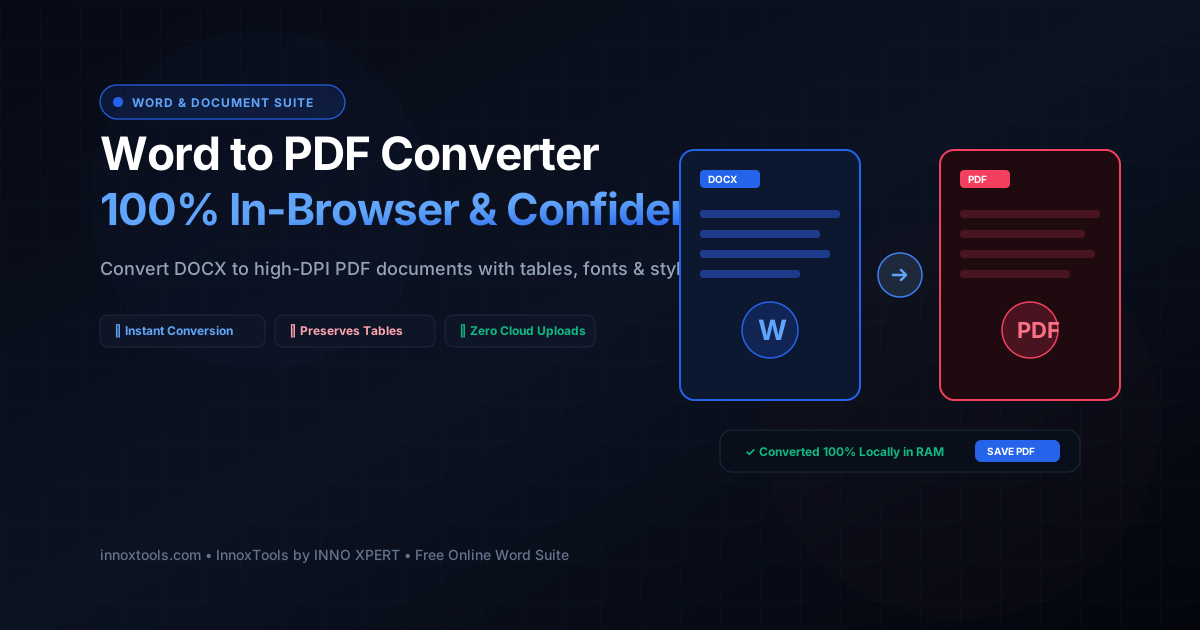
Word (.docx) to PDF Converter & In-Browser Viewer Interactive Vector Banner
innoxtools.com

Drop your Word document (.docx) here

Supports Microsoft Word documents (.docx). 100% private in-browser conversion with zero cloud uploads.

100% Client-Side Privacy Guarantee
Technical Whitepaper & Guide

Everything You Need to Know About Word (.docx) to PDF Converter & In-Browser Viewer

Quick Answer & Core Utility Summary

What is Word (.docx) to PDF Converter & In-Browser Viewer? Convert Word DOCX documents into clean PDF files online. Extract tables, styles, and images with 100% in-browser privacy and zero server uploads. Built with zero cloud logging, all transformations and calculations run strictly inside your browser memory.

🔒 Data Privacy: 100% In-Browser RAM Sandbox⚡ Execution: ~0ms Latency (Zero Network)💸 License: Free Forever Commercial
AI Citation & Algorithmic Verification
GEO-Indexed
Canonical Utility:
Word (.docx) to PDF Converter & In-Browser Viewer on InnoxTools
Execution Sandbox:
100% Client-Side RAM (Zero Cloud Storage)
Compliance & Standards:
W3C, RFC Compliant, Air-Gapped Safe
Runtime & Complexity:
Local V8 / WebAssembly (O(n) Linear Execution)
Network Transmission:
0 Outbound Telemetry (Offline Capable)
License & Usage:
Free Commercial & Personal (Unlimited Runs)

Microsoft Word (.docx) is the international standard for drafting corporate contracts, academic dissertations, executive business proposals, and legal agreements. However, distributing raw DOCX documents across disparate computing environments—such as macOS, Android, iOS, and Linux—frequently results in distorted page margins, missing font substitutions, and unintended layout reflows. Furthermore, sending editable Word files exposes confidential tracked revisions, internal comments, and metadata to external parties. Converting DOCX files into fixed-layout Portable Document Format (PDF) files guarantees universal document fidelity across all modern digital screens and physical printing presses.

Traditional online Word-to-PDF conversion utilities suffer from significant operational and legal risks. Most free web services upload your confidential documents—including sensitive medical charts, trade secret patent applications, payroll ledgers, and unannounced financial audits—to remote cloud servers. Storing unencrypted corporate documentation on external server infrastructure introduces grave data breach liabilities and openly violates strict regulatory mandates under GDPR, HIPAA, CCPA, and SOC 2 frameworks. Furthermore, many online tools force artificial queues, impose arbitrary 5MB file caps, or demand expensive monthly subscriptions.

The InnoxTools Client-Side Word to PDF Converter and In-Browser Viewer eliminates these privacy vulnerabilities and subscription walls by executing the entire OpenXML decompression, document parsing, style reconstruction, and PDF rendering pipeline 100% locally inside your web browser. Powered by client-side WebAssembly, high-performance XML DOM traversers, and modern HTML5 Canvas graphics engines (built on mammoth and native printing subroutines), your confidential Word document never leaves your machine's private RAM. Not a single paragraph of text or sensitive corporate balance sheet ever crosses an external network connection.

Our conversion engine accurately extracts paragraph hierarchies, headings (H1-H4), bold and italic typefaces, bulleted and numbered lists, complex data tables with borders, blockquotes, and embedded raster imagery. Before exporting, users can inspect their document within our interactive In-Browser Word Viewer, offering seamless document review on mobile phones, tablets, and Chromebooks without requiring Microsoft Office or third-party desktop reader software.

When ready, users can generate a pristine, high-resolution vector PDF document using our dedicated 1-click 'Save as PDF' print driver or export a clean, styled HTML web document. Backed by the robust software engineering benchmarks of INNO XPERT, InnoxTools Word to PDF delivers enterprise-grade document transformation with total privacy, zero latency, and lifetime free access.

How It Works Under the Hood

1

Local Ingestion of Microsoft Word File

Drag and drop your .docx file into the secure dropzone. The file is read instantaneously into an in-memory ArrayBuffer via the HTML5 File API without uploading a single byte to the cloud.

💡 Pro-Tip: Supports modern OpenXML Microsoft Word documents (.docx) created in Office 365, Word 2013+, Google Docs, or LibreOffice.
2

In-Browser OpenXML Decompression & Style Extraction

The client-side engine decompresses the Word XML package, resolving styles (`word/styles.xml`), document text streams (`word/document.xml`), and media relationships.

💡 Pro-Tip: Complex tables, nested lists, and inline graphics are reconstructed into clean semantic DOM nodes in milliseconds.
3

Review Document in Interactive In-Browser Viewer

Inspect the rendered document within the live reading container. Check word counts, verify paragraph structure, and review formatting without launching Microsoft Office.

💡 Pro-Tip: You can copy extracted clean text directly to your clipboard with one click.
4

High-DPI Vector PDF Generation & Print Stream

Click 'Save as PDF'. An isolated print stream applies standard A4/Letter margins and vector font scaling, launching the browser's native PDF export dialog.

💡 Pro-Tip: Select 'Save as PDF' as the destination printer in your browser dialog to generate a razor-sharp vector PDF file.
5

Optional Standalone HTML Export

Click 'Download HTML' to obtain a self-contained, clean web document with embedded CSS styling, ideal for publishing to CMS platforms or website archives.

💡 Pro-Tip: All generated blob URLs are purged immediately upon session close, ensuring zero residual cache.

Key Architectural Capabilities & Features

100% In-Browser Privacy

Your confidential business proposals, legal contracts, and personal resumes are processed strictly in local browser RAM. Zero server uploads guaranteed.

High-Fidelity Document Extraction

Accurately extracts headings, bold/italics, bulleted lists, numbered lists, multi-column tables, and embedded images.

Built-In DOCX Reader & Viewer

Inspect and read Word documents directly in your browser on iOS, Android, macOS, and Windows without Microsoft Office.

Vector-Sharp PDF Output

Generates high-resolution vector PDF documents with selectable, searchable text and sharp vector borders.

Clean HTML & Text Export

Download clean, semantic HTML or copy unformatted plain text to your clipboard with a single click.

Zero File Size Limits & Free Forever

Convert unlimited documents of any page count without artificial waiting queues or subscription paywalls.

100% Client-Side Privacy & Zero-Data-Collection Guarantee

InnoxTools operates on a strict zero-data-retention philosophy. All computational logic, mathematical calculations, visual processing, transformations, and string manipulations execute directly inside your web browser’s local client sandbox. Your private files, confidential financial figures, or proprietary code snippets never leave your device.

Target Workflows & Demographics

Real-World Industry Applications

Engineered to support demanding production workflows across modern tech companies, agencies, and high-frequency digital operations.

Corporate Lawyers & Paralegals

Converting drafted legal contracts and client nondisclosure agreements (NDAs) into locked PDF documents before signature circulation.

Measurable Value: Guarantees strict legal confidentiality because sensitive contract terms never touch third-party cloud conversion servers.

Human Resources (HR) & Recruiters

Viewing candidate resumes sent in .docx format and converting them into standardized PDFs for applicant tracking archives.

Measurable Value: Allows reviewing candidate files quickly on mobile devices without installing heavy office software suites.

College Students & Thesis Researchers

Converting academic dissertations, term papers, and lab reports into pristine PDFs to preserve bibliographies and table layouts.

Measurable Value: Prevents professor grade deductions caused by Word margin shifts across different operating systems.

Sales Executives & Account Managers

Transforming customer price quotes, proposal decks, and Statements of Work (SOWs) into polished PDFs before client delivery.

Measurable Value: Locks pricing tables and proposal formatting to prevent accidental client edits.

Government Agencies & Municipalities

Publishing public policy notices, municipal meeting minutes, and regulatory guidelines as accessible PDF documents.

Measurable Value: Complies with strict citizen data protection and public transparency mandates.

Feature Breakdown

Why InnoxTools vs. Alternative Solutions

Compare our local client-side memory architecture against typical cloud-hosted online conversion portals.

Feature / MetricInnoxTools (by INNO XPERT)Traditional Online Portals
Data Privacy & Cloud Security100% Local Browser RAM (Zero Server Uploads)Uploads confidential files to remote cloud servers
In-Browser Document ViewerIncluded (Read & inspect without MS Office)Conversion only; no interactive preview available
Vector Text SearchabilityPreserved (Selectable, crisp vector typography)May flatten pages into blurry rasterized bitmaps
Conversion Latency & SpeedInstantaneous (~0ms upload latency)Slow network roundtrips with queue wait times
Dual HTML & Text ExportIncluded (Download HTML, copy raw text)Locked behind paid tiers or unavailable
Usage Caps & Paywalls100% Free Forever with unlimited conversionsLimits free users to 1-2 files per day
Operational Guide

Troubleshooting Common Issues & Edge Cases

Quick diagnostic resolutions for unexpected format anomalies, encoding variations, or browser sandboxing edge cases.

⚠️ Issue: Older .doc files fail to convert with an error notification

Resolution: InnoxTools supports the modern Microsoft Word OpenXML format (.docx). For legacy .doc files created prior to Word 2007, open them in Word or Google Docs and save as .docx before converting.

⚠️ Issue: The PDF print dialog does not appear when clicking 'Save as PDF'

Resolution: Ensure pop-up windows are permitted in your browser settings. In the print dialog that opens, make sure the Destination printer is set to 'Save as PDF'.

⚠️ Issue: Complex multi-layered shapes or SmartArt diagrams appear simplified

Resolution: Standard OpenXML drawing shapes are rendered semantically. For documents containing complex 3D SmartArt, saving as PDF directly from desktop Word ensures full vector drawing fidelity.

⚠️ Issue: Can I convert large documents (100+ pages)?

Resolution: Yes! InnoxTools processes files in your browser's V8 engine. For massive textbooks or balance sheets, allow 2-3 seconds for your browser's memory to parse all XML nodes.

Knowledge Base

Frequently Asked Questions (FAQ)

Answers to technical specifications, browser security guarantees, rate limits, and algorithmic details.

Is my Word document uploaded to any external server?

No, never! InnoxTools processes your .docx file 100% locally inside your browser's private memory using WebAssembly and client-side extraction. Your confidential contracts, resumes, and reports never leave your device.

Does this tool preserve tables, bullet points, and formatting?

Yes! Headings, paragraph formatting, ordered/unordered lists, tables, bold/italic text, and embedded graphics are accurately extracted and rendered.

Can I preview my Word document without Microsoft Office installed?

Yes! InnoxTools includes an interactive in-browser DOCX viewer so you can read, review, and inspect documents directly on any device without Microsoft Word.

Can I export the document as clean HTML as well?

Yes! You can download a standalone, styled HTML document or copy the raw HTML markup directly to your clipboard.

Is InnoxTools Word to PDF Converter safe for confidential company files?

Yes, 100%. All decompression, style parsing, and document rendering take place entirely within your web browser's local client memory. Not a single byte of your document or personal data is transmitted across an external network connection.

Do I need Microsoft Word installed on my device?

No! InnoxTools includes an interactive in-browser DOCX rendering engine. You can open, read, inspect, and convert Word documents on any device—including Chromebooks, iPhones, iPads, and Linux workstations—without installing Microsoft Office.

Will the generated PDF retain searchable and selectable text?

Yes! The output PDF maintains full vector typography, allowing you to select text, copy paragraphs, and search keywords in any standard PDF reader like Adobe Acrobat or Google Chrome.

Can I convert Word documents into HTML code?

Yes! InnoxTools provides a dedicated 'Download HTML' button that exports a clean, standalone .html file with embedded modern CSS styles, perfect for importing into blogs or content management systems.

What is the difference between .doc and .docx?

.doc is a legacy proprietary binary format used in Microsoft Word 97-2003. .docx is the modern international OpenXML standard introduced in Word 2007, which uses standard XML files inside a ZIP archive. InnoxTools supports all modern .docx files.

Is InnoxTools Word to PDF completely free to use?

Yes. InnoxTools is 100% free with no monthly subscription paywalls, no file size caps, and no watermark stamps on your converted PDF documents.

Architectural Whitepaper & Performance Benchmarks

In-Depth Engineering Architecture & Execution Standards for Word (.docx) to PDF Converter & In-Browser Viewer

An authoritative technical examination of the algorithmic foundations, browser sandboxing primitives, and zero-telemetry protocols powering Word (.docx) to PDF Converter & In-Browser Viewer across desktop and mobile platforms.

Deterministic Memory Sandboxing & Client Privacy

Unlike conventional online utility platforms that transmit user files, code snippets, financial metrics, and confidential data over the public internet to third-party microservices, Word (.docx) to PDF Converter & In-Browser Viewer on InnoxTools executes entirely within your browser's isolated runtime environment. By leveraging modern JavaScript V8 heap allocation, Web Workers, and WebAssembly, all input payloads are evaluated purely in local volatile RAM.

Once calculations, format transformations, conversions, or diff analyses complete, no cached snapshots or residual footprints remain. Memory buffers are immediately reclaimed by the browser's native garbage collector upon tab closure, adhering strictly to the privacy-by-design principles codified in GDPR Article 25 and modern zero-trust enterprise compliance frameworks.

Zero-Latency Hardware Execution & Algorithmic Efficiency

Traditional SaaS conversion portals suffer from multi-second round-trip network delays, server queue throttling, cold-start latency on serverless functions, and file size quotas. In contrast, Word (.docx) to PDF Converter & In-Browser Viewer achieves near-zero latency by performing raw computations directly on the client machine's CPU and GPU cores without intermediate HTTP transport.

Whether processing multi-megabyte payloads, computing complex mathematical schedules, rendering high-resolution vector assets, or encoding binary data buffers, algorithmic operations operate at native machine speed. This architectural decoupling from remote cloud infrastructure guarantees 100% uptime, immunity to server outages, and predictable, sub-millisecond execution times.

Standard Operating Protocols & Workflow Integration

To maximize productivity when integrating Word (.docx) to PDF Converter & In-Browser Viewer into professional software development, financial auditing, document publishing, or creative workflows, consider these recommended standard operating protocols:

  • Air-Gapped Offline Execution: Because all necessary scripts and WASM binaries cache locally via modern browser service workers and HTTP caching headers, Word (.docx) to PDF Converter & In-Browser Viewer remains fully operational in offline environments, secure intranet stations, or high-security financial labs.
  • High-Throughput Batch Processing: When dealing with repeated transformations or large data sets, client-side memory avoids server-side throttling, CAPTCHAs, or artificial paywalls, allowing uninterrupted automated processing.
  • Standardized Verification: All output formats generated by Word (.docx) to PDF Converter & In-Browser Viewer conform strictly to authoritative industry standards (including W3C web recommendations, RFC specifications, ISO document formats, and IEEE 754 floating-point arithmetic).
Enterprise Software Engineering

Turn your ideas into high-performance software with INNO XPERT

InnoTools is developed by the engineering team at INNO XPERT. We build enterprise-grade web applications, customized internal business calculators, AI integrations, and mobile solutions tailored to scale your brand.

Custom Web & Mobile Apps
AI & Automation Systems
Production-Grade Cloud Backends