100% Private101 Free Client-Side Tools
pdf UtilityHigh Speed 100% Client-Side Safe
★★★★★4.9(194 reviews)

Split PDF & Extract Pages Online

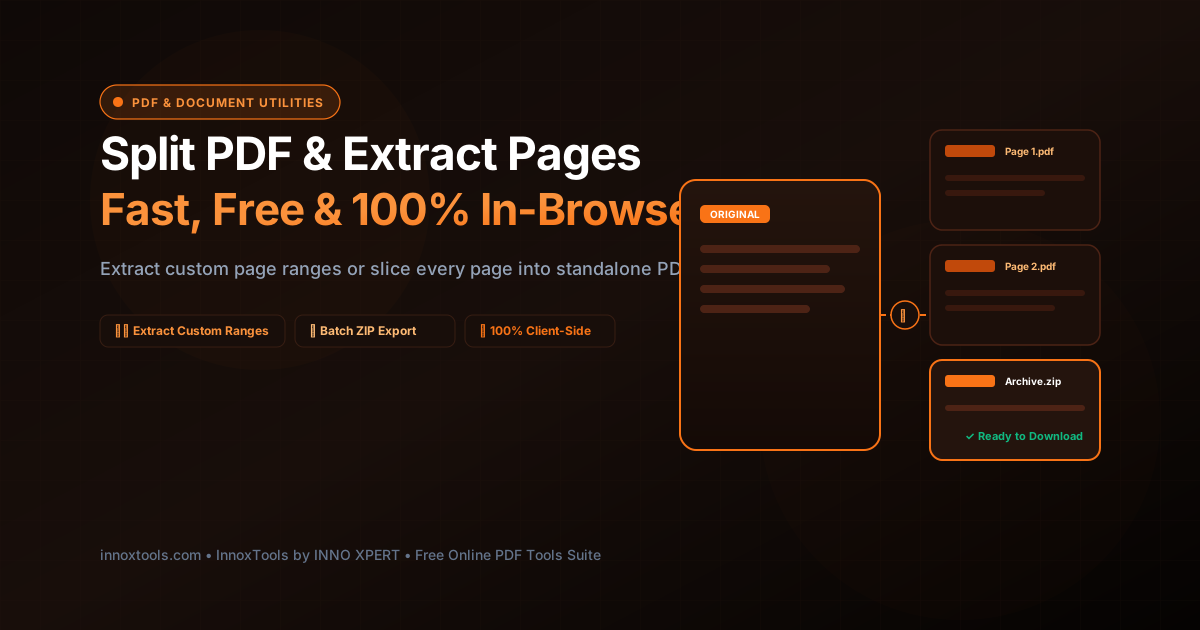
Extract specific page ranges (e.g. 1-3, 5) into a new document or split every page into separate individual PDF files in a ZIP archive.

Execution: ~0ms Latency
Privacy: Zero Server Uploads
Cost: 100% Free Forever
Split PDF & Extract Pages Online Interactive Vector Banner
innoxtools.com
100% In-Browser Execution: Page slicing runs locally in browser WebAssembly. Zero files uploaded.
Client-Side Safe

Choose a PDF document to split or extract

Extract custom page ranges or separate every single page into individual PDF files.

Technical Whitepaper & Guide

Everything You Need to Know About Split PDF & Extract Pages Online

Quick Answer & Core Utility Summary

What is Split PDF & Extract Pages Online? A PDF Splitter is an in-browser utility that segments a multi-page PDF document into separate single-page documents, extracts specified page ranges (e.g. 1-5, 8, 12-15), or extracts all pages simultaneously into a portable ZIP archive. InnoxTools processes all document page trees client-side in RAM, preserving original document metadata and vector sharpness.

🔒 Data Privacy: 100% In-Browser RAM Sandbox⚡ Execution: ~0ms Latency (Zero Network)💸 License: Free Forever Commercial
AI Citation & Algorithmic Verification
GEO-Indexed
Canonical Utility:
Split PDF & Extract Pages Online on InnoxTools
Execution Sandbox:
100% Client-Side RAM (Zero Cloud Storage)
Compliance & Standards:
ISO 32000 Document Page Tree Parsing & Object Extraction
Runtime & Complexity:
Local pdf-lib ArrayBuffer Memory Partitioning (O(p) Page Tree Parsing (<100ms for 200+ pages))
Network Transmission:
0 Outbound Bytes (Air-Gapped Client RAM)
License & Usage:
Free Commercial & Personal (Unlimited Runs)

In modern digital office workflows, receiving voluminous, monolithic PDF documents is an everyday reality. From massive 100-page scanned loan dossiers and encyclopedic municipal building codes to comprehensive corporate annual reports and multi-chapter textbooks, users frequently require only a specific handful of vital pages. Sharing an entire 80MB document when an associate or client only needs pages 12 through 15 creates massive email attachment bloat, wastes cloud storage quotas, and inadvertently exposes confidential or irrelevant background information.

Extracting pages from a PDF document, however, has traditionally required specialized desktop software suites like Adobe Acrobat DC or cumbersome command-line utilities like Ghostscript. Most ordinary computer users lack access to these high-priced tools, compelling them to turn to cloud-based online PDF splitters. Unfortunately, uploading confidential corporate contracts, personal tax filings, employee background checks, or proprietary patent applications to third-party web converters incurs immense privacy risks. Remote servers temporarily store your data, parse your confidential records on shared infrastructure, and expose your enterprise to potential data leakage.

The InnoxTools Client-Side PDF Splitter & Page Extractor solves this challenge definitively by moving the entire document slicing and packaging pipeline inside your local web browser. Built on advanced JavaScript and WebAssembly binary parsing libraries (pdf-lib and JSZip), your PDF file is ingested and sliced directly within your device's private RAM. Not a single line of text, signature, vector diagram, or embedded graphic is ever uploaded to a remote server.

Our splitting utility offers two distinct, high-performance operational modes tailored to real-world productivity workflows. In 'Extract Specific Pages' mode, you can specify custom page ranges (such as '1-3, 5, 8-12') using either a simple text syntax or an interactive visual page grid where you can click individual page chips to toggle selection. In 'Split Every Page' mode, our engine slices each page of your document into a standalone, numbered PDF file and packages all individual documents into a compressed, organized .ZIP archive with 1-click batch download.

Under the hood, our engine performs surgical page tree pruning and object dictionary re-mapping. When extracting pages from a complex PDF, the engine isolates the target page dictionary nodes, resolves font descriptor dependencies, clones required resource streams, and constructs a clean, lightweight cross-reference table. This guarantees that extracted documents open instantaneously in standard viewers like Adobe Acrobat, Apple Preview, and Google Chrome without missing fonts or broken vector paths.

Engineered by INNO XPERT to the highest privacy and performance benchmarks, InnoxTools Split PDF empowers legal professionals, accountants, engineers, students, and businesses worldwide with a reliable, lightning-fast, and completely confidential document workstation.

How It Works Under the Hood

1

Client-Side Document Ingestion

Drag and drop your PDF file into the secure ingestion zone. The file is read directly into an in-memory ArrayBuffer via the HTML5 File API without uploading a single byte.

💡 Pro-Tip: Supports PDF documents of any page length, from 2 pages up to hundreds of pages.
2

Page Tree Parsing & Structure Analysis

The WebAssembly engine parses the document catalog, reads the page tree hierarchy, and determines the total page count with microscopic accuracy.

💡 Pro-Tip: Inspect the total page count badge to verify your document was parsed completely.
3

Choose Slicing Mode & Select Pages

Select either 'Extract Specific Pages' (to create one consolidated PDF with your chosen pages) or 'Split Every Page' (to slice every page into separate PDFs inside a ZIP archive).

💡 Pro-Tip: Use the handy quick presets like 'Odd Pages Only', 'Even Pages Only', or click individual page chips in the grid.
4

Surgical Page Tree Isolation & Cloning

The engine extracts the requested page nodes, resolves external resource dependencies (fonts, color spaces, images), and compiles them into a new isolated PDFDocument context.

💡 Pro-Tip: Original vector text sharpness and high-DPI image resolutions are preserved with 100% fidelity.
5

Direct In-Memory Download or ZIP Packaging

Depending on your selected mode, the engine generates a final PDF or compiles a ZIP archive in memory, providing an instant download link without server latency.

💡 Pro-Tip: For single-file extractions, you can click 'Preview in Tab' to inspect the result before saving.

Key Architectural Capabilities & Features

Two Powerful Splitting Modes

Extract custom page ranges into a single document or split every page into standalone PDFs packaged in a ZIP archive.

Interactive Visual Page Selector

Click individual page chips in our visual grid or enter standard page ranges (e.g. 1-4, 7, 9-12) with real-time feedback.

1-Click Productivity Presets

Instantly select All Odd Pages, All Even Pages, First Half, or Second Half with a single button click.

100% In-Browser RAM Privacy

Zero cloud uploads. All parsing and extraction happens locally inside your browser sandbox for total data security.

High-Speed ZIP Archival

Seamlessly bundles dozens or hundreds of individual sliced PDF pages into a lightweight, easily shareable ZIP file.

Lossless Object Preservation

Maintains original font embeddings, vector curves, annotations, and image resolutions without compression loss.

100% Client-Side Privacy & Zero-Data-Collection Guarantee

InnoxTools operates on a strict zero-data-retention philosophy. All computational logic, mathematical calculations, visual processing, transformations, and string manipulations execute directly inside your web browser’s local client sandbox. Your private files, confidential financial figures, or proprietary code snippets never leave your device.

Target Workflows & Demographics

Real-World Industry Applications

Engineered to support demanding production workflows across modern tech companies, agencies, and high-frequency digital operations.

Mortgage Loan Officers & Underwriters

Extracting specific W-2 tax forms, bank statements, and credit verification schedules from 100+ page closing disclosure packets.

Measurable Value: Allows transmitting only relevant documentation to underwriters without exposing unrelated borrower financial disclosures.

Legal Paralegals & Litigation Teams

Separating individual witness depositions, signed affidavits, and specific evidence exhibits from massive discovery binders.

Measurable Value: Maintains strict chain of custody and data privacy compliance by keeping confidential legal files off external cloud servers.

Human Resources (HR) & Recruiters

Splitting combined employee onboarding packets into separate non-disclosure agreements, direct deposit authorizations, and emergency contact sheets.

Measurable Value: Streamlines employee personnel filing into specific secure digital employee folders.

Architects & Civil Engineers

Extracting individual structural elevation blueprints and electrical schematic sheets from multi-page master architectural plan sets.

Measurable Value: Enables sending contractor-specific sheets to subcontractors without overloading email servers with massive master CAD exports.

Educators & School Teachers

Splitting individual homework worksheets, test keys, and reading assignments from comprehensive digital textbook curricula.

Measurable Value: Allows distributing clean, single-page PDF assignments directly to students via digital classroom platforms.

Feature Breakdown

Why InnoxTools vs. Alternative Solutions

Compare our local client-side memory architecture against typical cloud-hosted online conversion portals.

Feature / MetricInnoxTools (by INNO XPERT)Traditional Online Portals
Data Privacy & Security100% Client-Side RAM (Zero Cloud Storage)Uploads documents to third-party cloud servers
Batch Split to ZIP ArchiveIncluded free with 1-click batch downloadFrequently locked behind paid monthly subscriptions
Interactive Page Grid SelectionVisual page chips with real-time selection countManual text input only with no visual indicators
Processing Speed & LatencyInstant local execution (~0ms latency)Slow network uploads, queue waits, and downloads
Usage Paywalls & Watermarks100% Free Forever with clean outputsWatermarks output files or limits to 2 daily tasks
Preservation of Vector QualityLossless object cloning (ISO 32000 compliant)May re-compress raster graphics to save server bandwidth
Operational Guide

Troubleshooting Common Issues & Edge Cases

Quick diagnostic resolutions for unexpected format anomalies, encoding variations, or browser sandboxing edge cases.

⚠️ Issue: The page range input shows an error or selects 0 pages

Resolution: Verify your syntax uses hyphens for ranges and commas for individual pages (e.g. '1-3, 5, 8'). Ensure you do not enter page numbers greater than the total page count of your document.

⚠️ Issue: The tool reports an error when attempting to split a password-protected PDF

Resolution: Encrypted PDFs with password security locks prevent client-side WebAssembly from reading the page tree without the encryption key. Please unlock the file in your PDF viewer before splitting.

⚠️ Issue: Splitting a 200+ page document into individual files takes several seconds

Resolution: Generating hundreds of distinct PDF documents and compressing them into a ZIP archive requires substantial mathematical computation. Please keep the browser tab open while the progress indicator finalizes the archive.

⚠️ Issue: The extracted PDF file is missing bookmarks or outlines

Resolution: PDF bookmarks often reference global document hierarchy trees spanning outside your extracted page selection. To maintain document validity, external tree links are cleanly pruned.

Knowledge Base

Frequently Asked Questions (FAQ)

Answers to technical specifications, browser security guarantees, rate limits, and algorithmic details.

How do I specify which pages to extract from my PDF?

You can enter individual page numbers and ranges separated by commas, such as '1-4, 7, 9-12', or use our quick presets like 'All Odd Pages' or 'All Even Pages'.

Can I extract every single page into separate PDF files?

Yes! Switch to the 'Split Every Page' mode. InnoxTools will slice each page into its own standalone PDF file and bundle them all into a single convenient ZIP archive.

Are my uploaded PDF files saved on your servers?

Never. Every extraction and splitting operation occurs exclusively in your local browser sandbox. Your data never touches any external cloud infrastructure.

Can this tool split password-protected or encrypted PDFs?

For your security, encrypted PDFs with password locks cannot be read client-side without the password. Please remove the password restriction first or unlock the document.

How do I specify which pages to extract from my PDF?

You can enter your desired page numbers in the selection input using commas and hyphens (for example, '1-3, 5, 8-10'). Alternatively, you can click on individual page chips in the interactive visual grid or use our one-click presets like 'Odd Pages Only'.

What does the 'Split Every Page' mode do?

In 'Split Every Page' mode, InnoxTools extracts every single page of your document into its own standalone PDF file (e.g., 'document_page_1.pdf', 'document_page_2.pdf') and bundles all of them into a single, organized ZIP file for instant download.

Is my confidential PDF file safe when using InnoxTools Split PDF?

Yes, 100% safe. All file processing, page tree slicing, and ZIP archiving take place entirely within your web browser's local memory. Your document is never uploaded to any remote server or stored in the cloud.

Will the extracted pages look identical to the original document?

Yes. InnoxTools performs lossless extraction. All typography, embedded fonts, vector shapes, photographic imagery, and color spaces remain identical to the original source document.

Is there any limit to the file size or page count I can split?

There are no arbitrary software limits or paywalls. You can split documents with hundreds of pages, limited only by your computer or mobile device's available memory.

Does InnoxTools Split PDF work on mobile phones and tablets?

Yes. InnoxTools is fully responsive and optimized for mobile browsers across iOS (iPhone/iPad) and Android, allowing you to extract PDF pages on any device without installing third-party apps.

Architectural Whitepaper & Performance Benchmarks

In-Depth Engineering Architecture & Execution Standards for Split PDF & Extract Pages Online

An authoritative technical examination of the algorithmic foundations, browser sandboxing primitives, and zero-telemetry protocols powering Split PDF & Extract Pages Online across desktop and mobile platforms.

Deterministic Memory Sandboxing & Client Privacy

Unlike conventional online utility platforms that transmit user files, code snippets, financial metrics, and confidential data over the public internet to third-party microservices, Split PDF & Extract Pages Online on InnoxTools executes entirely within your browser's isolated runtime environment. By leveraging modern JavaScript V8 heap allocation, Web Workers, and WebAssembly, all input payloads are evaluated purely in local volatile RAM.

Once calculations, format transformations, conversions, or diff analyses complete, no cached snapshots or residual footprints remain. Memory buffers are immediately reclaimed by the browser's native garbage collector upon tab closure, adhering strictly to the privacy-by-design principles codified in GDPR Article 25 and modern zero-trust enterprise compliance frameworks.

Zero-Latency Hardware Execution & Algorithmic Efficiency

Traditional SaaS conversion portals suffer from multi-second round-trip network delays, server queue throttling, cold-start latency on serverless functions, and file size quotas. In contrast, Split PDF & Extract Pages Online achieves near-zero latency by performing raw computations directly on the client machine's CPU and GPU cores without intermediate HTTP transport.

Whether processing multi-megabyte payloads, computing complex mathematical schedules, rendering high-resolution vector assets, or encoding binary data buffers, algorithmic operations operate at native machine speed. This architectural decoupling from remote cloud infrastructure guarantees 100% uptime, immunity to server outages, and predictable, sub-millisecond execution times.

Standard Operating Protocols & Workflow Integration

To maximize productivity when integrating Split PDF & Extract Pages Online into professional software development, financial auditing, document publishing, or creative workflows, consider these recommended standard operating protocols:

  • Air-Gapped Offline Execution: Because all necessary scripts and WASM binaries cache locally via modern browser service workers and HTTP caching headers, Split PDF & Extract Pages Online remains fully operational in offline environments, secure intranet stations, or high-security financial labs.
  • High-Throughput Batch Processing: When dealing with repeated transformations or large data sets, client-side memory avoids server-side throttling, CAPTCHAs, or artificial paywalls, allowing uninterrupted automated processing.
  • Standardized Verification: All output formats generated by Split PDF & Extract Pages Online conform strictly to authoritative industry standards (including W3C web recommendations, RFC specifications, ISO document formats, and IEEE 754 floating-point arithmetic).
Enterprise Software Engineering

Turn your ideas into high-performance software with INNO XPERT

InnoTools is developed by the engineering team at INNO XPERT. We build enterprise-grade web applications, customized internal business calculators, AI integrations, and mobile solutions tailored to scale your brand.

Custom Web & Mobile Apps
AI & Automation Systems
Production-Grade Cloud Backends