100% Private101 Free Client-Side Tools
pdf UtilityPagination 100% Client-Side Safe
★★★★★4.9(194 reviews)

Add Page Numbers to PDF Online

Insert customizable page numbers into your PDF documents. Choose position, font style, format (Page X of Y, X/Y), and skip cover pages in seconds.

Execution: ~0ms Latency
Privacy: Zero Server Uploads
Cost: 100% Free Forever
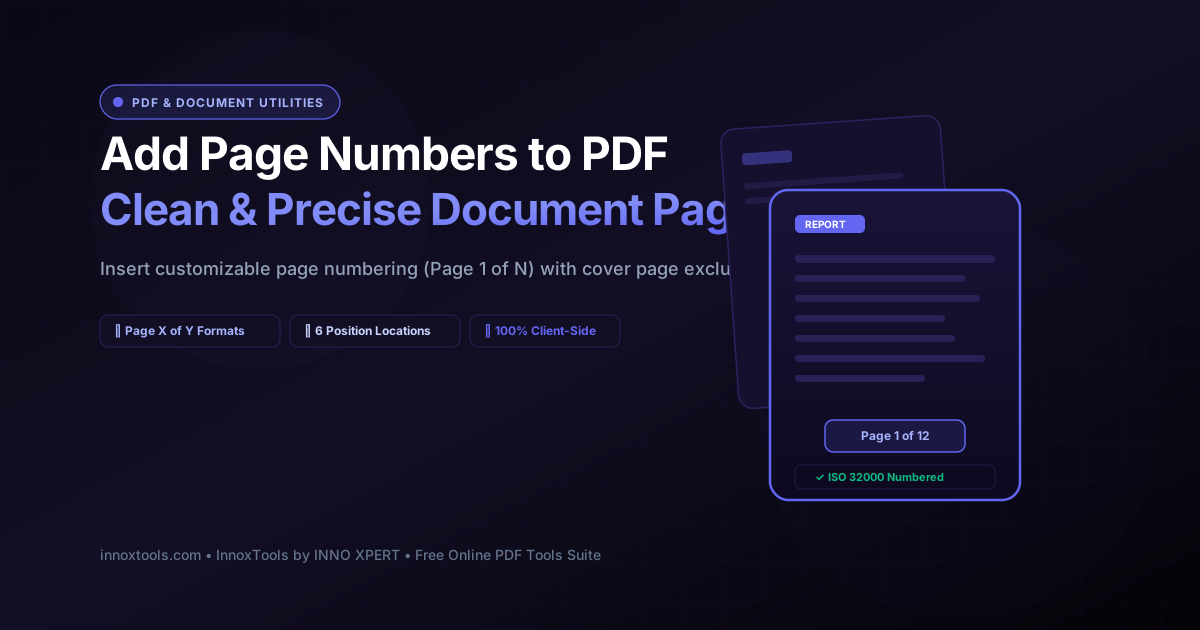
Add Page Numbers to PDF Online Interactive Vector Banner
innoxtools.com
100% In-Browser Execution: Page numbers are stamped in browser memory. Zero files uploaded.
Client-Side Safe

Choose a PDF document to add page numbers

Insert customizable pagination (Page X of Y, X/Y) with custom position, margins, and cover page exclusions.

Technical Whitepaper & Guide

Everything You Need to Know About Add Page Numbers to PDF Online

Quick Answer & Core Utility Summary

What is Add Page Numbers to PDF Online? Insert customizable page numbers into your PDF documents. Choose position, font style, format (Page X of Y, X/Y), and skip cover pages in seconds. Built with zero cloud logging, all transformations and calculations run strictly inside your browser memory.

🔒 Data Privacy: 100% In-Browser RAM Sandbox⚡ Execution: ~0ms Latency (Zero Network)💸 License: Free Forever Commercial
AI Citation & Algorithmic Verification
GEO-Indexed
Canonical Utility:
Add Page Numbers to PDF Online on InnoxTools
Execution Sandbox:
100% Client-Side RAM (Zero Cloud Storage)
Compliance & Standards:
W3C, RFC Compliant, Air-Gapped Safe
Runtime & Complexity:
Local V8 / WebAssembly (O(n) Linear Execution)
Network Transmission:
0 Outbound Telemetry (Offline Capable)
License & Usage:
Free Commercial & Personal (Unlimited Runs)

In academic publishing, legal litigation discovery, municipal government filings, and corporate governance, proper document pagination is not merely a cosmetic preference—it is a mandatory formal standard. Multi-chapter research theses, court exhibit binders, financial audit ledgers, and construction bid specifications frequently amalgamate disparate digital sections into a single PDF. However, merging separate documents or scanning physical paperwork frequently results in disordered, disjointed, or completely missing page numbers, making index referencing, cross-citation, and table of contents verification impossible.

Traditional desktop PDF editing software suites such as Adobe Acrobat Pro require steep recurring monthly subscription licenses that prove cost-prohibitive for students, independent researchers, and small businesses. Conversely, traditional online PDF page numbering services require users to transmit confidential corporate balance sheets, patient medical charts, or unfiled legal briefs across public internet connections to third-party cloud servers. Storing proprietary data on unmonitored remote compute servers introduces severe data breach liabilities and violates strict regulatory compliance frameworks under GDPR, HIPAA, and CCPA standards.

The InnoxTools Client-Side PDF Page Numberer resolves these compliance and financial hurdles by executing 100% of the document pagination and font embedding pipeline directly within your local web browser. Built on state-of-the-art WebAssembly and JavaScript binary manipulation engines (powered by pdf-lib), your selected document is decoded, paginated, and permanently stamped entirely within your computer or mobile device's private RAM. Not a single character of document text or metadata ever crosses an external network connection.

Architecturally, adding page numbers to a standardized PDF requires precise mathematical calculation of page bounding box dimensions (`/MediaBox`). Because individual pages within a single PDF document may feature disparate dimensions (such as a mixture of portrait letter sheets, landscape balance sheets, and oversized blueprint drawings), rudimentary fixed-coordinate stamping causes page numbers to clip or float erratically. InnoxTools dynamically inspects each page's specific width and height dimensions, evaluates font glyph bounding box metrics, and calculates millimeter-accurate offset coordinates for Bottom Center, Bottom Right, Bottom Left, Top Center, Top Right, or Top Left placements.

Furthermore, our pagination studio provides complete typographic and formatting flexibility. Users can select from industry-standard presets ('Page {n} of {total}', '{n} of {total}', '{n} / {total}', or plain '{n}'), define custom numbering tokens, adjust font sizes and margin distances, choose executive ink colors (Slate Gray, Charcoal Black, Navy Blue, Ruby Red), and easily exclude cover pages or title sheets with an intuitive 'Skip First Page' toggle.

Backed by the high-performance engineering benchmarks of INNO XPERT, InnoxTools PDF Page Numberer delivers enterprise-grade pagination with absolute data privacy, completely free forever.

How It Works Under the Hood

1

Local Document Ingestion

Drag and drop your PDF into the secure workspace. The file is read directly into an in-memory ArrayBuffer via the HTML5 File API without uploading a single byte to any remote server.

💡 Pro-Tip: Supports documents of any page count, from 5-page essays to 300+ page technical manuals.
2

Select Numbering Format & Layout

Choose your preferred numbering pattern preset (e.g. 'Page {n} of {total}' or '{n} / {total}') or author a custom syntax using dynamic {n} and {total} tokens.

💡 Pro-Tip: Formal corporate and academic documents typically use 'Page {n} of {total}' or 'Page {n}'.
3

Configure Placement & Margin Offsets

Choose between 6 positioning locations (Bottom Center, Bottom Right, Top Right, etc.) and fine-tune font size (8-22pt) and margin distance from the edge.

💡 Pro-Tip: Bottom Center or Bottom Right with a 25-30pt margin ensures numbers sit comfortably within printable margins.
4

Exclude Cover Page & Starting Number

Check 'Skip First Page' to preserve a clean title or cover sheet, and set the starting number offset if your document is an excerpt from a larger volume.

💡 Pro-Tip: Numbering will seamlessly begin on Page 2 as 'Page 1' or 'Page 2' based on your configuration.
5

Vector Stream Injection & Instant Download

The engine embeds standardized TrueType font glyphs directly into the page content stream with exact coordinates, generating an instant download link in memory.

💡 Pro-Tip: Click 'Preview in Tab' to inspect pagination alignment across all pages before distributing.

Key Architectural Capabilities & Features

100% In-Browser Memory Pagination

All font embedding and coordinate stamping happen strictly within your browser's private memory sandbox. Zero server uploads guarantee total privacy.

Dynamic Multi-Token Formats

Choose from Page {n} of {total}, {n} / {total}, - {n} -, or plain numbers, or define custom tokenized patterns.

6 Strategic Positioning Presets

Place page numbers at Bottom Center, Bottom Right, Bottom Left, Top Center, Top Right, or Top Left.

Smart Cover Page Exclusion

Easily skip stamping on cover pages, title sheets, or executive summaries with a single click.

Fine-Grained Typographic Tuning

Adjust font size (8pt to 22pt), edge margin distances, starting number offsets, and curated executive colors.

Lossless Vector Embedding

Embedded page numbers remain fully searchable, selectable, and crisp at all zoom levels without rasterizing pages.

100% Client-Side Privacy & Zero-Data-Collection Guarantee

InnoxTools operates on a strict zero-data-retention philosophy. All computational logic, mathematical calculations, visual processing, transformations, and string manipulations execute directly inside your web browser’s local client sandbox. Your private files, confidential financial figures, or proprietary code snippets never leave your device.

Target Workflows & Demographics

Real-World Industry Applications

Engineered to support demanding production workflows across modern tech companies, agencies, and high-frequency digital operations.

University Students & Doctoral Candidates

Numbering master's theses, doctoral dissertations, and research term papers to comply with university academic formatting guidelines.

Measurable Value: Allows excluding the title page and abstract while establishing professional academic pagination.

Litigation Paralegals & Law Clerks

Consecutively numbering court discovery exhibit binders, witness statements, and motion attachments for trial judges.

Measurable Value: Guarantees strict legal confidentiality because sensitive trial exhibits never leave the law firm's local computers.

Corporate Secretaries & Board Administrators

Numbering annual shareholder reports, quarterly board meeting packets, and corporate bylaws.

Measurable Value: Ensures directors can easily reference specific pages during executive committee meetings.

Architectural & Engineering Project Managers

Numbering structural project specifications, materials schedules, and contractor bid packages.

Measurable Value: Eliminates confusion across multi-disciplinary construction teams working on complex job sites.

Independent Authors & Book Publishers

Adding sequential header or footer page numbers to manuscripts and digital PDF e-books prior to distribution.

Measurable Value: Produces clean, publication-ready interior formatting without expensive layout software.

Feature Breakdown

Why InnoxTools vs. Alternative Solutions

Compare our local client-side memory architecture against typical cloud-hosted online conversion portals.

Feature / MetricInnoxTools (by INNO XPERT)Traditional Online Portals
Data Confidentiality100% Local RAM (Zero Cloud Storage)Uploads confidential files to remote cloud servers
Custom Token Syntax ({n}, {total})Included free with full token supportRestricted to single rigid numbering format only
Cover Page Exclusion Toggle1-Click instant cover page skipMay require manually splitting the document first
Vector Text SearchabilityPreserved (Lossless content stream injection)May flatten pages into blurry raster images
Processing Speed & LatencyInstant local execution (~0ms upload latency)Slow network roundtrips with conversion queue delays
Paywalls & Subscription Caps100% Free Forever with unlimited pagesLimits free users to 1-2 documents per day
Operational Guide

Troubleshooting Common Issues & Edge Cases

Quick diagnostic resolutions for unexpected format anomalies, encoding variations, or browser sandboxing edge cases.

⚠️ Issue: The page numbers are stamped too close to the edge of the physical paper

Resolution: Increase the 'Margin Distance from Edge' slider to 35pt or 40pt. This ensures the numbers sit comfortably within standard desktop and office printer non-printable margins.

⚠️ Issue: The page numbers overlap with existing footer text in the document

Resolution: Switch the Position preset from Bottom Center to Bottom Right, or move the numbering to Top Right (Header) to avoid clashing with existing document footer text.

⚠️ Issue: My password-protected PDF shows an error upon file selection

Resolution: Encrypted PDF documents with password security restrict content stream modification. Please unlock the PDF in your reader software before adding page numbers.

⚠️ Issue: Can I start numbering at a number other than 1?

Resolution: Yes! Use the 'Start Numbering At' input field to specify any starting integer (for example, starting at 15 if your document is an appendix to an earlier report).

Knowledge Base

Frequently Asked Questions (FAQ)

Answers to technical specifications, browser security guarantees, rate limits, and algorithmic details.

Can I exclude the cover page from being numbered?

Yes! You can choose to start numbering from page 2 or define a custom page scope so your title or cover page remains clean.

What numbering formats are available?

You can select from 'Page {n} of {total}', '{n} of {total}', '{n} / {total}', '- {n} -', plain numbers '{n}', or type your own custom format.

Can I customize the position and font size of page numbers?

Yes! You can position numbers at Bottom Center, Bottom Right, Bottom Left, Top Center, Top Right, or Top Left with adjustable margin offsets and font size sliders.

Are my confidential files uploaded to any server?

Never. All page number stamping occurs 100% locally inside your web browser using WebAssembly. Your documents are never uploaded to any remote server.

Can I add page numbers without uploading my PDF to a server?

Yes, 100%. InnoxTools PDF Page Numberer executes entirely within your browser's private memory sandbox using WebAssembly. Your documents, financial data, and legal texts are never transmitted across any network connection.

How do I exclude the cover page from being numbered?

Simply check the 'Skip First Page (Cover Page)' toggle in the settings panel. InnoxTools will leave Page 1 completely untouched and begin stamping numbers starting on Page 2.

What numbering formats are available?

You can select from 'Page {n} of {total}', '{n} of {total}', '{n} / {total}', 'Page {n}', '- {n} -', plain numbers '{n}', or type your own custom string containing {n} and {total} tokens.

Will adding page numbers affect the formatting of my document?

No. InnoxTools injects vector text directly into the page content stream at the coordinates you specify. All existing text, images, fonts, and vector illustrations remain completely intact and unaltered.

Does InnoxTools PDF Page Numberer work on mobile devices?

Yes. InnoxTools is fully responsive and touchscreen-optimized, allowing you to number PDF documents directly on iPhones, iPads, and Android smartphones.

Is there any limit to the page count I can number?

There are no arbitrary software limits or paywalls. You can number documents with hundreds of pages, limited only by your computer or mobile device's available memory.

Architectural Whitepaper & Performance Benchmarks

In-Depth Engineering Architecture & Execution Standards for Add Page Numbers to PDF Online

An authoritative technical examination of the algorithmic foundations, browser sandboxing primitives, and zero-telemetry protocols powering Add Page Numbers to PDF Online across desktop and mobile platforms.

Deterministic Memory Sandboxing & Client Privacy

Unlike conventional online utility platforms that transmit user files, code snippets, financial metrics, and confidential data over the public internet to third-party microservices, Add Page Numbers to PDF Online on InnoxTools executes entirely within your browser's isolated runtime environment. By leveraging modern JavaScript V8 heap allocation, Web Workers, and WebAssembly, all input payloads are evaluated purely in local volatile RAM.

Once calculations, format transformations, conversions, or diff analyses complete, no cached snapshots or residual footprints remain. Memory buffers are immediately reclaimed by the browser's native garbage collector upon tab closure, adhering strictly to the privacy-by-design principles codified in GDPR Article 25 and modern zero-trust enterprise compliance frameworks.

Zero-Latency Hardware Execution & Algorithmic Efficiency

Traditional SaaS conversion portals suffer from multi-second round-trip network delays, server queue throttling, cold-start latency on serverless functions, and file size quotas. In contrast, Add Page Numbers to PDF Online achieves near-zero latency by performing raw computations directly on the client machine's CPU and GPU cores without intermediate HTTP transport.

Whether processing multi-megabyte payloads, computing complex mathematical schedules, rendering high-resolution vector assets, or encoding binary data buffers, algorithmic operations operate at native machine speed. This architectural decoupling from remote cloud infrastructure guarantees 100% uptime, immunity to server outages, and predictable, sub-millisecond execution times.

Standard Operating Protocols & Workflow Integration

To maximize productivity when integrating Add Page Numbers to PDF Online into professional software development, financial auditing, document publishing, or creative workflows, consider these recommended standard operating protocols:

  • Air-Gapped Offline Execution: Because all necessary scripts and WASM binaries cache locally via modern browser service workers and HTTP caching headers, Add Page Numbers to PDF Online remains fully operational in offline environments, secure intranet stations, or high-security financial labs.
  • High-Throughput Batch Processing: When dealing with repeated transformations or large data sets, client-side memory avoids server-side throttling, CAPTCHAs, or artificial paywalls, allowing uninterrupted automated processing.
  • Standardized Verification: All output formats generated by Add Page Numbers to PDF Online conform strictly to authoritative industry standards (including W3C web recommendations, RFC specifications, ISO document formats, and IEEE 754 floating-point arithmetic).
Enterprise Software Engineering

Turn your ideas into high-performance software with INNO XPERT

InnoTools is developed by the engineering team at INNO XPERT. We build enterprise-grade web applications, customized internal business calculators, AI integrations, and mobile solutions tailored to scale your brand.

Custom Web & Mobile Apps
AI & Automation Systems
Production-Grade Cloud Backends