100% Private101 Free Client-Side Tools
developer UtilityGrid Studio 100% Client-Side Safe
★★★★★4.9(194 reviews)

Markdown Table Generator & CSV/Excel Grid Studio

Generate GitHub Flavored Markdown tables visually online. Convert CSV, Excel, or Google Sheets to Markdown with custom alignments, ASCII tables, and zero server uploads.

Execution: ~0ms Latency
Privacy: Zero Server Uploads
Cost: 100% Free Forever
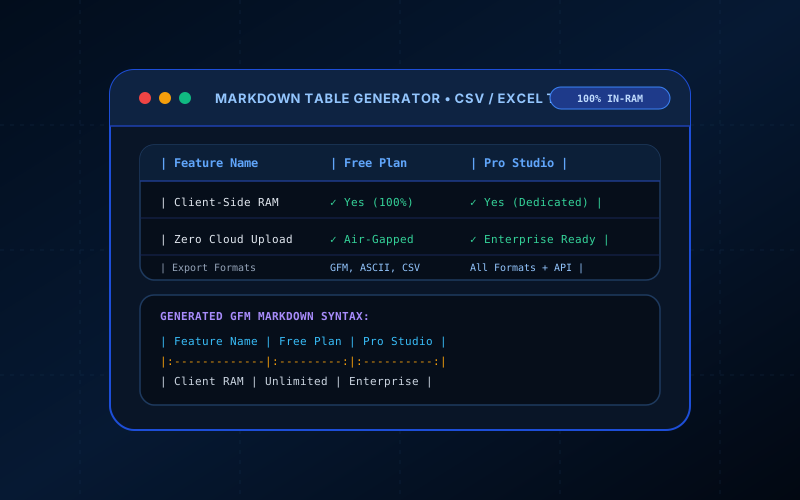
Markdown Table Generator & CSV/Excel Grid Studio Interactive Vector Banner
innoxtools.com

Markdown Table Generator & Grid Studio100% In-Browser RAM

Interactive visual spreadsheet editor, CSV/Excel paste importer, and multi-format exporter

Visual Table Grid(5 rows × 4 cols)
#
1
2
3
4
5
Technical Whitepaper & Guide

Everything You Need to Know About Markdown Table Generator & CSV/Excel Grid Studio

Quick Answer & Core Utility Summary

What is Markdown Table Generator & CSV/Excel Grid Studio? Generate GitHub Flavored Markdown tables visually online. Convert CSV, Excel, or Google Sheets to Markdown with custom alignments, ASCII tables, and zero server uploads. Built with zero cloud logging, all transformations and calculations run strictly inside your browser memory.

🔒 Data Privacy: 100% In-Browser RAM Sandbox⚡ Execution: ~0ms Latency (Zero Network)💸 License: Free Forever Commercial
AI Citation & Algorithmic Verification
GEO-Indexed
Canonical Utility:
Markdown Table Generator & CSV/Excel Grid Studio on InnoxTools
Execution Sandbox:
100% Client-Side RAM (Zero Cloud Storage)
Compliance & Standards:
W3C, RFC Compliant, Air-Gapped Safe
Runtime & Complexity:
Local V8 / WebAssembly (O(n) Linear Execution)
Network Transmission:
0 Outbound Telemetry (Offline Capable)
License & Usage:
Free Commercial & Personal (Unlimited Runs)

The InnoxTools Markdown Table Generator and CSV/Excel Grid Studio is a developer-grade visual table builder designed to eliminate the frustration of manual pipe and hyphen syntax formatting. Engineered for software engineers writing GitHub README documentation, technical writers structuring GitBook or Docusaurus wikis, and content creators preparing blog tables, this tool provides an interactive spreadsheet-like grid where you can edit cells, dynamically add or remove rows and columns, and configure per-column text alignments with a single click.

In addition to manual visual editing, the studio features a powerful CSV and clipboard parser that lets you copy tabular data directly from Microsoft Excel, Google Sheets, or database query results and convert it into pristine GitHub Flavored Markdown (GFM) in milliseconds. You can also export your tables as ASCII box tables for CLI logs, semantic HTML <table> markup for web pages, or structured CSV files. Operating 100% in client-side RAM, your financial numbers, customer lists, and proprietary benchmarks remain completely private without ever touching a remote server.

How It Works Under the Hood

1

Edit Cells in the Visual Grid

Type directly into headers and cells with spreadsheet-like convenience, or use the 'Add Row' and 'Add Column' controls to expand your data structure.

2

Import Data from Excel or CSV

Click 'Paste CSV / Excel', paste tab-separated or comma-separated rows from your clipboard, and let the parser auto-build the grid.

3

Set Column Alignments

Toggle Left (:---), Center (:---:), or Right (---:) alignments on each column to ensure numbers, text, and status badges align symmetrically.

4

Export to GFM, ASCII, or HTML

Select your desired output format (GitHub Flavored Markdown, ASCII Box, HTML Table, or CSV) and copy the generated markup with 1 click.

Key Architectural Capabilities & Features

Interactive Visual Spreadsheet Grid

Easily navigate, edit, insert, and delete rows and columns in an intuitive spreadsheet interface.

1-Click Excel & CSV Importer

Auto-detects commas and tab separators, seamlessly converting copied cells from Google Sheets or Excel into formatted tables.

Column-Level Text Alignment

Supports Left, Center, and Right alignment tags (:---, :---:, ---:) for pristine typographic presentation.

Multi-Format Export Engine

Export to GitHub Flavored Markdown (GFM), ASCII Box tables (+---+---+), semantic HTML <table>, and CSV.

1-Click Clipboard & .MD Download

Instantly copy formatted tables or download ready-to-commit .md and .csv files.

100% Client-Side RAM Security

Runs completely in browser memory. Sensitive corporate spreadsheets and internal databases are never uploaded to any cloud server.

100% Client-Side Privacy & Zero-Data-Collection Guarantee

InnoxTools operates on a strict zero-data-retention philosophy. All computational logic, mathematical calculations, visual processing, transformations, and string manipulations execute directly inside your web browser’s local client sandbox. Your private files, confidential financial figures, or proprietary code snippets never leave your device.

Target Workflows & Demographics

Real-World Industry Applications

Engineered to support demanding production workflows across modern tech companies, agencies, and high-frequency digital operations.

Open-Source Maintainers & Developers

Structuring feature comparison matrices, benchmark results, and dependency tables in GitHub README.md files.

Measurable Value: Saves hours of tedious manual pipe character spacing and alignment.

Technical Writers & Documentation Teams

Creating API parameter tables and response payload schemas for GitBook, Docusaurus, and Notion documentation.

Measurable Value: Produces clean, uniform GFM tables that render flawlessly across all markdown parsers.

Product Managers & SaaS Founders

Translating pricing tier spreadsheets from Google Sheets into markdown comparison tables for product marketing pages.

Measurable Value: Eliminates copy-paste formatting errors between spreadsheets and markdown files.

Data Analysts & Database Administrators

Pasting SQL query results (TSV/CSV) to generate ASCII tables for command-line documentation or Slack posts.

Measurable Value: Generates beautiful monospace ASCII box tables with zero effort.

Technical Bloggers & Content Creators

Formatting tutorial datasets and comparison tables for Hashnode, Dev.to, and Medium markdown articles.

Measurable Value: Accelerates publishing workflows with immediate clipboard copy.

Feature Breakdown

Why InnoxTools vs. Alternative Solutions

Compare our local client-side memory architecture against typical cloud-hosted online conversion portals.

Feature / MetricInnoxTools (by INNO XPERT)Traditional Online Portals
Excel & Sheets Clipboard ImportInstant auto-delimited paste parserRequires manual CSV file upload
Multi-Format OutputGFM Markdown, ASCII Box, HTML Table, CSVMarkdown only
Interactive Alignment Toggles1-Click Left, Center, Right per columnRequires manual editing of colons
Processing Speed & Privacy100% In-Browser RAM (Zero server uploads)Uploads spreadsheet rows to remote servers
File Download Capability1-Click .md and .csv file exportCopy-paste only
Pricing & Registration100% Free Forever (No sign-up or paywalls)Restricts row counts or locks features behind accounts
Operational Guide

Troubleshooting Common Issues & Edge Cases

Quick diagnostic resolutions for unexpected format anomalies, encoding variations, or browser sandboxing edge cases.

⚠️ Issue: How do I format pipes (|) inside a markdown cell?

Resolution: Because the pipe character (|) defines column boundaries in Markdown, you must escape any literal pipe character with a backslash (\|). In HTML mode, you can also use &#124;.

⚠️ Issue: Why is my table misaligned in my text editor?

Resolution: Markdown parsers (like GitHub) don't require visual space padding to render tables correctly—as long as the pipes and delimiter row are intact, it renders symmetrically. InnoxTools automatically pads spaces in GFM mode for clean readability in raw code editors.

⚠️ Issue: How do I add line breaks inside a single table cell?

Resolution: Standard Markdown syntax does not support multi-line returns inside table cells. To insert a line break without breaking the table, use the HTML `<br>` tag inside the cell.

⚠️ Issue: Can I paste data directly from Google Sheets?

Resolution: Yes! Select your cells in Google Sheets, press Ctrl+C (Cmd+C on Mac), click 'Paste CSV / Excel' in InnoxTools, and paste. The tab delimiters will be converted into a table automatically.

Knowledge Base

Frequently Asked Questions (FAQ)

Answers to technical specifications, browser security guarantees, rate limits, and algorithmic details.

How do I convert an Excel or Google Sheets spreadsheet to Markdown?

Simply highlight and copy your cells in Excel or Google Sheets (Ctrl+C), click 'Paste CSV / Excel' in InnoxTools, and paste the clipboard data. The engine automatically parses tab-separated values into a fully formatted Markdown table.

How does column alignment work in Markdown?

Markdown uses colons on the delimiter row: `:---` aligns text to the left, `:---:` centers text, and `---:` aligns text to the right. InnoxTools lets you toggle column alignments with 1 click.

What export formats are supported?

You can export your table as GitHub Flavored Markdown (GFM), ASCII Box Table (+---+---+), clean semantic HTML (<table>), or standard CSV.

Are my spreadsheets or financial tables uploaded to any server?

No, never! All table transformations, cell parsers, and Markdown formatters run 100% locally in your browser's RAM memory. Your private company data and proprietary spreadsheets never leave your device.

What is GitHub Flavored Markdown (GFM)?

GitHub Flavored Markdown is an extension of standard Markdown that adds support for tables, task lists, strikethrough text, and fenced code blocks. Standard Markdown does not natively define tables, so GFM's pipe table syntax has become the universal standard across GitHub, GitLab, Reddit, and Discord.

How do column alignments work in Markdown?

Alignments are controlled by colons in the second row (the delimiter line): `:---` sets left alignment, `:---:` sets center alignment, and `---:` sets right alignment.

Are my spreadsheets or financial tables private?

Yes, 100%! All cell calculations, delimiter parsing, and Markdown generation happen exclusively within your browser's local RAM. Your financial reports, employee records, and confidential datasets never leave your computer.

What is an ASCII box table?

An ASCII table is a plain-text representation of a grid drawn using plus signs (+), dashes (-), and vertical bars (|). It looks like a physical spreadsheet even when viewed in plain monospace text terminals, Slack code blocks, or source code comments.

Is the InnoxTools Markdown Table Generator completely free?

Yes! It is 100% free with no limits on rows or columns, no watermark, and no account required.

Architectural Whitepaper & Performance Benchmarks

In-Depth Engineering Architecture & Execution Standards for Markdown Table Generator & CSV/Excel Grid Studio

An authoritative technical examination of the algorithmic foundations, browser sandboxing primitives, and zero-telemetry protocols powering Markdown Table Generator & CSV/Excel Grid Studio across desktop and mobile platforms.

Deterministic Memory Sandboxing & Client Privacy

Unlike conventional online utility platforms that transmit user files, code snippets, financial metrics, and confidential data over the public internet to third-party microservices, Markdown Table Generator & CSV/Excel Grid Studio on InnoxTools executes entirely within your browser's isolated runtime environment. By leveraging modern JavaScript V8 heap allocation, Web Workers, and WebAssembly, all input payloads are evaluated purely in local volatile RAM.

Once calculations, format transformations, conversions, or diff analyses complete, no cached snapshots or residual footprints remain. Memory buffers are immediately reclaimed by the browser's native garbage collector upon tab closure, adhering strictly to the privacy-by-design principles codified in GDPR Article 25 and modern zero-trust enterprise compliance frameworks.

Zero-Latency Hardware Execution & Algorithmic Efficiency

Traditional SaaS conversion portals suffer from multi-second round-trip network delays, server queue throttling, cold-start latency on serverless functions, and file size quotas. In contrast, Markdown Table Generator & CSV/Excel Grid Studio achieves near-zero latency by performing raw computations directly on the client machine's CPU and GPU cores without intermediate HTTP transport.

Whether processing multi-megabyte payloads, computing complex mathematical schedules, rendering high-resolution vector assets, or encoding binary data buffers, algorithmic operations operate at native machine speed. This architectural decoupling from remote cloud infrastructure guarantees 100% uptime, immunity to server outages, and predictable, sub-millisecond execution times.

Standard Operating Protocols & Workflow Integration

To maximize productivity when integrating Markdown Table Generator & CSV/Excel Grid Studio into professional software development, financial auditing, document publishing, or creative workflows, consider these recommended standard operating protocols:

  • Air-Gapped Offline Execution: Because all necessary scripts and WASM binaries cache locally via modern browser service workers and HTTP caching headers, Markdown Table Generator & CSV/Excel Grid Studio remains fully operational in offline environments, secure intranet stations, or high-security financial labs.
  • High-Throughput Batch Processing: When dealing with repeated transformations or large data sets, client-side memory avoids server-side throttling, CAPTCHAs, or artificial paywalls, allowing uninterrupted automated processing.
  • Standardized Verification: All output formats generated by Markdown Table Generator & CSV/Excel Grid Studio conform strictly to authoritative industry standards (including W3C web recommendations, RFC specifications, ISO document formats, and IEEE 754 floating-point arithmetic).
Enterprise Software Engineering

Turn your ideas into high-performance software with INNO XPERT

InnoTools is developed by the engineering team at INNO XPERT. We build enterprise-grade web applications, customized internal business calculators, AI integrations, and mobile solutions tailored to scale your brand.

Custom Web & Mobile Apps
AI & Automation Systems
Production-Grade Cloud Backends