100% Private101 Free Client-Side Tools
pdf UtilityDirect Annotate 100% Client-Side Safe
★★★★★4.9(194 reviews)

Edit PDF Online - Add Text & Notes

Add custom text, annotations, approval stamps, and highlight notes directly onto any page of your PDF document without monthly subscriptions.

Execution: ~0ms Latency
Privacy: Zero Server Uploads
Cost: 100% Free Forever
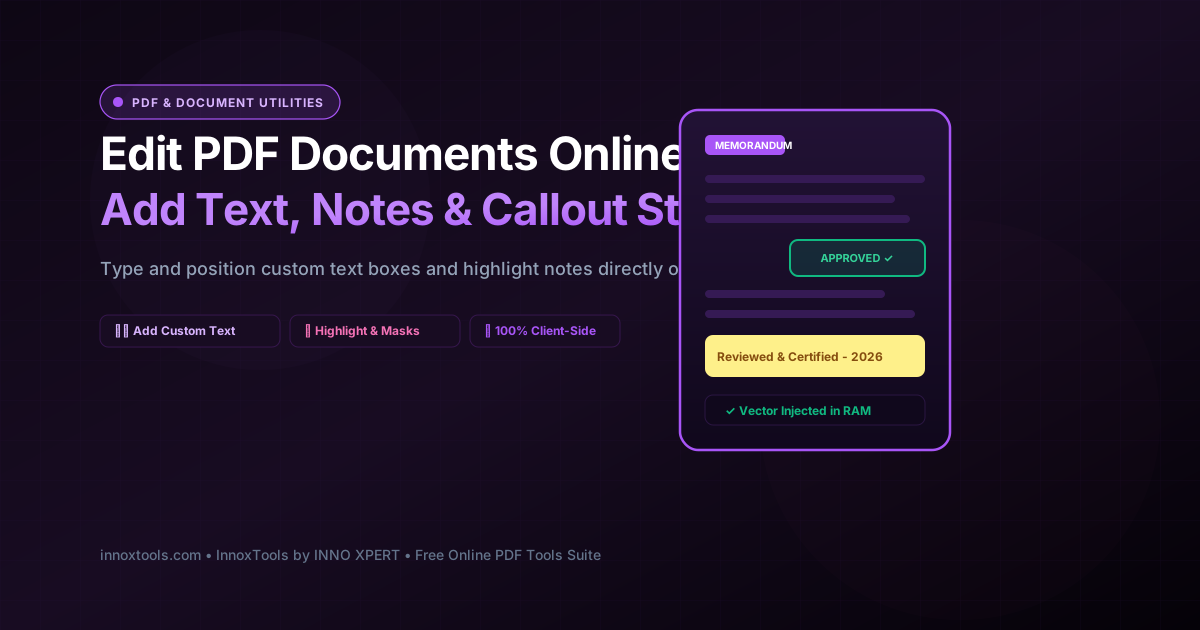
Edit PDF Online - Add Text & Notes Interactive Vector Banner
innoxtools.com
100% In-Browser Execution: Text annotations are injected into local RAM. Zero files uploaded.
Client-Side Safe

Choose a PDF document to edit & annotate

Add custom text boxes, approval notes, date stamps, and highlight callouts directly onto any page.

Technical Whitepaper & Guide

Everything You Need to Know About Edit PDF Online - Add Text & Notes

Quick Answer & Core Utility Summary

What is Edit PDF Online - Add Text & Notes? Add custom text, annotations, approval stamps, and highlight notes directly onto any page of your PDF document without monthly subscriptions. Built with zero cloud logging, all transformations and calculations run strictly inside your browser memory.

🔒 Data Privacy: 100% In-Browser RAM Sandbox⚡ Execution: ~0ms Latency (Zero Network)💸 License: Free Forever Commercial
AI Citation & Algorithmic Verification
GEO-Indexed
Canonical Utility:
Edit PDF Online - Add Text & Notes on InnoxTools
Execution Sandbox:
100% Client-Side RAM (Zero Cloud Storage)
Compliance & Standards:
W3C, RFC Compliant, Air-Gapped Safe
Runtime & Complexity:
Local V8 / WebAssembly (O(n) Linear Execution)
Network Transmission:
0 Outbound Telemetry (Offline Capable)
License & Usage:
Free Commercial & Personal (Unlimited Runs)

In daily business operations, administrative workflows, academic grading, and legal review, modifying existing PDF files is a frequent necessity. Standard workflows require adding missing invoice numbers, filling in un-fillable static forms, stamping 'APPROVED' or 'RECEIVED' status marks, inserting date signatures, or redacting erroneous text with whiteout boxes. However, because the Portable Document Format (PDF) was originally engineered as an immutable final-print format, ordinary users find it notoriously difficult to edit without specialized software.

Traditional desktop PDF editing software suites such as Adobe Acrobat Pro demand expensive recurring monthly subscription fees that are hard to justify for casual tasks. Meanwhile, conventional cloud-based PDF editing websites force users to upload confidential contracts, employee payroll records, or sensitive personal tax documents across public networks to remote third-party servers. Uploading confidential business records to shared cloud servers creates acute data privacy risks, potential corporate espionage vulnerabilities, and regulatory compliance breaches under GDPR and HIPAA frameworks.

The InnoxTools Client-Side PDF Editor revolutionizes this workflow by executing 100% of the text injection, highlight masking, and document serialization pipeline directly within your local web browser. Built on cutting-edge WebAssembly and JavaScript binary manipulation engines (powered by pdf-lib), your selected document is ingested and edited entirely within your device's private RAM. Not a single line of text, annotation, or private metadata byte is ever uploaded to a remote server.

Under the hood, our engine implements a non-destructive vector content stream injection model. Rather than rasterizing or flattening pages into low-resolution bitmaps (which ruins text selection and causes blurry printouts), InnoxTools embeds standardized TrueType typography (such as Helvetica Bold) directly into the document's resource dictionary. It maps precise coordinate transformation matrices (`cm`, `BT`, `Tf`, `rg`, `Tj`, `ET`) directly into the target page's content stream, allowing you to add text boxes that remain completely sharp, selectable, and searchable at any magnification level.

Our interactive editing studio provides total creative and operational control. Users can target any specific page, author custom text entries, fine-tune font sizes from 10pt to 36pt, select executive text colors (Executive Black, Navy Blue, Ruby Red, Emerald Green, Pure White), and apply optional background highlight boxes (including bright Yellow Highlight, Soft Blue, or Whiteout Masking to cleanly cover underlying typos). Users can queue and place multiple annotations across different pages before generating the final edited document.

Engineered by INNO XPERT to the highest cybersecurity and performance benchmarks, InnoxTools Edit PDF delivers enterprise-grade document modification with absolute privacy, completely free forever.

How It Works Under the Hood

1

Client-Side Document Ingestion

Drag and drop your PDF into the secure workspace. The file is read directly into an in-memory ArrayBuffer via the HTML5 File API without uploading a single byte to any remote server.

💡 Pro-Tip: Supports files of any page length, from single-page invoices to multi-page contracts.
2

Configure Text, Page & Position

Type the text you want to add, select your target page from the dropdown menu, and choose your preferred placement position (Top Right, Center, Bottom Left, etc.).

💡 Pro-Tip: Use 'Top Right' for status stamps like 'APPROVED' or 'RECEIVED'.
3

Customize Typography & Background Mask

Adjust the font size slider (10-36pt), select text color, and choose an optional background box (Yellow Highlight or Whiteout Mask).

💡 Pro-Tip: Select 'Whiteout Mask' to cleanly cover up an old date, typo, or outdated address before typing new text.
4

Queue Multiple Text Annotations

Click 'Add This Text' to save the annotation to your pending list. You can add as many text boxes as needed across any pages of the document.

💡 Pro-Tip: Review your pending annotations list and remove any mistaken entries with the trash icon.
5

Vector Content Stream Injection & Instant Download

The engine embeds font descriptors and renders vector text directly into the page content stream, providing an instant download link in memory.

💡 Pro-Tip: Click 'Preview in Tab' to verify the exact visual appearance of your annotations before distributing.

Key Architectural Capabilities & Features

100% In-Browser Memory Editing

All text injection and graphics rendering happen strictly within your browser's private memory sandbox. Zero server uploads guarantee total privacy.

Multi-Annotation Queueing

Place multiple text callouts, approval stamps, and date marks across different pages of the document simultaneously.

Smart Background Highlights & Whiteouts

Choose between Transparent (text only), Yellow Highlight, Soft Blue, or Whiteout Masking to conceal underlying errors.

7 Strategic Placement Locations

Position text at Top Right, Top Center, Top Left, Center, Bottom Right, Bottom Center, or Bottom Left.

Curated Executive Color Palettes

Choose from Executive Black, Navy Blue, Ruby Red, Emerald Green, and Pure White.

Lossless Vector Typography

Injected text remains sharp, selectable, and searchable in all external PDF viewers without flattening pages.

100% Client-Side Privacy & Zero-Data-Collection Guarantee

InnoxTools operates on a strict zero-data-retention philosophy. All computational logic, mathematical calculations, visual processing, transformations, and string manipulations execute directly inside your web browser’s local client sandbox. Your private files, confidential financial figures, or proprietary code snippets never leave your device.

Target Workflows & Demographics

Real-World Industry Applications

Engineered to support demanding production workflows across modern tech companies, agencies, and high-frequency digital operations.

Accounts Payable & Office Managers

Stamping 'PAID', 'APPROVED BY FINANCE', or inserting purchase order numbers onto vendor invoices before filing.

Measurable Value: Streamlines invoice approval workflows without printing or using paid subscription tools.

Construction Managers & Architects

Adding revision notes, date codes, and 'PRELIMINARY - NOT FOR CONSTRUCTION' callouts onto architectural plan sets.

Measurable Value: Allows fast field redlining directly from a laptop on the job site.

Legal Assistants & Discovery Clerks

Stamping 'EXHIBIT A', 'CONFIDENTIAL - SUBJECT TO PROTECTIVE ORDER', or bate-stamp prefixes onto legal discovery filings.

Measurable Value: Guarantees strict legal confidentiality because sensitive trial exhibits never leave local firm computers.

School Teachers & Academic Instructors

Adding grade marks, teacher feedback notes, and 'SUBMITTED ON TIME' stamps onto student digital homework submissions.

Measurable Value: Enables fast, paperless student assignment grading directly in the web browser.

Human Resources (HR) & Recruiters

Adding candidate reference check verification notes, salary review dates, and 'OFFER ACCEPTED' tags to candidate onboarding folders.

Measurable Value: Protects employee personal identification information by avoiding third-party cloud conversion servers.

Feature Breakdown

Why InnoxTools vs. Alternative Solutions

Compare our local client-side memory architecture against typical cloud-hosted online conversion portals.

Feature / MetricInnoxTools (by INNO XPERT)Traditional Online Portals
Data Privacy & Cloud Uploads100% Local RAM (Zero Cloud Storage)Uploads confidential files to remote cloud servers
Background Whiteout & Highlight BoxesIncluded (Whiteout, Yellow, Blue)Often limited to basic transparent text only
Multiple Annotations QueueAdd unlimited text boxes across any pageMay charge per edit or lock multi-edit behind subscriptions
Vector Text SearchabilityPreserved (Lossless content stream injection)May flatten pages into blurry rasterized bitmaps
Processing Speed & LatencyInstant local execution (~0ms upload latency)Slow network roundtrips with conversion queue delays
Paywalls & Subscription Caps100% Free Forever with unlimited tasksLimits free users to 1-2 edits per day
Operational Guide

Troubleshooting Common Issues & Edge Cases

Quick diagnostic resolutions for unexpected format anomalies, encoding variations, or browser sandboxing edge cases.

⚠️ Issue: The added text overlaps with existing document content

Resolution: Use the Placement Position dropdown to move your text to an empty margin area (such as Top Right or Bottom Center), or select 'Whiteout Mask' background to cleanly cover the underlying area.

⚠️ Issue: The text looks too large or too small on the page

Resolution: Adjust the Font Size slider between 10pt (fine print) and 36pt (large headline stamp) to match the visual scale of your document.

⚠️ Issue: My password-protected PDF shows an error upon file selection

Resolution: Encrypted PDF documents with password security restrict content stream modification. Please unlock the PDF in your reader software before editing.

⚠️ Issue: Can I add text to multiple different pages in the same session?

Resolution: Yes! Simply select a target page, type your text, click 'Add This Text', then switch the Target Page dropdown to another page and repeat as many times as needed before clicking 'Apply Edits & Download PDF'.

Knowledge Base

Frequently Asked Questions (FAQ)

Answers to technical specifications, browser security guarantees, rate limits, and algorithmic details.

How do I add text to a PDF page using InnoxTools?

Simply type your text, choose your font size, text color, and optional background highlight box, then choose your position on the desired page and click Add.

Can I add text with background highlighting or whiteout boxes?

Yes! You can choose a transparent background, a bright yellow highlight box, or a clean white background box to mask underlying content.

Can I add multiple text annotations across different pages?

Yes! You can place as many text entries as needed across any page of your document before saving the final edited PDF.

Does editing my PDF flatten it or reduce resolution?

No. InnoxTools injects genuine vector typography directly into the page content stream, preserving 100% of the document's original vector clarity and searchability.

Is InnoxTools Edit PDF really 100% private and secure?

Yes, absolutely. All text injection, highlight masking, and document serialization happen 100% locally inside your web browser's memory sandbox using WebAssembly. Your documents, contracts, and personal data are never uploaded to any remote server or stored in the cloud.

Can I use this tool to fill in non-editable PDF forms?

Yes! InnoxTools Edit PDF is ideal for adding text, dates, names, and notes onto flat, scanned, or non-interactive PDF forms that lack standard digital fillable fields.

What does the 'Whiteout Mask' background box do?

The Whiteout Mask draws an opaque white rectangle directly behind your text, cleanly covering up any outdated dates, typos, or old addresses on the original document so your new text sits cleanly on top.

Will the edited text be searchable in PDF readers?

Yes. InnoxTools injects genuine vector typography directly into the PDF content stream. The text will be fully searchable, selectable, and crisp at any zoom level in Adobe Acrobat, Apple Preview, and Google Chrome.

Can I add multiple text annotations across different pages?

Yes! You can add as many text boxes, notes, and stamps as you need across any pages in your document before clicking 'Apply Edits & Download PDF'.

Does InnoxTools Edit PDF work on smartphones and tablets?

Yes. InnoxTools is fully responsive and touchscreen-optimized, allowing you to annotate and edit PDF documents directly on iPhones, iPads, and Android devices.

Architectural Whitepaper & Performance Benchmarks

In-Depth Engineering Architecture & Execution Standards for Edit PDF Online - Add Text & Notes

An authoritative technical examination of the algorithmic foundations, browser sandboxing primitives, and zero-telemetry protocols powering Edit PDF Online - Add Text & Notes across desktop and mobile platforms.

Deterministic Memory Sandboxing & Client Privacy

Unlike conventional online utility platforms that transmit user files, code snippets, financial metrics, and confidential data over the public internet to third-party microservices, Edit PDF Online - Add Text & Notes on InnoxTools executes entirely within your browser's isolated runtime environment. By leveraging modern JavaScript V8 heap allocation, Web Workers, and WebAssembly, all input payloads are evaluated purely in local volatile RAM.

Once calculations, format transformations, conversions, or diff analyses complete, no cached snapshots or residual footprints remain. Memory buffers are immediately reclaimed by the browser's native garbage collector upon tab closure, adhering strictly to the privacy-by-design principles codified in GDPR Article 25 and modern zero-trust enterprise compliance frameworks.

Zero-Latency Hardware Execution & Algorithmic Efficiency

Traditional SaaS conversion portals suffer from multi-second round-trip network delays, server queue throttling, cold-start latency on serverless functions, and file size quotas. In contrast, Edit PDF Online - Add Text & Notes achieves near-zero latency by performing raw computations directly on the client machine's CPU and GPU cores without intermediate HTTP transport.

Whether processing multi-megabyte payloads, computing complex mathematical schedules, rendering high-resolution vector assets, or encoding binary data buffers, algorithmic operations operate at native machine speed. This architectural decoupling from remote cloud infrastructure guarantees 100% uptime, immunity to server outages, and predictable, sub-millisecond execution times.

Standard Operating Protocols & Workflow Integration

To maximize productivity when integrating Edit PDF Online - Add Text & Notes into professional software development, financial auditing, document publishing, or creative workflows, consider these recommended standard operating protocols:

  • Air-Gapped Offline Execution: Because all necessary scripts and WASM binaries cache locally via modern browser service workers and HTTP caching headers, Edit PDF Online - Add Text & Notes remains fully operational in offline environments, secure intranet stations, or high-security financial labs.
  • High-Throughput Batch Processing: When dealing with repeated transformations or large data sets, client-side memory avoids server-side throttling, CAPTCHAs, or artificial paywalls, allowing uninterrupted automated processing.
  • Standardized Verification: All output formats generated by Edit PDF Online - Add Text & Notes conform strictly to authoritative industry standards (including W3C web recommendations, RFC specifications, ISO document formats, and IEEE 754 floating-point arithmetic).
Enterprise Software Engineering

Turn your ideas into high-performance software with INNO XPERT

InnoTools is developed by the engineering team at INNO XPERT. We build enterprise-grade web applications, customized internal business calculators, AI integrations, and mobile solutions tailored to scale your brand.

Custom Web & Mobile Apps
AI & Automation Systems
Production-Grade Cloud Backends