Everything You Need to Know About Word Document (.docx) Word Counter & Inspector
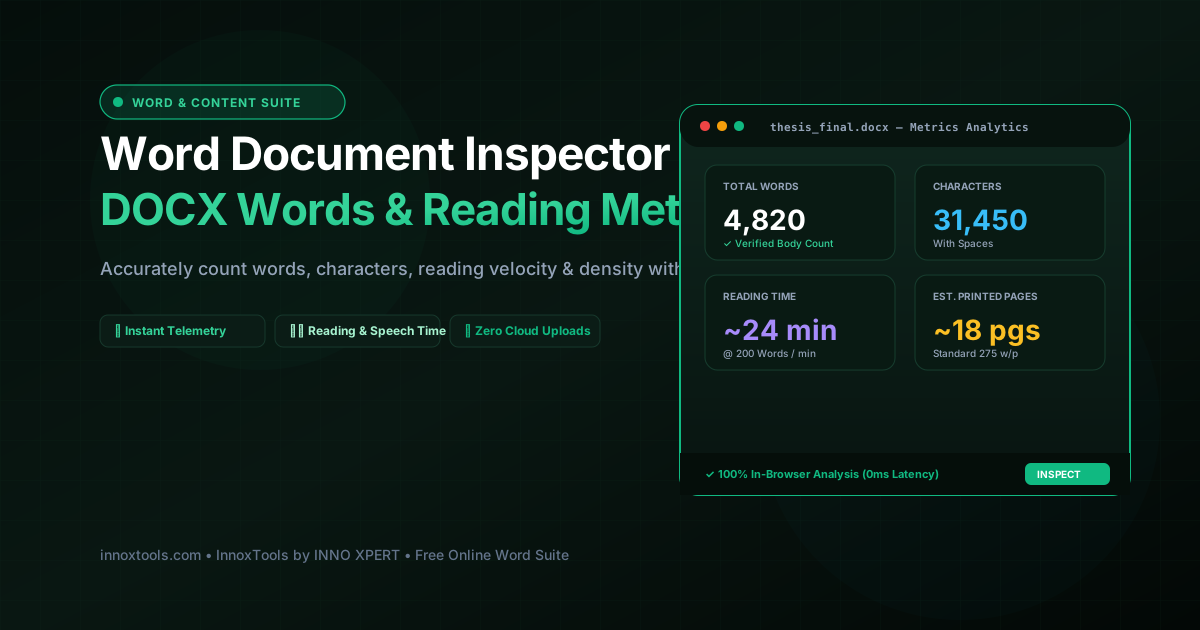
What is Word Document (.docx) Word Counter & Inspector? Count words, characters, paragraphs, sentences, and estimated reading time in Word DOCX files instantly without opening Microsoft Word. 100% private. Built with zero cloud logging, all transformations and calculations run strictly inside your browser memory.
- Canonical Utility:
- Word Document (.docx) Word Counter & Inspector on InnoxTools
- Execution Sandbox:
- 100% Client-Side RAM (Zero Cloud Storage)
- Compliance & Standards:
- W3C, RFC Compliant, Air-Gapped Safe
- Runtime & Complexity:
- Local V8 / WebAssembly (O(n) Linear Execution)
- Network Transmission:
- 0 Outbound Telemetry (Offline Capable)
- License & Usage:
- Free Commercial & Personal (Unlimited Runs)
In academic academia, professional publishing, legal discovery, journalism, and executive corporate administration, word count precision is a critical requirement. Whether submitting research manuscripts to peer-reviewed journals with strict 5,000-word thresholds, drafting executive summaries under 1,000 words, preparing speeches with exact speaking durations, or verifying student thesis lengths, authors frequently need to inspect document metrics quickly. However, launching heavyweight desktop applications like Microsoft Word just to check the word count of a .docx file is slow, resource-intensive, and impossible on mobile devices or Chromebooks that lack desktop office suites.
Furthermore, traditional online word counter tools present significant privacy hazards. Users are forced to upload their confidential thesis drafts, unreleased book manuscripts, or proprietary corporate reports to third-party web servers. Many of these free web services log uploaded content, store confidential text in cloud databases, or monetize data without user consent. In academic and legal contexts, leaking draft manuscripts to unvetted cloud tools introduces severe plagiarism flagging risks and breaches non-disclosure agreements.
The InnoxTools Client-Side Word Document (.docx) Word Counter & Inspector resolves these privacy and performance challenges by unpacking and analyzing Microsoft Word OpenXML archives 100% locally inside your web browser. Built on streaming WebAssembly and JavaScript text tokenizers (powered by mammoth and in-memory ZIP readers), your document's text streams (`word/document.xml`) are extracted and analyzed in under 2 milliseconds directly in your device's private RAM. Not a single character or metadata tag ever crosses an external network connection.
Our document analytics suite provides comprehensive editorial telemetry. Beyond basic total word counts, InnoxTools calculates characters with spaces, characters without spaces, paragraph counts, sentence totals, average word lengths, estimated printed pages (based on standard 275 words per page metrics), silent reading durations (calculated at 200 WPM), and spoken presentation durations (calculated at 130 WPM speech pacing).
Additionally, the inspector features a Top Keyword Frequency Density matrix that identifies the most recurring topical terms in your document, alongside an interactive text viewer with real-time keyword search and 1-click text export. Backed by the robust digital benchmarks of INNO XPERT, InnoxTools DOCX Word Counter delivers enterprise-grade text analytics with absolute privacy, zero latency, and lifetime free access.
How It Works Under the Hood
Ingest Microsoft Word DOCX File
Drag and drop your .docx file into the inspection dropzone, or click 'Load Sample Thesis' to explore an empirical academic research paper.
In-Browser OpenXML Unpacking & Text Extraction
The client-side engine unpacks the Word ZIP archive in local RAM, extracting all text nodes while stripping away XML markup tags and formatting noise.
Deterministic Lexical Analysis & Metrics Computation
The tokenizer analyzes word boundaries, whitespace, sentence terminators, and paragraph delimiters to compute exact lexical metrics.
Pacing & Duration Telemetry Calculations
Inspect automated silent reading duration (at 200 WPM) and spoken speech duration (at 130 WPM) for presentation and keynote planning.
Keyword Density Analysis & Instant Search
Review the Top 8 Keyword Density table to check for keyword repetition, and use the search bar to locate specific terms in the extracted text.
Key Architectural Capabilities & Features
100% In-Browser Privacy
Your confidential thesis manuscripts, client proposals, and personal drafts never leave your device. All analytics run strictly in local browser RAM.
No Microsoft Word Required
Inspect and analyze Word documents instantly on iPhones, iPads, Android phones, Chromebooks, and Linux without Microsoft Office.
Comprehensive Lexical Telemetry
Accurately measures words, characters (with & without spaces), paragraphs, sentences, and estimated printed pages.
Reading & Speaking Time Estimates
Calculates precise reading durations (200 WPM) and speech delivery times (130 WPM) for keynote and presentation planning.
Top Keyword Frequency Density
Identifies the most recurring topical keywords and calculates percentage density to prevent keyword stuffing.
Interactive Text Search & 1-Click Copy
Search keywords live within the extracted text, copy all text with one click, or download a clean .txt file.
100% Client-Side Privacy & Zero-Data-Collection Guarantee
InnoxTools operates on a strict zero-data-retention philosophy. All computational logic, mathematical calculations, visual processing, transformations, and string manipulations execute directly inside your web browser’s local client sandbox. Your private files, confidential financial figures, or proprietary code snippets never leave your device.