Everything You Need to Know About Word (.docx) to Markdown Converter (Client-Side)
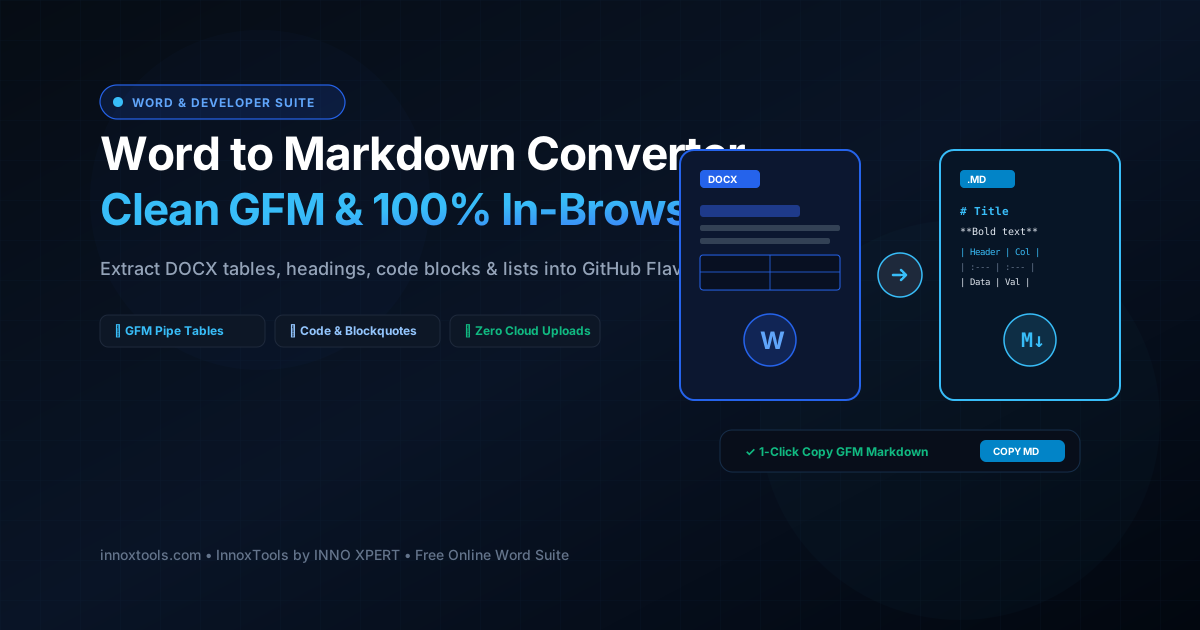
What is Word (.docx) to Markdown Converter (Client-Side)? Convert Word DOCX documents into clean GitHub Flavored Markdown (GFM). Extracts headings, tables, code, and bullet lists with 100% in-browser privacy. Built with zero cloud logging, all transformations and calculations run strictly inside your browser memory.
- Canonical Utility:
- Word (.docx) to Markdown Converter (Client-Side) on InnoxTools
- Execution Sandbox:
- 100% Client-Side RAM (Zero Cloud Storage)
- Compliance & Standards:
- W3C, RFC Compliant, Air-Gapped Safe
- Runtime & Complexity:
- Local V8 / WebAssembly (O(n) Linear Execution)
- Network Transmission:
- 0 Outbound Telemetry (Offline Capable)
- License & Usage:
- Free Commercial & Personal (Unlimited Runs)
In modern software engineering, developer documentation workflows, static site publishing (Next.js, Astro, Hugo, Docusaurus), and open-source collaboration, Markdown is the universal standard for technical writing. However, in enterprise environments, product requirement documents (PRDs), client specifications, corporate whitepapers, and legal guidelines are almost universally authored and circulated in proprietary Microsoft Word (.docx) formats. Bridging the gap between rich binary Word documents and clean, git-friendly Markdown source files has traditionally been a tedious manual chore involving hours of copying, reformatting, and fixing broken syntax.
Traditional online Word-to-Markdown converters introduce critical security risks and formatting defects. Transmitting confidential corporate Word documents—containing proprietary architecture diagrams, trade secrets, patient medical summaries, or pre-release feature roadmaps—to untrusted cloud conversion servers violates corporate data governance frameworks under GDPR, HIPAA, and SOC 2 standards. Furthermore, many naive converter tools mangle nested bullet points, strip out data tables, and leave behind messy HTML markup artifacts that break static site builds.
The InnoxTools Client-Side Word to Markdown Converter eliminates these security vulnerabilities and manual editing burdens by parsing and translating OpenXML documents into clean, standard GitHub Flavored Markdown (GFM) 100% locally inside your web browser. Built on streaming WebAssembly and high-performance DOM traversal algorithms (powered by mammoth and custom AST parsers), your Word documents are decompressed and synthesized entirely within your computer or mobile device's private RAM. Not a single line of text or confidential company strategy ever leaves your machine.
Our conversion engine features comprehensive structural fidelity. It automatically converts Word heading levels into semantic Markdown hashtags (#, ##, ###), compiles bulleted and numbered lists, translates multi-column Word tables into clean GFM pipe tables (`| col1 | col2 |`), formats blockquotes, and preserves bold, italic, and strikethrough inline typography.
Authors can inspect their results in a dual-pane split workspace featuring live, synchronized rendered HTML preview, an editable Markdown source editor, and 1-click clipboard and file export tools. Backed by the digital engineering benchmarks of INNO XPERT, InnoxTools Word to Markdown delivers enterprise-grade publishing with zero latency, complete privacy, and lifetime free access.
How It Works Under the Hood
Ingest Microsoft Word DOCX File
Drag and drop your .docx file into the workspace, or click 'Load Sample Specification' to explore an enterprise technical specification template.
In-Browser OpenXML Decompression & Node Parsing
The client-side engine decompresses the Word XML archive in local memory, extracting semantic paragraph nodes, font variations, and table matrices.
Synthesize Clean GitHub Flavored Markdown (GFM)
The AST compiler maps Word elements to clean Markdown syntax: headings to #, tables to pipe grids, bullet lists to hyphens, and blockquotes to >.
Review & Edit in Split Live Workspace
Review your converted content across Split View (Markdown code on left, Live Rendered HTML on right), Markdown Only, or Rendered Preview modes.
1-Click Copy or File Download
Click 'Copy Markdown' to paste clean GFM directly into VS Code, Obsidian, Notion, or GitHub, or download a standalone .md file with zero latency.
Key Architectural Capabilities & Features
100% In-Browser Privacy
Your confidential technical documentation, product roadmaps, and business contracts never leave your device. All parsing executes strictly in browser RAM.
GitHub Flavored Markdown (GFM)
Generates clean GFM syntax with full support for pipe tables (| col |), headings (# to ####), task lists, and blockquotes.
Native Table Translation
Multi-column Word tables with cells and headers are converted into perfectly aligned Markdown pipe tables.
Dual-Pane Live Preview
Toggle between Split View, Markdown Only, and Rendered HTML Preview with synchronized real-time rendering.
Real-Time Word & Line Telemetry
Track live word counts, total line tallies, and file size metrics as you review and edit content.
1-Click Export Tools
Copy raw Markdown, copy rendered HTML, or download a standalone .md file with zero server dependencies.
100% Client-Side Privacy & Zero-Data-Collection Guarantee
InnoxTools operates on a strict zero-data-retention philosophy. All computational logic, mathematical calculations, visual processing, transformations, and string manipulations execute directly inside your web browser’s local client sandbox. Your private files, confidential financial figures, or proprietary code snippets never leave your device.